
A clear workflow for unit testing for JavaScript apps. Images are compressed for page speed.
Unit testing for JavaScript apps: 21 Proven Wins
By Morne de Heer, Published by Brand Nexus Studios
Here is the simple truth about unit testing for JavaScript apps. You do not need a massive framework or months of setup to get real wins. You need a sharp toolkit, small habits, and a repeatable workflow.
When you make unit testing for JavaScript apps part of daily development, you reduce bugs, refactor safely, and move faster without breaking features. Your team ships often, with confidence that green tests back every change.
In this guide, you will learn the strategy and the tactics. We will cover tools, patterns, mocks, DOM testing, coverage, CI, and a quick HowTo to get your first test green in minutes.
What unit testing for JavaScript apps really means
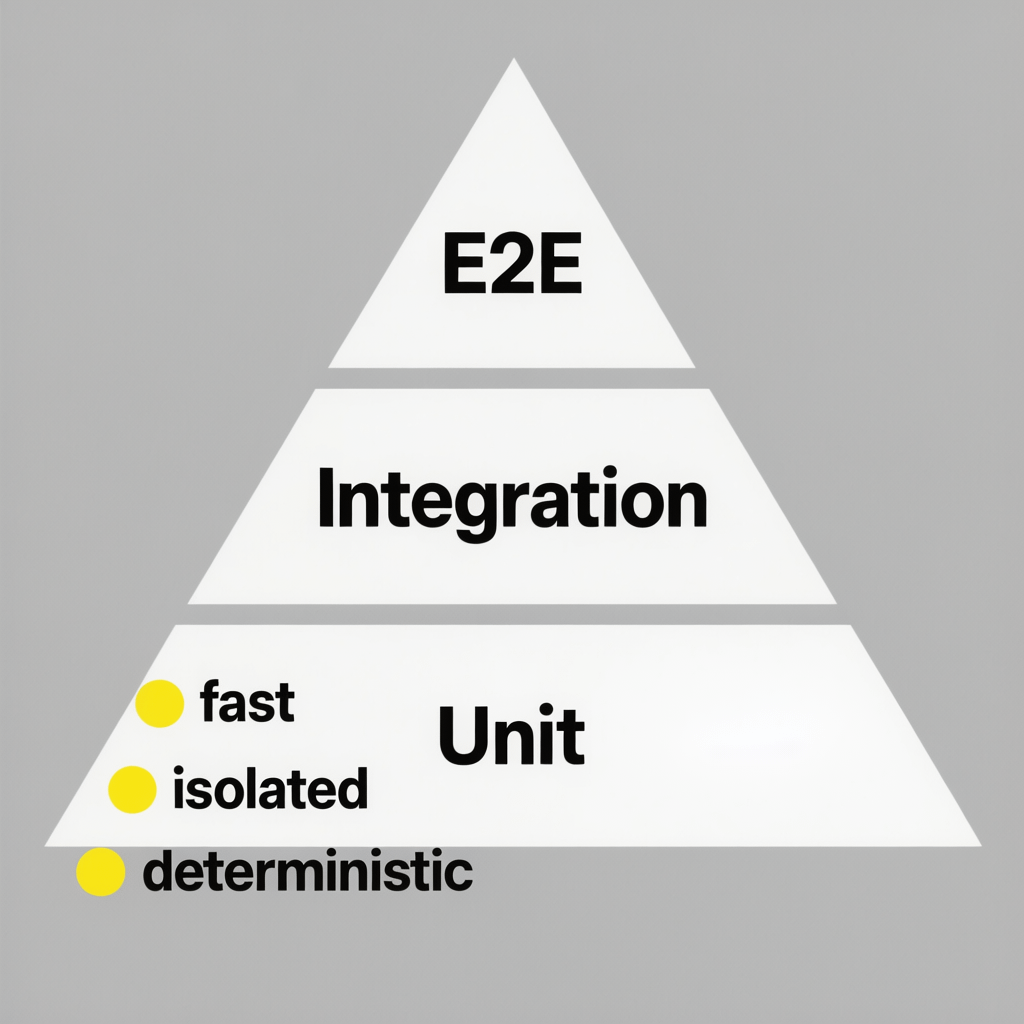
Unit testing for JavaScript apps targets the smallest testable parts of your code. Think pure functions, utilities, reducers, classes, and small component logic. The goal is fast, isolated feedback that proves each unit behaves as intended.
Good unit testing for JavaScript apps has three traits. It runs locally in milliseconds, it is deterministic every time, and it is easy to read. If a test is slow or flaky, treat it as tech debt and fix it quickly.
Because unit testing for JavaScript apps runs under Node or a simulated DOM, it is ideal for logic. Save full browser journeys for integration or E2E tests, and keep this layer lean and focused.
21 proven wins you get from unit testing for JavaScript apps
Start strong with outcomes. Here are the tangible gains teams see when they embed unit testing for JavaScript apps into daily work.
- Fewer regressions in core flows.
- Refactors that actually stick and speed things up.
- Design feedback that pushes code toward small, pure units.
- Readable examples that document behavior and edge cases.
- Faster onboarding because tests teach new teammates.
- Higher quality PRs with clear acceptance proof.
- More reliable releases and fewer hotfixes.
- Confidence to upgrade dependencies safely.
- Clear coverage metrics that expose risk areas.
- Less fear of deleting dead or duplicate code.
- Shorter feedback loops in CI.
- Easier parallelization of work across squads.
- Better accessibility when behavior is tested via roles and labels.
- Lean bundle sizes after safe cleanup.
- Stronger engineering culture with shared quality bar.
- Lower maintenance costs from fewer production bugs.
- Stable performance due to defensive tests around heavy code paths.
- Cleaner interfaces via brittle unit seams that force simplification.
- Consistent naming and patterns that scale across repos.
- Faster code reviews because intent is already verified.
- Happier users with fewer errors and smoother updates.
None of these require heroics. They come from small, consistent habits in unit testing for JavaScript apps.
Core principles that make unit testing for JavaScript apps stick
Test behavior, not implementation
Make assertions about outcomes that users or other modules care about. When you decouple tests from internal details, refactors stay safe and smooth.
AAA pattern every time
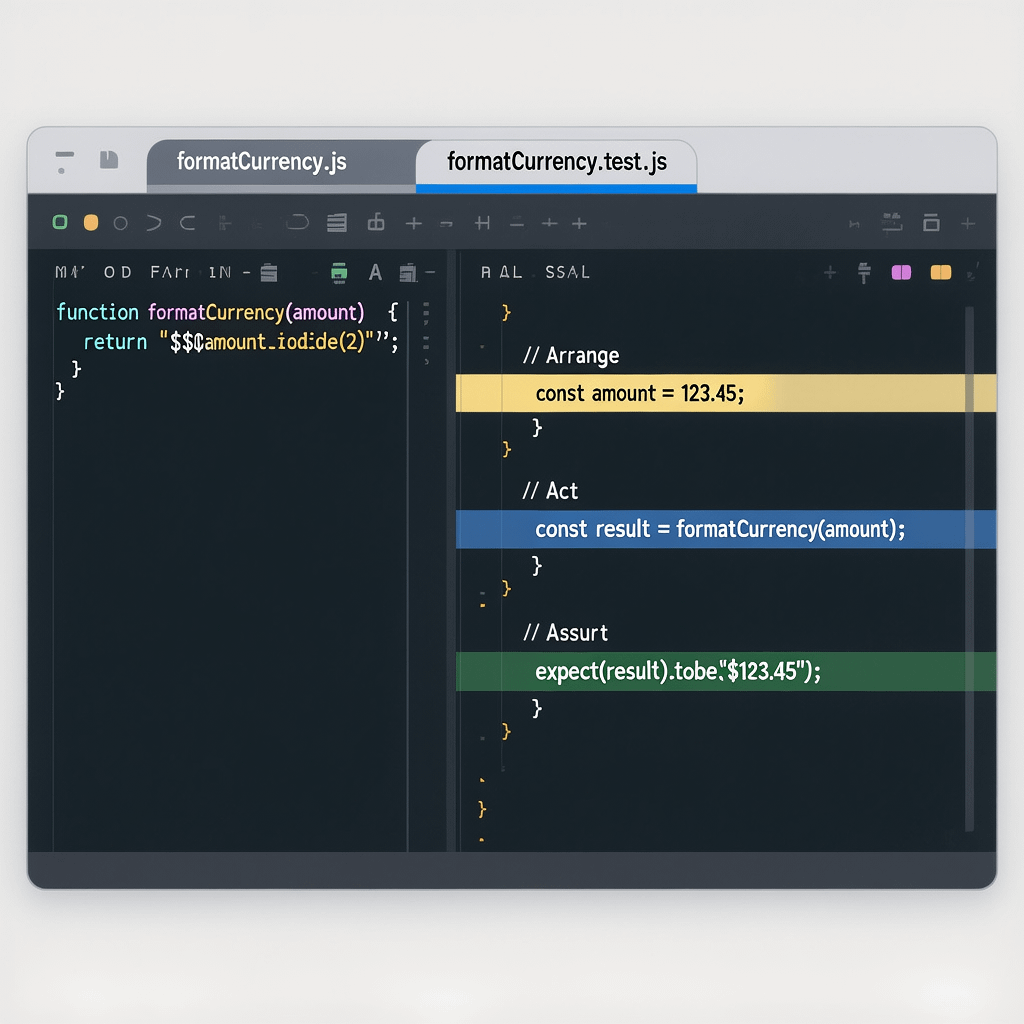
Unit testing for JavaScript apps is simpler with AAA. Arrange your inputs and mocks, Act on the unit under test, Assert on a clear result. One obvious reason to trust the test.
Isolation and determinism
Mock network calls, timers, random values, and storage. Unit testing for JavaScript apps must run the same way on every machine. Remove flakiness at the source.
Small tests, simple names
Names should read like a sentence. Keep one assertion theme per test. Your future self will thank you when a test fails at 2 AM.
Tools that power unit testing for JavaScript apps
You have great choices today. Pick one and lean in.
- Jest – Batteries included runner with assertions, mocks, snapshots, coverage, watch mode, and jsdom.
- Vitest – Fast Vite native runner with tight bundler integration and modern ergonomics.
- Mocha + Chai – Flexible, modular stack if you want to assemble your own toolkit.
- Testing Library – DOM and React testing that favors user oriented queries with minimal coupling.
- Sinon – Time control, spies, and stubs when you need fine grained doubles.
- ts-jest or SWC – Smooth TypeScript support for modern codebases.
Unit testing for JavaScript apps often starts with Jest because it is easy to adopt. Vitest is compelling for Vite projects that want raw speed.
Quick start HowTo for unit testing for JavaScript apps
Roll up your sleeves. You will have unit testing for JavaScript apps running in minutes with this flow.
1. Initialize the project
Create a folder and run:
npm init -y
mkdir src
2. Install Jest
npm install --save-dev jestAdd a script to package.json:
"scripts": {
  "test": "jest --watchAll=false"
}
3. Add a simple module
// src/sum.js
export function sum(a, b) {
  return a + b;
}
4. Write a first test using AAA
// src/sum.test.js
import { sum } from './sum';

test('adds numbers correctly', () => {
  // Arrange
  const a = 2, b = 3;

  // Act
  const result = sum(a, b);

  // Assert
  expect(result).toBe(5);
});
5. Run and celebrate green
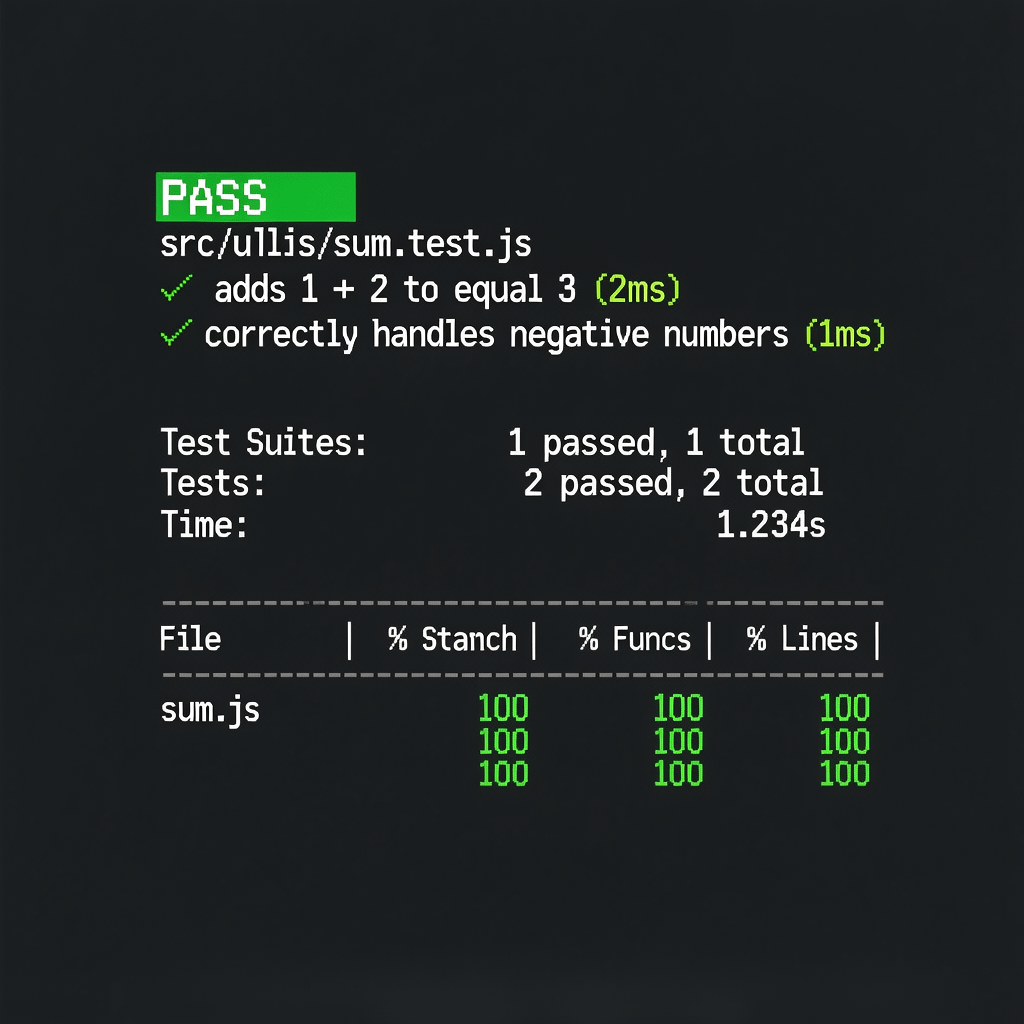
npm testThat is unit testing for JavaScript apps in action. Keep the loop tight. Change code, run tests, commit when green.
Patterns that level up unit testing for JavaScript apps
Data builders over fixtures
Prefer small factory functions that build just enough state for each test. Unit testing for JavaScript apps stays readable when builders live near the code under test.
Pure functions at the core
Extract pure logic from framework specific files. Unit testing for JavaScript apps becomes faster when most tests hit pure modules without DOM or I/O.
Dependency injection light
Accept collaborators as parameters or small adapters. Unit testing for JavaScript apps gets simpler when you can pass fakes directly without patching globals.
Arrange helpers and custom matchers
Create project wide helpers for common setup and custom matchers that encode domain rules. It reduces duplication and clarifies intent.
Mocking and stubbing without the pain
Use a light touch. Mock only true boundaries like HTTP, time, random, file I/O, and storage. Keep the rest real. Your tests should reflect the shape of production.
Unit testing for JavaScript apps thrives on simple doubles. For HTTP, use fetch stubs or libraries like MSW in node mode. For time, freeze clocks with Jest or Sinon. For random, seed a generator so results are predictable.
When you need spies, assert on behavior that matters, not call counts everywhere. Unit testing for JavaScript apps should tell clear stories, not police every function call.
Testing DOM and React the right way
The best unit testing for JavaScript apps that touch the DOM uses behavior focused queries. Testing Library shines here.
// Button.test.jsx
import { render, screen, fireEvent } from '@testing-library/react';
import Button from './Button';

test('submits when clicked', () => {
  render(<Button onSubmit={() => console.log('ok')}>Send</Button>);
  fireEvent.click(screen.getByRole('button', { name: /send/i }));
  // assert side effects or callback calls with a spy
});
Avoid snapshot tests for complex markup that churns often. Unit testing for JavaScript apps should prefer stable, user oriented checks like role, name, and visible text.
Structure and naming for large repos
Co locate tests with code. Place sum.test.js alongside sum.js. Unit testing for JavaScript apps scales when each unit carries its tests with it.
src/utils/formatCurrency.jsandsrc/utils/formatCurrency.test.jssrc/components/Cart.jsxandsrc/components/Cart.test.jsxsrc/services/api.jsandsrc/services/api.test.js
Use descriptive file names and describe blocks that mirror the unit. Unit testing for JavaScript apps gets easier to navigate when names reflect behavior.
Coverage that guides, not controls
Enable coverage but avoid chasing 100 percent. Focus on critical logic. Add thresholds to catch drift.
// jest.config.js
module.exports = {
  collectCoverage: true,
  coverageDirectory: 'coverage',
  coverageReporters: ['text', 'lcov'],
  coverageThreshold: {
    global: { branches: 80, functions: 80, lines: 80, statements: 80 }
  }
};
Unit testing for JavaScript apps benefits from mutation testing if you need extra rigor. Tools like Stryker verify that your assertions actually catch injected faults.
CI, caching, and speed for your suite
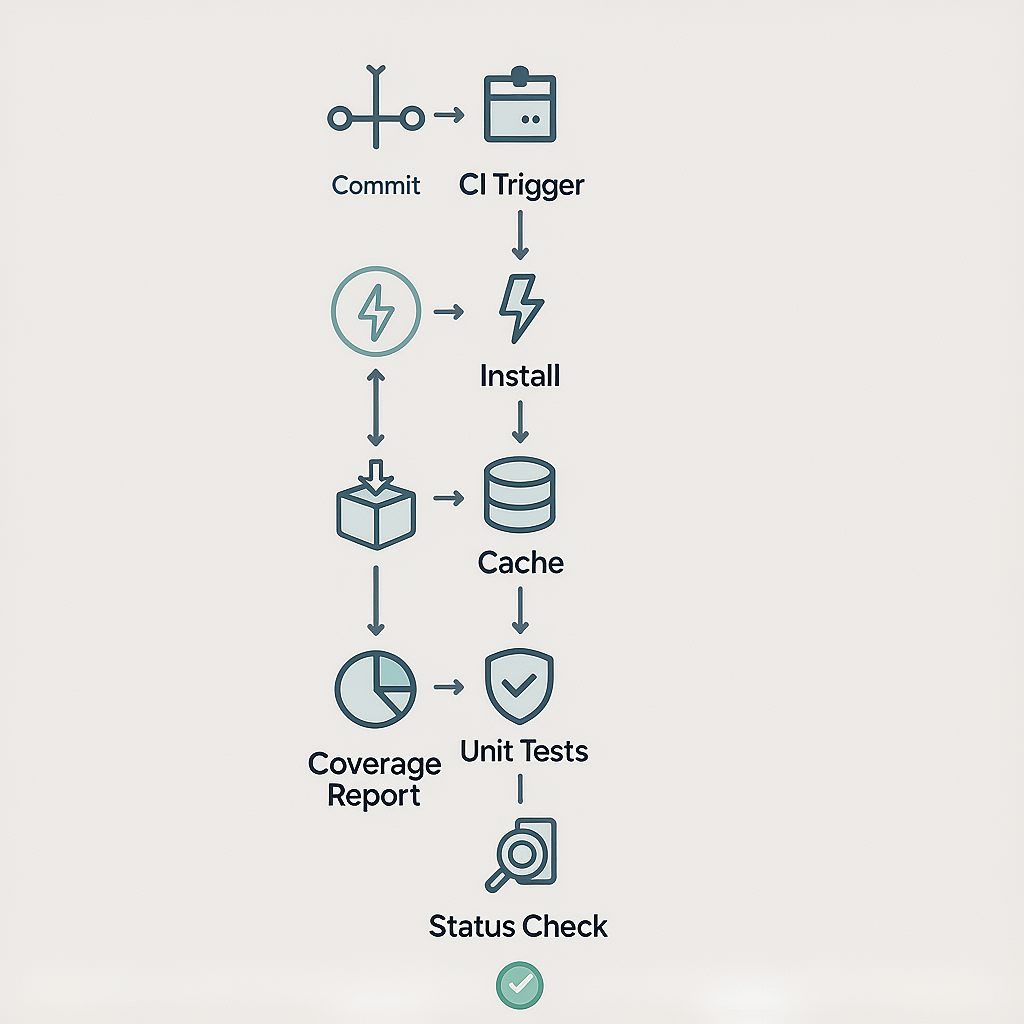
Keep feedback fast. In CI, run unit testing for JavaScript apps on every push with caching enabled. Jest caches transforms by default and you can split tests across cores.
# GitHub Actions sample
name: tests
on: [push, pull_request]
jobs:
  unit:
    runs-on: ubuntu-latest
    steps:
      - uses: actions/checkout@v4
      - uses: actions/setup-node@v4
        with:
          node-version: 20
          cache: 'npm'
      - run: npm ci
      - run: npm test -- --ci --coverage
Also care about runtime performance. While unrelated to test speed, healthy sites load fast when assets are optimized. Use image compression and smart caching headers in production to boost Core Web Vitals.
Where unit testing for JavaScript apps meets business goals
Quality is not a vanity metric. Fewer production bugs mean lower support costs and less churn. Stable delivery means faster experiments and better SEO through fewer script errors and smaller bundles after safe cleanup.
If you want guidance that blends testing with product velocity, the website design and development team at Brand Nexus Studios bakes robust testing into modern build pipelines.
For teams that watch metrics closely, solid test suites pair well with analytics and reporting so you can connect quality work to outcomes like conversion, CLS, and LCP improvements.
Common mistakes in unit testing for JavaScript apps
- Testing implementation details – Assert on public behavior, not internal calls.
- Flaky async tests – Await promises, use fake timers correctly, and avoid real network.
- Oversized tests – One purpose per test. Split multi scenario checks.
- Global shared state – Reset modules and mocks in beforeEach to isolate runs.
- Heavy mocks – Mock boundaries only. Keep core logic real.
- Snapshot churn – Avoid fragile snapshots for dynamic UIs.
- Ignoring error paths – Test failures and exceptions explicitly.
- Chasing 100 percent – Use coverage as a guide, not a target.
- Slow CI – Use caching, run in parallel, and prune unused transforms.
- No naming convention – Make names read like user stories.
- Skipping refactors – Let failing tests guide safe design improvements.
- Not running locally – Watch mode is your friend. Keep the loop tight.
If you find two or more of these in your repo, start with a small cleanup sprint. Unit testing for JavaScript apps improves quickly when you fix speed and flakiness first.
Practical checklist for unit testing for JavaScript apps
- Adopt a runner like Jest or Vitest with watch mode.
- Keep tests next to code files and name them consistently.
- Use AAA and behavior driven naming.
- Mock hard boundaries only, stub time and randomness.
- Measure coverage with thresholds at 80 percent.
- Run in CI on every branch with caching enabled.
- Document builders and custom matchers in a test-utils folder.
- Automate pre commit or pre push hooks for quick checks.
- Pair with image compression and caching for site performance wins.
When your team wants a partner to accelerate best practices, SEO services and robust engineering from Brand Nexus Studios help turn quality into outcomes that matter.
FAQs on unit testing for JavaScript apps
Questions come up on every team. Here are clear answers you can share in docs or onboarding.
What is unit testing for JavaScript apps and why does it matter?
It verifies the smallest pieces of code in isolation. It matters because it prevents regressions, speeds safe refactors, and documents expected behavior so teams move faster.
Which frameworks are best for unit testing for JavaScript apps?
Jest is an excellent default with mocks, coverage, and jsdom. Vitest is blazing fast for Vite projects. Mocha with Chai works when you want flexibility.
How many tests do I need for solid coverage?
Start by protecting critical logic and edge cases. Use 80 percent coverage thresholds to avoid drift. Coverage is a compass, not a trophy.
Should I mock APIs in unit testing for JavaScript apps?
Yes. Tests must be deterministic. Replace HTTP, time, and randomness with fakes so your suite stays fast and reliable.
How do I test DOM code or React components?
Use Testing Library to favor user intent. Query by role, label text, and visible names. Avoid asserting against internal implementation.
Where do unit tests fit in the testing pyramid?
They form the base with many small tests. Above them sit integration tests, then a thin E2E layer. This mix balances confidence with speed.
Can unit tests help SEO and page speed?
Indirectly yes. Stable code and safe refactors mean fewer runtime errors and leaner bundles. Add image compression and caching to see direct performance gains.
What is the AAA pattern in unit testing for JavaScript apps?
Arrange, Act, Assert. Set up inputs and mocks, perform the action, then verify the outcome with one clear expectation.
References
About the Author