
Feature image. Visualizing a clean, fast, affordable website. Images are compressed for speed.
Affordable Website: 27 Powerful Cost-Saving Tips
By Morne de Heer, Published by Brand Nexus Studios
Looking for an affordable website that still looks premium and converts like a pro? You are in the right place. In this guide you will learn practical ways to cut costs, keep quality high, and launch on time.
An affordable website does not mean cheap or flimsy. It means smart choices, lean scope, and a stack that performs. You will see how a focused plan trims waste and speeds delivery without sacrificing results.
If you need a partner, Brand Nexus Studios is known for building budget smart sites that load fast and sell hard. This playbook shares exactly how we approach it.
What an affordable website really costs in 2025
Here is the short answer. A typical affordable website for a small business lands between R8,000 and R35,000, or roughly USD 500 to USD 2,000. The range depends on scope, content readiness, and integrations.
An affordable website stays affordable when you keep the sitemap lean and decisions crisp. The biggest cost drivers are pages, revisions, custom features, and speed of delivery. Shorten those loops and the price follows.
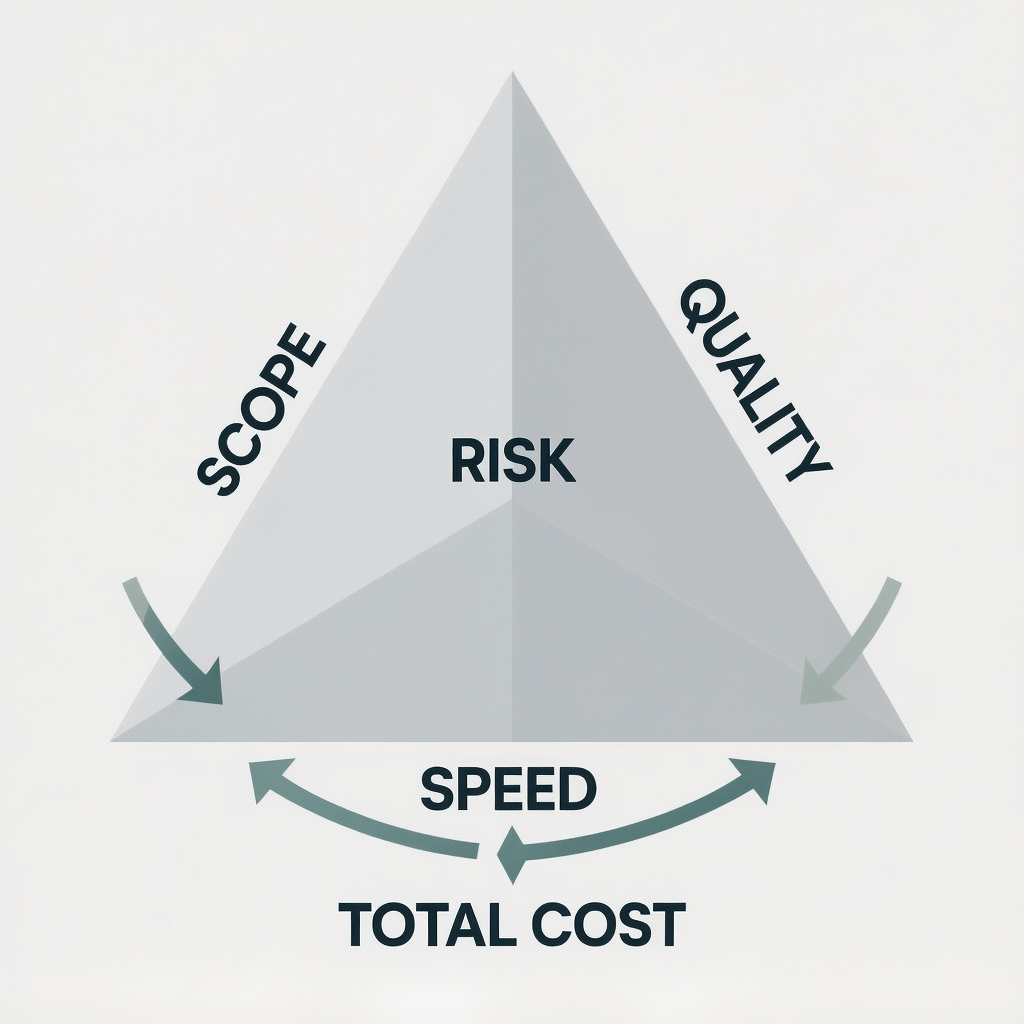
Another lever is content. An affordable website gets expensive when copy and images are late or low quality. Prepare content early, or simplify the content model so you can launch faster with confidence.
Affordable website vs cheap website
Here is the difference. A cheap site focuses only on price. An affordable website focuses on value. It delivers conversions, SEO, speed, and a clean user experience while keeping costs predictable.
Cut corners on hosting, code quality, or security and the final bill returns with interest. An affordable website avoids that trap by investing in the few things that compound over time.
27 powerful cost-saving tips for an affordable website
1) Define one goal and one audience
Clarity beats complexity. An affordable website starts with a single conversion goal such as book a call or start a trial. Every section, image, and button should support that outcome.
2) Launch a lean sitemap
Less is faster and cheaper. An affordable website can ship with Home, Services or Product, About, Contact, and a simple Privacy page. Add more pages when data proves demand.
3) Choose the right platform for your context
Pick WordPress for flexibility and ownership. Choose Shopify if you need simple ecommerce with built in payments. Either can deliver an affordable website when configured well.
4) Use a lightweight, accessible theme
Performance is a budget multiplier. A lean theme means fewer conflicts, less code, and a faster affordable website. Check Core Web Vitals and accessibility before you commit.
5) Adopt Gutenberg blocks or a minimal builder
Heavy builders create bloat. For an affordable website, favor native blocks or a minimal builder that outputs clean HTML. Your pages will be smaller and your edits faster.
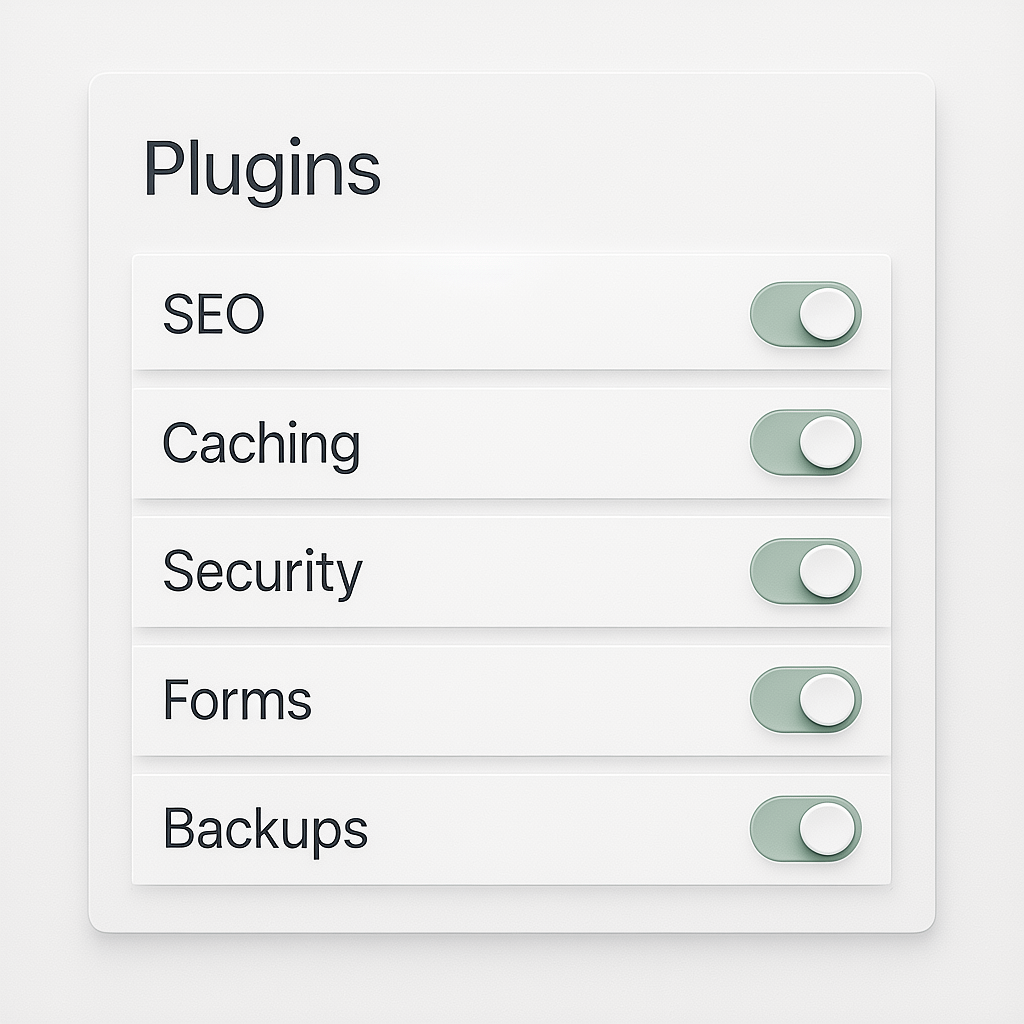
6) Cap plugins at the essentials
Each plugin adds code, risk, and maintenance. An affordable website usually needs SEO, caching, security, forms, and backups. Reach for multipurpose utilities before adding more.
7) Reuse patterns and components
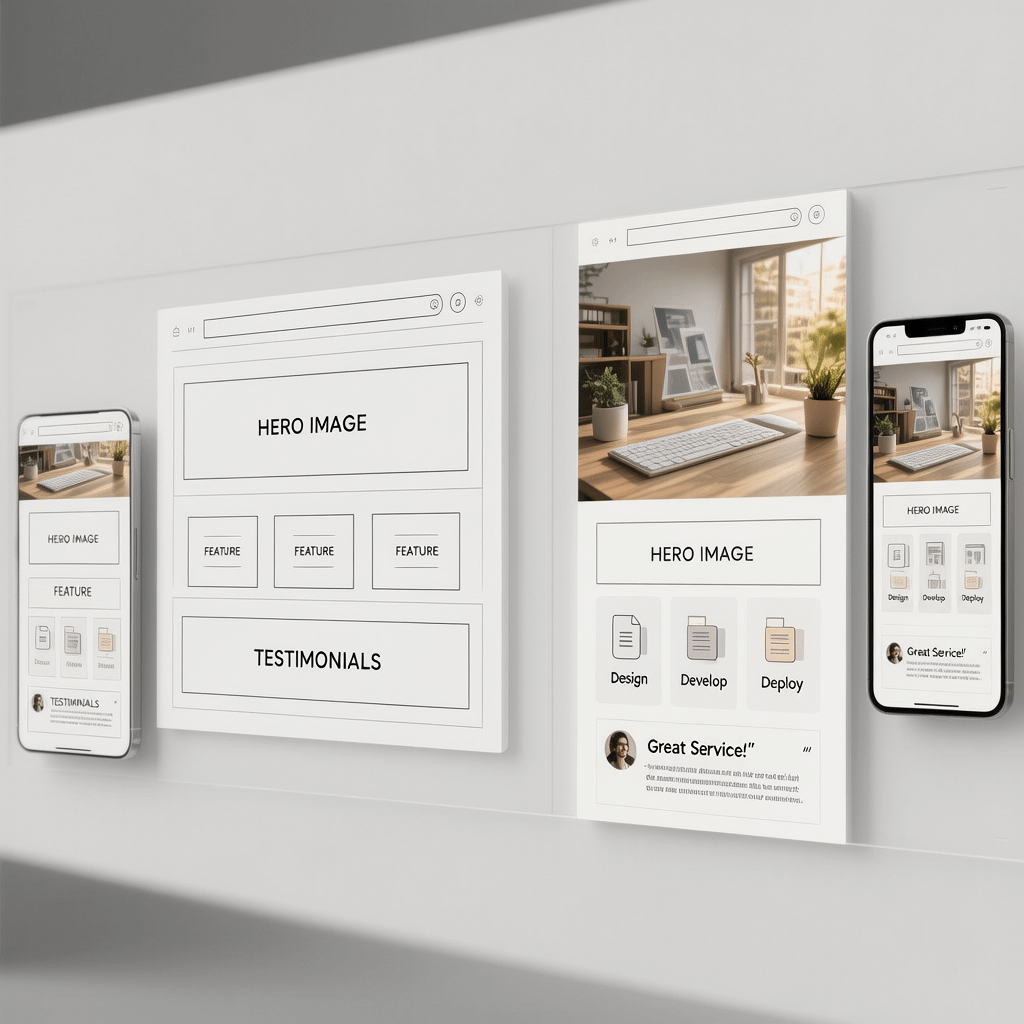
Repeat proven blocks. Build section patterns for hero, features, testimonials, and CTA. An affordable website leans on reusable parts to reduce design time and rework.
8) Wireframe before design
Sketch layouts without color or type first. Wireframes compress feedback cycles and cut revisions. The result is a cleaner, more affordable website that ships sooner.
9) Use proven copy frameworks
Write with AIDA or PAS. Short sentences, active voice, and clear benefits. An affordable website wins when the copy is sharp and focused on outcomes, not features.
10) Batch content creation
Work in sprints. Draft all headlines first, then body copy, then CTAs. Batching reduces context switching and protects the timeline of your affordable website.
11) Use free professional assets
Leverage open source icons and type families. Use royalty free photos until revenue funds a shoot. Smart asset choices keep your affordable website looking polished.
12) Compress and automate images
Speed pays for itself. Use modern formats, compression, and lazy loading. We compress all images and recommend a CDN so your affordable website loads quickly on mobile.
13) Prefer SVG icons and vector logos
SVGs are crisp and tiny. They scale without blur and deliver better performance. Your affordable website will feel snappier and more consistent across devices.
14) Avoid heavy animations
Subtle motion is fine. Avoid canvas and video backgrounds unless they lift conversions. Clean transitions keep your affordable website performant and accessible.
15) Pick sensible hosting
Shared hosting is cheap but not always cheerful. A modest managed plan often delivers better speed and support. Balanced hosting keeps an affordable website stable.
16) Use a CDN for global reach
Distribute static assets across regions. A CDN shortens latency and reduces server load. That boost helps your affordable website feel premium everywhere.
17) Enable caching correctly
Page, browser, and object caching are your friends. Configure sensible cache rules and preloading. Caching makes an affordable website feel lightning fast.
18) Preload critical assets
Tell the browser what matters. Preload hero images and key font files. This small step improves the first impression of your affordable website.
19) Lazy load below the fold media
Load what the user sees first, then fetch the rest. Lazy loading keeps Time to Interactive low, which helps your affordable website convert more traffic.
20) Trim third party scripts
Audit chat, heatmaps, and analytics. Remove what you do not use. Each script adds weight that can slow an affordable website and cut conversions.
21) Track only what you need
Measure to manage. Install analytics, define conversions, and stop there. Minimal tracking keeps your affordable website compliant and fast.
22) Use templates for legal pages
Save time on boilerplate. Use vetted templates for Privacy and Terms, then customize. This protects your affordable website while keeping costs down.
23) Create a micro style guide
Document type scale, buttons, colors, and spacing. A tiny guide keeps your affordable website consistent and reduces design drift as you grow.
24) Cap revisions and lock scope
Set expectations early. Cap rounds to two per page type and log changes. Boundaries keep your affordable website project on time and on budget.
25) Plan maintenance from day one
Updates and backups are not optional. A light maintenance plan protects your affordable website and avoids nasty surprise costs after launch.
26) Phase features after launch
Ship the core first, then add extras in sprints. This approach lets your affordable website learn from real users before you invest in bells and whistles.
27) Choose transparent packages
Fixed scope beats guesswork. If you prefer clarity, consider transparent website packages with defined deliverables and milestones. That is how an affordable website stays predictable.
Affordable website tech stack: CMS, themes, and hosting
A good stack multiplies your budget. The right choices let an affordable website punch above its weight, both in performance and flexibility.
CMS choices that balance cost and control
WordPress remains the most flexible option for an affordable website. You own your data, you can move hosts, and the plugin ecosystem is unmatched. For storefronts with simple catalogs, Shopify can be a great fit.
If you need custom workflows or headless content, plan that for a future phase. Keep your affordable website simple at launch and integrate later when traffic and revenue justify the investment.
Theme strategy that speeds development
Use a modern, lightweight theme with clean markup and strong accessibility. An affordable website should pass keyboard navigation and contrast checks out of the box. That saves rounds of fixes later.
Plugins you actually need
- SEO manager with schema support
- Caching and performance helper
- Security hardening and firewall
- Forms and spam protection
- Backups and restore points
That is enough to get an affordable website live, stable, and fast. Add only when data proves a real need.
UX and content that convert without breaking the bank
Conversion beats decoration. An affordable website wins when the customer sees value fast, trusts you, and knows what to do next.
Wireframes keep everyone aligned
Map out the hero, social proof, benefits, objections, and CTA. A focused wireframe trims dead ends and produces a tighter affordable website that guides the eye.
Voice and copy that sell
Use crisp, direct language. Lead with outcomes and proof. Active verbs and short paragraphs keep your affordable website scannable and persuasive.
Images that load instantly
Compress, resize, and serve modern formats. Add descriptive alt text for accessibility. This is how an affordable website feels premium on any connection.
Pro tip. Mention in your brief that all images should be compressed and cached. That one line can save hours and keep your affordable website flying.
SEO for an affordable website: focus on the 20 percent that moves the needle
Search traffic compounds. A little SEO structure early helps an affordable website rank faster and avoid costly refactors.
Map keywords to pages
Assign one primary topic per page. Use related terms to fill semantic gaps. This keeps your affordable website relevant without stuffing keywords.
On page essentials
- Unique title and meta description with the main term
- H1 that mirrors intent and clear H2s for sections
- Descriptive alt text and filenames for images
- Internal links with natural anchor text
If you want expert help, explore our SEO services to set up a strong foundation for your affordable website.
Technical basics done right
Add a sitemap, robots rules, and schema for articles, FAQs, and products. Fix broken links and avoid redirect chains. These small wins keep an affordable website crawled and indexed efficiently.
Performance playbook: speed up your affordable website
Speed is a force multiplier. Faster pages earn better engagement, which lifts conversions and lowers acquisition costs. That makes an affordable website even more affordable over time.
Compression, caching, and CDNs
Enable Gzip or Brotli, compress images, and cache pages aggressively. Add a CDN for global users. These moves take minutes and keep your affordable website quick under load.
Core Web Vitals in plain English
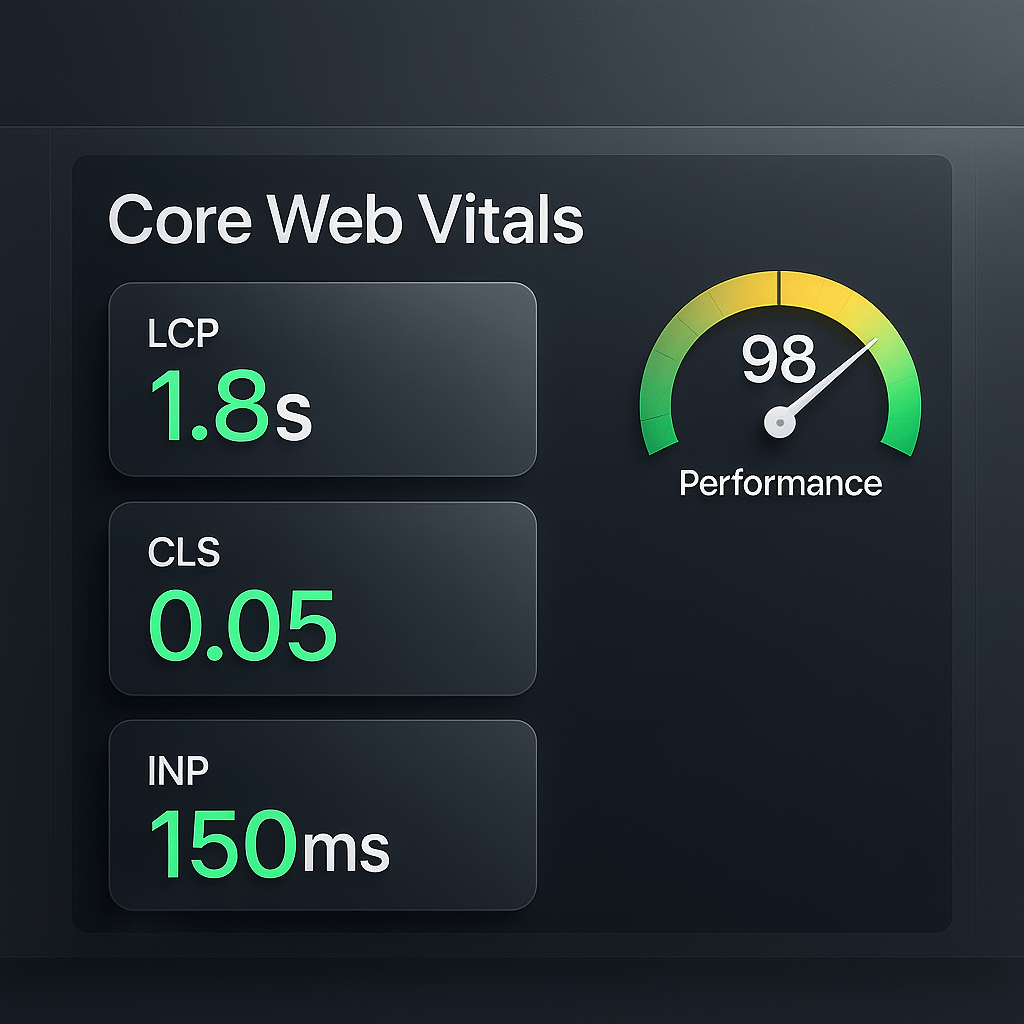
Largest Contentful Paint should be under 2.5 seconds. Cumulative Layout Shift should be close to zero. First Input Delay is replaced by Interaction to Next Paint. Meet those and your affordable website will feel smooth.
Keep it lean
Limit heavy fonts, avoid render blocking scripts, and push critical CSS. The lighter the payload, the stronger your affordable website performs across devices and networks.
Governance: budgets, scope, and risk
Clear process keeps surprises off your invoice. An affordable website thrives on boundaries and simple rules that everyone understands.
Fixed scope packages vs hourly
Packages reduce risk and give you predictable outcomes. If you prefer expert hands, our website design and development team can scope milestones and deliverables that fit your affordable website plan.
Avoid scope creep with change logs
Log every change request and map it to a later sprint when possible. A clean backlog keeps your affordable website moving without derailing the launch date.
When you want a partner to plan, build, and maintain, Brand Nexus Studios has you covered with clear briefs, fast iterations, and dependable support for your affordable website.
Launch checklist for an affordable website
Ship with confidence. This list keeps your launch smooth and your affordable website stable from day one.
- Redirects mapped and tested
- Titles, metas, and open graph set
- Analytics, conversions, and goals live
- Caching, CDN, and image compression enabled
- Security hardening and backups configured
- Forms tested with success and failure states
- Uptime and error monitoring in place
Double check accessibility. Keyboard navigation, focus states, and alt text help every user and protect your affordable website from costly rework later.
Affordable website FAQs
How much does an affordable website cost in 2025?
Most small businesses invest between R8,000 and R35,000 or USD 500 to USD 2,000 for a focused scope. An affordable website with ecommerce, custom integrations, or complex approvals will cost more.
How long does it take to build an affordable website?
With clear content and approvals, 2 to 4 weeks is realistic. If your affordable website needs integrations, translations, or advanced SEO, plan more time.
Which platform is best for an affordable website?
WordPress fits most. Shopify is excellent for simple carts. Wix or Squarespace can be fine for quick personal sites. The winning choice keeps your affordable website simple at launch.
What pages are essential at launch?
Home, Services or Products, About, Contact, and a basic Privacy page. Your affordable website can add Blog, Case Studies, or Resources later when traffic grows.
How do I keep performance high on a budget?
Compress images, enable caching, and avoid heavy themes. These basics keep an affordable website quick and reduce bounce on mobile.
DIY or agency for an affordable website?
DIY trades time for money. An experienced partner ships faster and avoids mistakes. For many teams, a guided build keeps the affordable website truly affordable.
Who will maintain the site after launch?
Plan updates, backups, and checks monthly. If you prefer hands off, Brand Nexus Studios can manage hosting, updates, and support so your affordable website stays healthy.
Putting it together
Here is the takeaway. Start small, move fast, and optimize what matters. An affordable website is the result of a lean plan, a disciplined stack, and relentless focus on speed and conversions.
Invest in the foundation and phase the rest. With the right choices, your affordable website will look great, rank faster, and turn visitors into customers without blowing the budget.
If you want a reliable guide, the team at Brand Nexus Studios has shipped hundreds of sites that balance price, speed, and scale. We would be happy to help map the next steps.
References
- Google Search SEO starter guide (dofollow)
- MDN Web Docs on HTTP caching (nofollow)
About the Author