
A clean, fast VS Code setup is a secret weapon. All images are compressed for page speed.
Best VS Code extensions for web development: 21 must have
By Morne de Heer, Published by Brand Nexus Studios
If you want a faster workflow and fewer bugs, you need the best VS Code extensions for web development. This guide cuts through bloat and shows you exactly which tools deliver speed, consistency, and real world productivity.
Right up front, here is the promise. You will get a curated list of 21 essentials, tight setup tips, and practical guardrails to keep your editor blazing fast. If you prefer a done for you dev workflow while we build your site or app, our website design and development team can configure everything for you.
Why VS Code still dominates modern web work
Speed, flexibility, and an unmatched extension ecosystem keep VS Code on top. The right combo turns a text editor into a full IDE without the weight. The wrong combo slows everything down and leaks focus.
In this guide, you will get a pragmatic setup. We will cover code quality, debugging, collaboration, testing, and stack specific helpers. You will see where to be opinionated and where to keep options open.
How we evaluated picks
Before we dive into the best VS Code extensions for web development, here is how we scored each candidate. The criteria are simple and ruthless.
- Impact on real world speed: fewer clicks, fewer context switches.
- Code health: catches errors early, enforces standards, reduces regressions.
- Team friendliness: shareable configs, consistent behavior across machines.
- Performance cost: low overhead at startup and during typing.
- Maintenance: active development, clear docs, proven community adoption.
We also checked overlap. If two tools did the same job, we kept the faster one or the one with better team workflows.
The best VS Code extensions for web development by category
Let us organize your toolbelt so it stays lean. Below are 21 must have picks grouped by what they help you do. Add only what you truly need for your stack.
Code quality and consistency
Start here. These ensure clean code, predictable formatting, and easy onboarding for the next developer who touches your repo.
-
Prettier – Code formatter
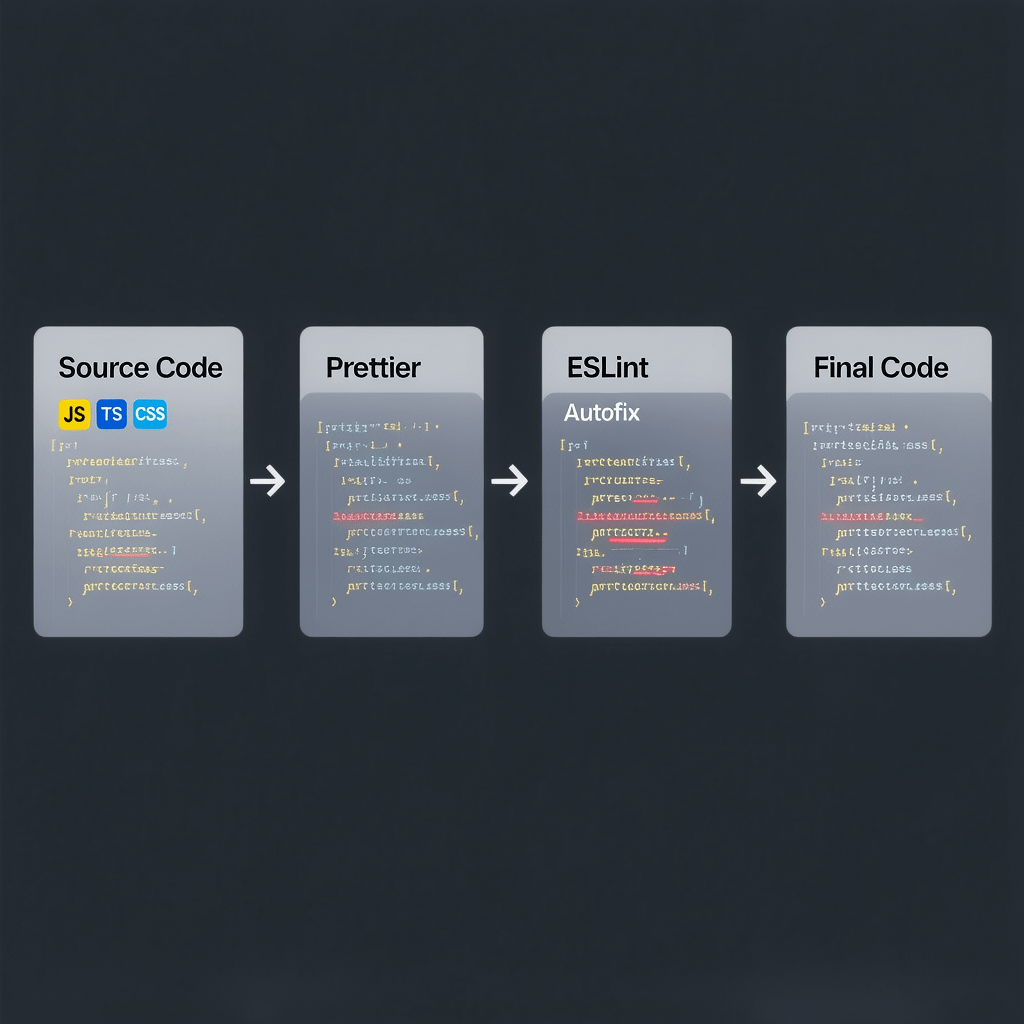
Formatting should be automatic. Prettier gives you one style across the codebase so diffs stay small and reviews focus on logic, not spacing. Set it to format on save and watch friction vanish.
Pro tip: add a .prettierrc and commit it. If you use ESLint, configure the eslint-plugin-prettier setup so lint and format never fight.
-
ESLint
ESLint is your first line of defense against silly bugs and inconsistent patterns. It highlights problems as you type and lets teams enforce rules that match their standards.
Quick setup: extend recommended, add TypeScript support where needed, and use autofix on save. Keep rules strict on critical paths and gentle on legacy files.
-
Stylelint
For CSS, SCSS, and modern frameworks, Stylelint is the gatekeeper for naming, specificity, and best practices. It pairs nicely with Tailwind or traditional CSS architectures.
Enable standard configs and turn on autofix. Keep utility first exceptions documented so the team understands when deviations are allowed.
-
EditorConfig for VS Code
Simple but powerful. EditorConfig prevents tab and newline chaos when multiple editors join the party. Drop an .editorconfig in the repo and everyone plays nice without thinking about it.
Front end speed and HTML or CSS productivity
Get faster at the basics. These picks speed up markup, classes, and live feedback loops when you are prototyping or polishing UI.
-
Live Server
For static HTML, CSS, and vanilla JS, Live Server gives you instant refresh in the browser. It is perfect for micro sites, proofs of concept, and design spikes.
Note: frameworks like Next.js, Vite, and Angular already ship fast dev servers. Use those instead when available.
-
Tailwind CSS IntelliSense
If you use Tailwind, this is non negotiable. It adds class name completion, linting, and previews so you ship pixel perfect UI with fewer trips to the docs.
Set experimental class regex if you use twin.macro or unusual patterns. Keep Purge or content scanning settings accurate for production builds.
-
Auto Rename Tag
Small quality of life upgrade. Rename one HTML or JSX tag and its pair updates automatically. It saves dozens of micro mistakes and keeps markup clean.
Smarter imports and project navigation
Shave minutes off every hour by letting the editor find files and packages for you. Less typing and fewer broken imports adds up fast.
-
Path Intellisense
Type a slash and get instant suggestions for files and folders. It reduces typos and speeds up working with assets, components, and shared utilities.
-
NPM Intellisense
Auto complete npm package names in import statements. It is a subtle improvement that saves you context switches to package.json or npmjs.
Git superpowers and collaboration
Version control is where teams win or lose time. These tools make code history readable and reviews smoother.
-
GitLens
See who changed what and why right inline. GitLens surfaces authorship, commit messages, and code age so you understand context instantly.
Use the blame and file history views to trace regressions quickly. Set workspaces to show only relevant remotes so the UI stays clear.
-
GitHub Pull Requests and Issues
Review code, leave comments, and check CI statuses without leaving VS Code. It keeps feedback tight and reduces tool swapping during feature work.
-
Live Share
Pair programming without the pain. Live Share lets you co edit, share terminals, and debug together in real time. It is excellent for onboarding and tricky bugs.
API testing and integration
Stay in flow while checking endpoints. For many teams, this replaces separate tools for day to day work.
-
REST Client
Create .http files, send requests, and see responses inline. Store examples in source control so your team has living, executable docs.
Use variables and environments for dev, staging, and production. Keep secrets out of files by referencing environment variables.
Containers and reproducible environments
Make onboarding a non event. With containers, everyone gets the same stack with the same versions every time.
-
Docker
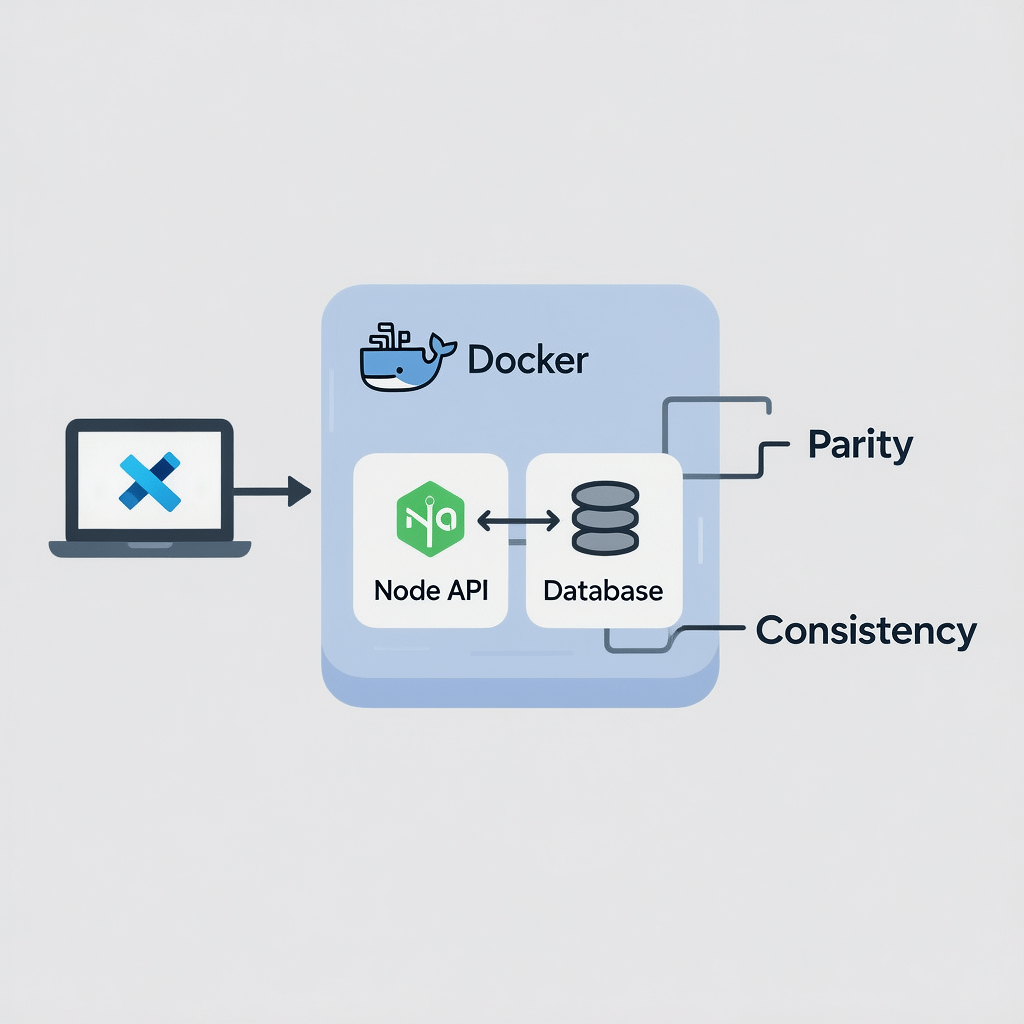
Build and run containers from inside VS Code. It is perfect for spinning up databases, caching, and full stack sandboxes for local development.
-
Remote – Containers
Open any folder inside a container and treat it like a local project. Dev Containers give you exact parity with CI and production images.
Tip: check in a .devcontainer folder. New contributors get a working environment with one click, which is gold for busy teams.
Testing and quality gates
You cannot scale quality without fast feedback. These integrate your tests directly into the editor.
-
Jest
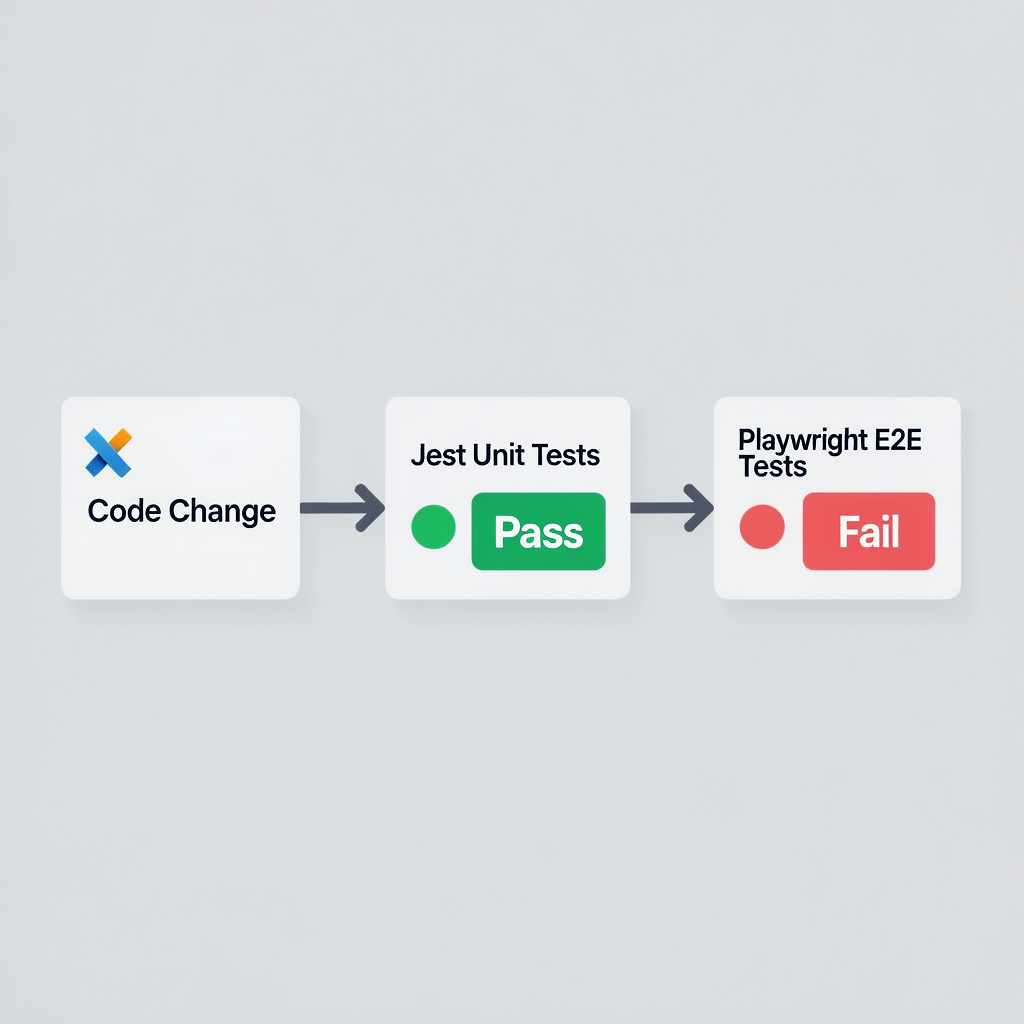
For unit tests and component logic, Jest integration shows pass or fail inline and lets you jump to failing assertions quickly. Run watch mode as you code to stay in the zone.
-
Playwright Test
End to end tests that are reliable and fast. The extension makes debugging selectors and traces straightforward, and you can record flows for rapid coverage.
Framework specific intelligence
Language servers are where frameworks really shine in VS Code. Get completions, refactors, and type safety that feels native.
-
Volar for Vue 3
Modern Vue projects should use Volar for stronger type safety, SFC support, and performance. It is a big step up from older setups.
-
Angular Language Service
Templates, directives, and router links get full IntelliSense with this extension. It reduces template errors and speeds up refactors across Angular apps.
-
ES7+ React/Redux snippets
Generate common React patterns with short triggers. Combined with ESLint and Prettier, it keeps your components consistent and your fingers happy.
AI assisted coding
Used responsibly, AI can cut boilerplate and help you explore APIs faster. Always review suggestions and run your linters and tests.
-
GitHub Copilot
Inline suggestions, quick function drafts, and test scaffolds. It shines when you give it clear comments and good context. Treat everything as a starting point, not a final answer.
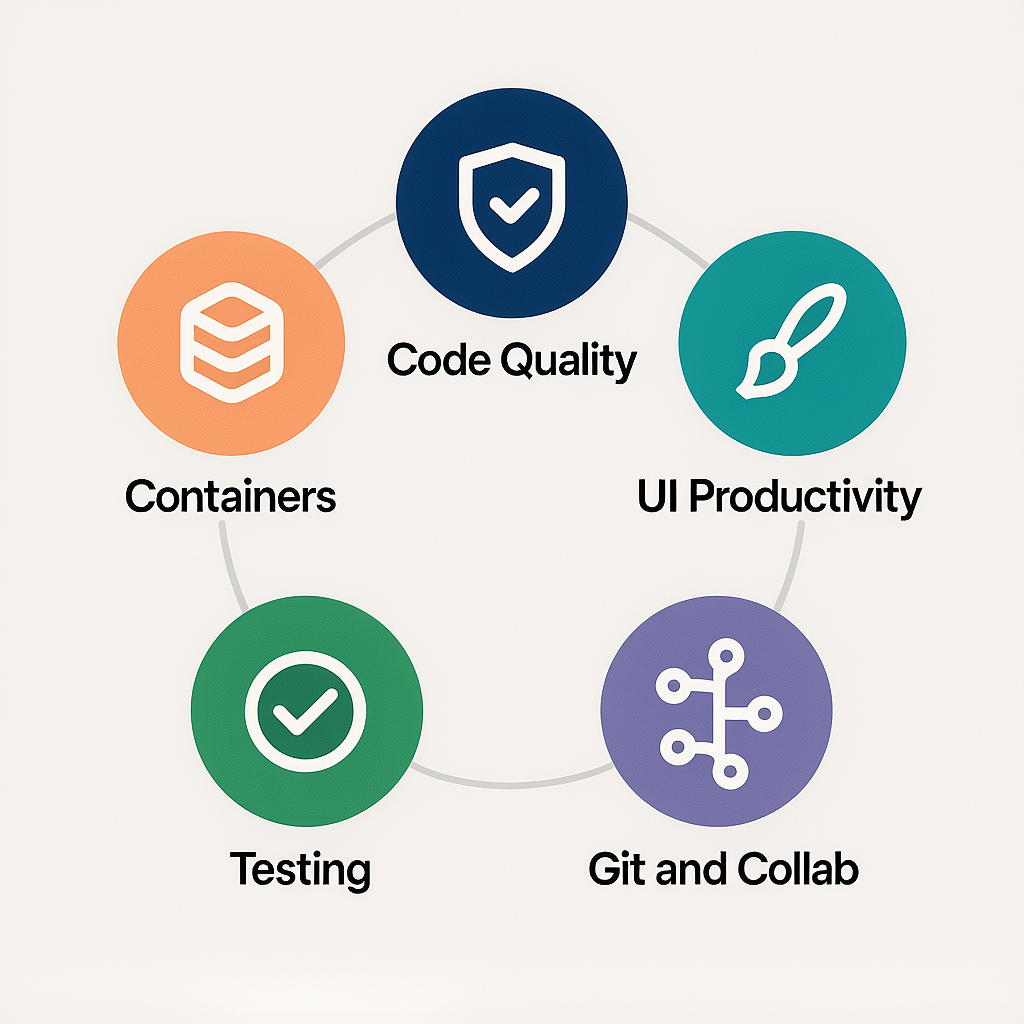
That is the core list. If you need more, add carefully. Popular honorable mentions include Snyk for security scanning, GraphQL for schema aware queries, Color Highlight for CSS color previews, and Markdown All in One for documentation heavy projects. Add them only when they solve a real problem you feel frequently.
Setup tips to stay fast and focused
Choices matter. Here is how to wire everything up so it feels smooth on day one and scales with your team later.
Use Profiles for different project types
Create a Profile for front end work, another for Node or API, and a lightweight one for docs. Profiles let you enable only the extensions you need at any moment, which keeps memory use and CPU load low.
Commit workspace recommendations
Add a .vscode/extensions.json file to your repository with recommendations. New contributors will get a friendly prompt to install the exact stack you expect.
Tame format on save
Set editor.formatOnSave to true, then let Prettier control the format. For JS and TS, tell ESLint to fix on save. This gives you clear roles and avoids fights between tools.
Keep secrets safe
Never paste API keys into .http files or code. Use environment variables via .env files and your task runner. Double check .gitignore to avoid accidental leaks.
Measure and prune regularly
Once a month, run the Developer: Startup Performance report. Disable or remove anything you have not used in a while. Less is more, especially when deadlines loom.
Example workflows that just work
Below are battle tested flows that combine the best VS Code extensions for web development into smooth, repeatable routines. Use them as templates and adapt to your stack.
React SPA with Tailwind and API calls
- Prettier and ESLint handle formatting and quality.
- ES7+ React snippets speed component scaffolding.
- Tailwind CSS IntelliSense ensures classes are correct.
- REST Client stores example requests for the back end.
- Jest runs unit tests, Playwright covers key flows.
- GitLens and GitHub PRs keep reviews tight and focused.
Vue 3 app with Volar and containers
- Volar powers type safe SFCs and refactors.
- Docker and Remote – Containers give a replica environment.
- Prettier, ESLint, and Stylelint keep code consistent.
- Live Share helps pair on complex state management.
Angular enterprise dashboard
- Angular Language Service for template intelligence.
- Strict ESLint rules and Prettier for long term sanity.
- Playwright for E2E, Jest for unit tests.
- GitLens to trace legacy decisions before refactors.
Static marketing site prototype
- Live Server for fast previews.
- Tailwind CSS IntelliSense for quick styling.
- REST Client to test basic contact form endpoints.
- Markdown All in One if the team documents content models inline.
Performance hygiene for a snappy editor
You do not need a monster machine to keep VS Code flying. You do need discipline. These habits make a noticeable difference.
- Disable extensions by language. Many have a setting that lets you opt out for file types you do not use.
- Exclude heavy folders from search and watchers, like node_modules, dist, build, or .next. Your CPU will thank you.
- Prefer native language servers over overlapping helpers.
- Use VS Code Profiles to switch sets of extensions with a click.
- Update regularly and read release notes for performance improvements.
From code to customers: why this matters for your site
Smoother development leads to faster ships and fewer defects. That translates to better Core Web Vitals, stronger SEO, and happier users. Clean code is not just a developer preference. It is a business advantage.
If you want a partner who builds with these standards every day, SEO services from Brand Nexus Studios connect technical quality to traffic and revenue. We optimize code paths, bundle strategies, image compression, and caching so your site loads fast and ranks higher.
We also wire analytics and reporting from day one. With our analytics and reporting approach, you see how performance changes impact conversions. No guesswork, just clear data.

Image compression, caching, and page speed reminders
Even the best VS Code extensions for web development cannot save a bloated site. Compress your images, add modern formats like AVIF or WebP, and use responsive srcsets or sizes.
Cache assets with long max age headers and content hashing. Split bundles, lazy load non critical scripts, and defer third party widgets until they are needed. These moves make your site feel instant.
Stack specific mini checklists
Use these quick bundles to bootstrap a project in minutes. Each is built from the best VS Code extensions for web development and tailored to common stacks.
React and Next.js
- Prettier, ESLint, ES7+ React snippets.
- Tailwind CSS IntelliSense if using Tailwind.
- Jest and Playwright for tests, REST Client for endpoints.
- GitLens, GitHub PRs, Live Share for reviews and pairing.
Vue with Vite
- Volar, Prettier, ESLint, Stylelint.
- REST Client for quick requests, Playwright for E2E.
- Docker or Remote – Containers if you share a complex environment.
Angular
- Angular Language Service, ESLint, Prettier.
- Playwright and Jest, GitLens for code archaeology.
Node or Express API
- ESLint, Prettier, REST Client.
- Docker and Remote – Containers for parity with production.
- Jest for unit tests, GitLens for history.
Installation and maintenance playbook
Simple steps prevent slow creep and guarantee a clean developer experience. You can adapt this to match your team policies.
- Install the core four: Prettier, ESLint, Stylelint, EditorConfig.
- Add stack picks: Volar or Angular Language Service or ES7+ React snippets.
- Layer productivity: GitLens, GitHub PRs, Live Share.
- Wire testing: Jest first, then Playwright for key flows.
- Bring containers only when reproducibility matters.
- Enable Settings Sync so your preferences follow you.
- Commit .vscode settings and recommendations to the repo.
- Run Startup Performance monthly and prune the cruft.
Common pitfalls and how to avoid them
Even strong setups can go sideways. Here is what to watch for and how to fix it before it grows.
- Overlapping formatters: Turn off built in formatters when Prettier handles the file type. Keep one formatter per language.
- Conflicting lint rules: Extend recommended configs, then override only where your team agrees. Do not reinvent the wheel.
- Too many watches: Exclude build outputs and coverage folders. Disable heavy extensions in large monorepos.
- AI overreach: Copilot is great for drafts. Always lint and test. Treat generated code as untrusted until it passes checks.
- Lost consistency: Without a committed .vscode folder and shared scripts, teams drift. Lock the basics in version control.
FAQs
Quick answers to common questions about the best VS Code extensions for web development.
How do I choose the right VS Code extensions without slowing my editor?
Favor essentials with proven performance. Use Profiles to split front end and back end toolsets. Disable per language where possible and run the Startup Performance report monthly.
What are the must have VS Code extensions for React?
Prettier, ESLint, ES7+ React snippets, Tailwind CSS IntelliSense if relevant, Jest for unit tests, Playwright for E2E, GitLens, and REST Client for API calls.
What is the safest way to use GitHub Copilot in production projects?
Review every suggestion, enforce lint rules, require tests to pass, and never insert secrets. Document AI usage guidelines in your repo.
Is Live Server still relevant in 2025?
Yes for static prototypes and micro sites. Use your framework’s dev server for modern apps with hot reload.
How do I keep my VS Code settings consistent across machines?
Turn on Settings Sync and commit .vscode settings and extension recommendations to your repository.
Can VS Code replace Postman for API testing?
For everyday requests, yes. REST Client is lightweight and versionable. For advanced collaboration, specialized tools may still be useful.
What are the best VS Code extensions for web development teams?
GitLens, GitHub PRs, Live Share, ESLint, Prettier, Jest, Playwright, and a containerized setup for consistency.
Where to go next
Your editor is ready to earn its keep. If you want strategic help turning clean code into growth, Brand Nexus Studios can partner on build quality, hosting, maintenance, and acquisition. Explore our website design and development process or talk to us about SEO services that tie performance to rankings.
Have questions or a stack we should review next? Email info@brandnexusstudios.co.za. You can also reach our team via the contact page.
References
About the Author