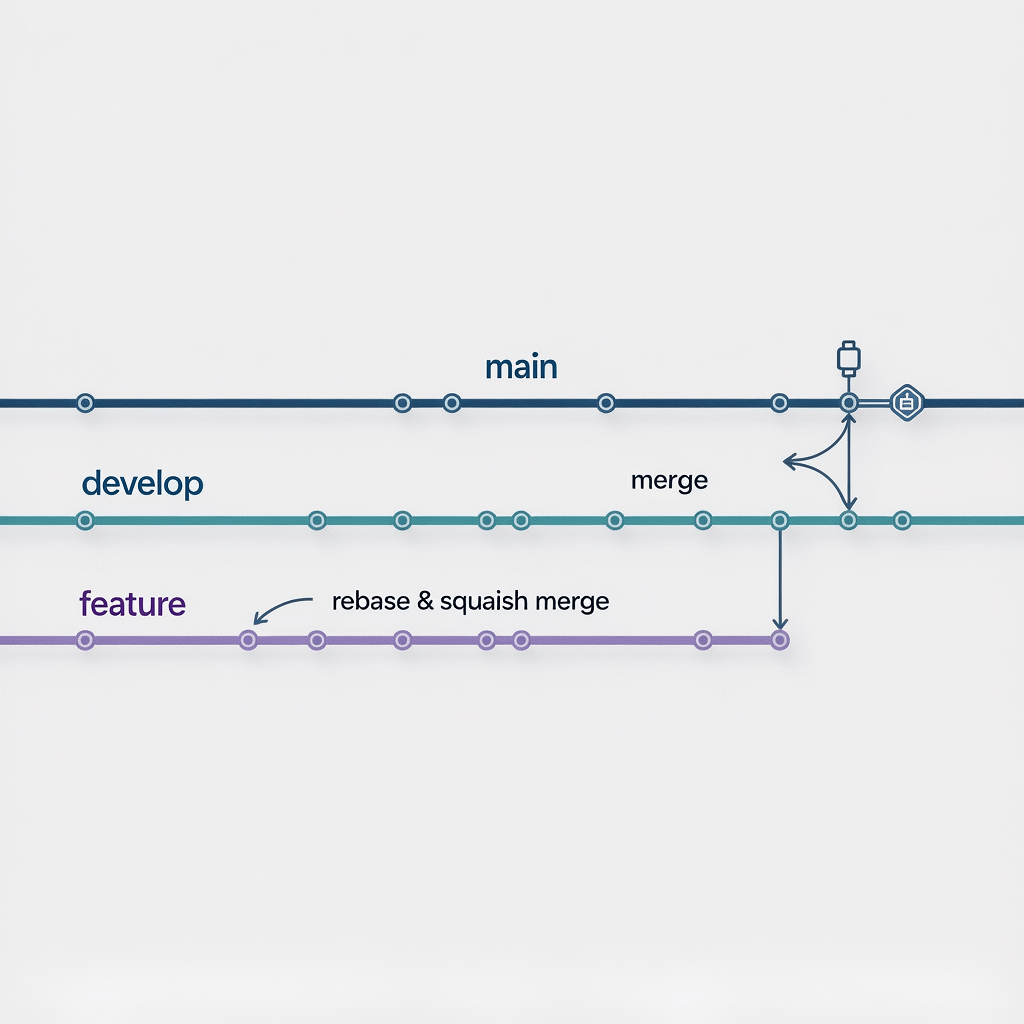
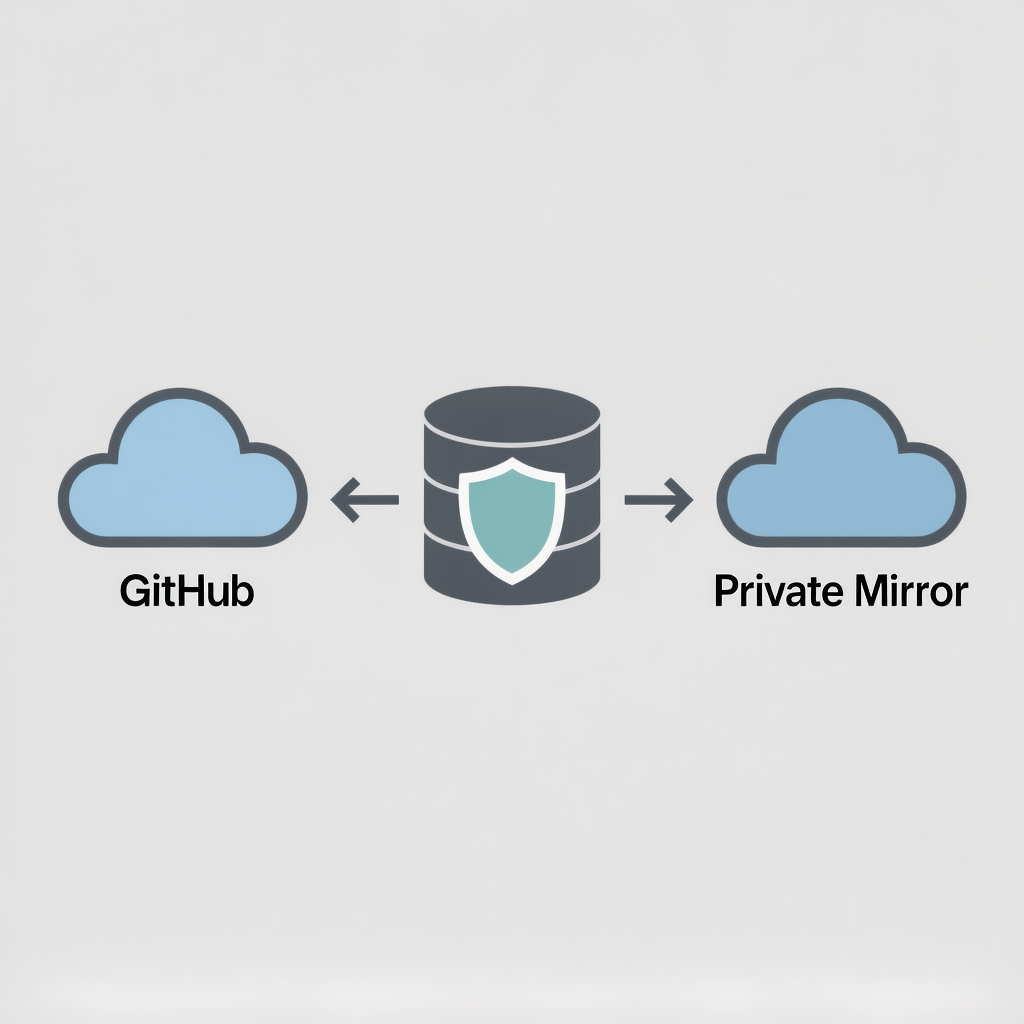
A visual overview of a practical Git workflow for solo developers. Images are compressed for speed.
Git workflow for solo developers: 11 Powerful Steps
By Morne de Heer, Published by Brand Nexus Studios
Speed matters when you build alone, and a repeatable Git workflow for solo developers is your safety net. With the right habits, you ship faster, break less, and recover in minutes.
Here is the big promise. A simple, testable Git workflow for solo developers that keeps main deployable, trims noise from history, and automates releases without drama.
In this guide, you will get an opinionated Git workflow for solo developers that you can copy today. You will also see how to enforce it with hooks, tags, and CI so future you says thank you.
Why a Git workflow for solo developers beats winging it
Consistency wins. A structured Git workflow for solo developers prevents context switching and protects production. When a bug appears, you know exactly where fixes go and how to release safely.
Confidence matters. With a predictable Git workflow for solo developers, you stop gambling with hotfixes, you tag milestones, and you keep history readable for you or your next teammate.
The core Git workflow for solo developers at a glance
Keep main production ready. Work on develop for integration. Create short-lived feature branches. Rebase features, squash merge into develop, then merge a release into main with a tag.
- Main is always deployable.
- Develop is where features meet and tests run.
- Feature branches are fresh, focused, and short.
- Squash to keep noise out of history.
- Tag releases and write a changelog.

Step 1 – Initialize your repo the smart way
First, set up main as your default. This small detail anchors the whole Git workflow for solo developers around production stability.
git init
git checkout -b main
git remote add origin <your-remote-url>
git push -u origin main
Then create develop. This gives you a safe staging area that fits a lean Git workflow for solo developers.
git checkout -b develop
git push -u origin develop
Step 2 – Guard rails: protect main, automate checks
Protect main on your host. Required status checks align with a disciplined Git workflow for solo developers and stop accidental force pushes.
Turn on branch protection rules and require a passing CI pipeline for any merge into main. This is the heartbeat of a safe Git workflow for solo developers.
Step 3 – Adopt Conventional Commits and semantic versioning
Clear messages compound. Conventional Commits let you auto generate release notes, which elevates any Git workflow for solo developers.
feat(auth): add OAuth login
fix(api): handle empty payload
chore(ci): cache dependencies for faster builds
Pair this with semantic versioning. It turns your Git workflow for solo developers into a predictable release machine.
Step 4 – Feature branches that stay short and sweet
Start every task with a branch name that signals intent. This keeps the Git workflow for solo developers focused and clean.
git checkout -b feat/payment-webhooks
# work, commit small, frequent changes
git fetch origin
git rebase origin/develop
Rebase often. A rebased feature flows cleanly into develop, which is central to a tidy Git workflow for solo developers.
Step 5 – Self PRs: review your code like a teammate
Open a pull request from your feature into develop. Even alone, this habit upgrades a Git workflow for solo developers because it inserts a pause for review and testing.
Skim the diff in the browser. You will spot dead code, missing docs, and naming issues. This tiny ritual saves you from noisy fixes that hurt a Git workflow for solo developers.
Step 6 – Squash merge into develop for a crisp history
Squash merges distill your work into one clear commit. That single change set preserves context without polluting the Git workflow for solo developers with wip noise.
# On your hosting platform via PR
# or locally:
git checkout develop
git merge --squash feat/payment-webhooks
git commit -m "feat: add payment webhooks"
Result. Your develop branch tells a story without the chatter, which is gold for a long running Git workflow for solo developers.
Step 7 – Release from develop to main with tags
When develop is stable, merge it into main and tag a release. This marks a clean cut in your Git workflow for solo developers.
git checkout main
git merge --no-ff develop
npm version minor  # or your language's version bump
git tag -a v1.3.0 -m "v1.3.0 - payment webhooks"
git push --follow-tags
Use annotated tags and keep release notes tight. This habit makes every milestone in a Git workflow for solo developers searchable and reliable.
Step 8 – Hotfix protocol without panic
Breaks happen. A calm Git workflow for solo developers has a hotfix branch that starts from main, not develop.
git checkout -b hotfix/fix-null-crash main
# fix, test, commit
git checkout main
git merge --no-ff hotfix/fix-null-crash
git tag -a v1.3.1 -m "v1.3.1 - null crash fix"
git checkout develop
git merge --no-ff hotfix/fix-null-crash
This keeps production safe while syncing the fix back to develop. It is the no drama path inside a Git workflow for solo developers.
Step 9 – Automate with pre-commit hooks and CI
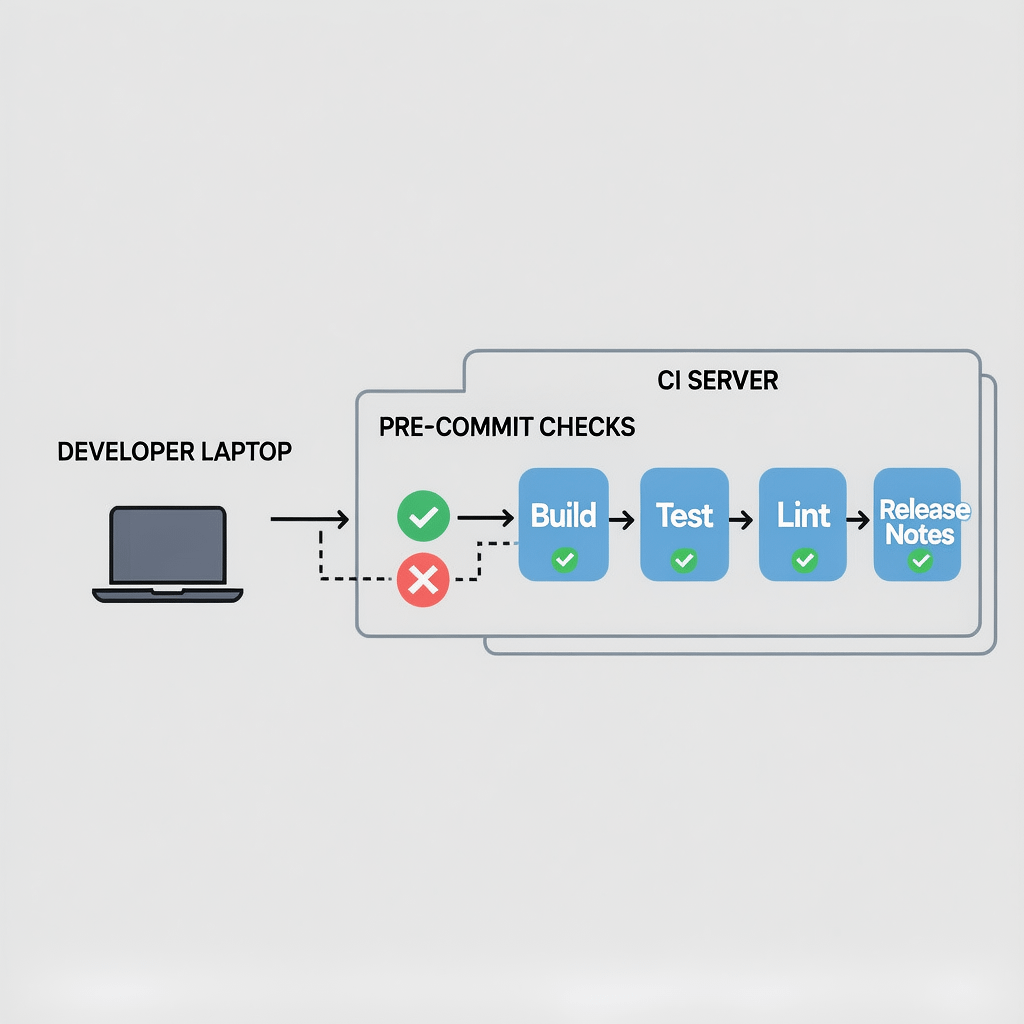
Automation is leverage. Hook tools like pre-commit or Husky enforce style and tests before bad code reaches your repo. That is huge for any Git workflow for solo developers.
# Example with Husky
npx husky-init && npm install
# .husky/pre-commit
npm test && npm run lint
Then wire CI for build, test, and release notes. Automation turns a manual Git workflow for solo developers into a push button pipeline.
Step 10 – Keep secrets out and sign what matters
Security is not optional. A careful Git workflow for solo developers includes a .gitignore, secret scanners, and signed commits for releases.
# .gitignore fragments
.env
*.key
node_modules/
dist/
Add a pre-commit secret check. Signed tags and commits anchor trust in a Git workflow for solo developers when you publish binaries or images.
Step 11 – Document decisions with a living changelog
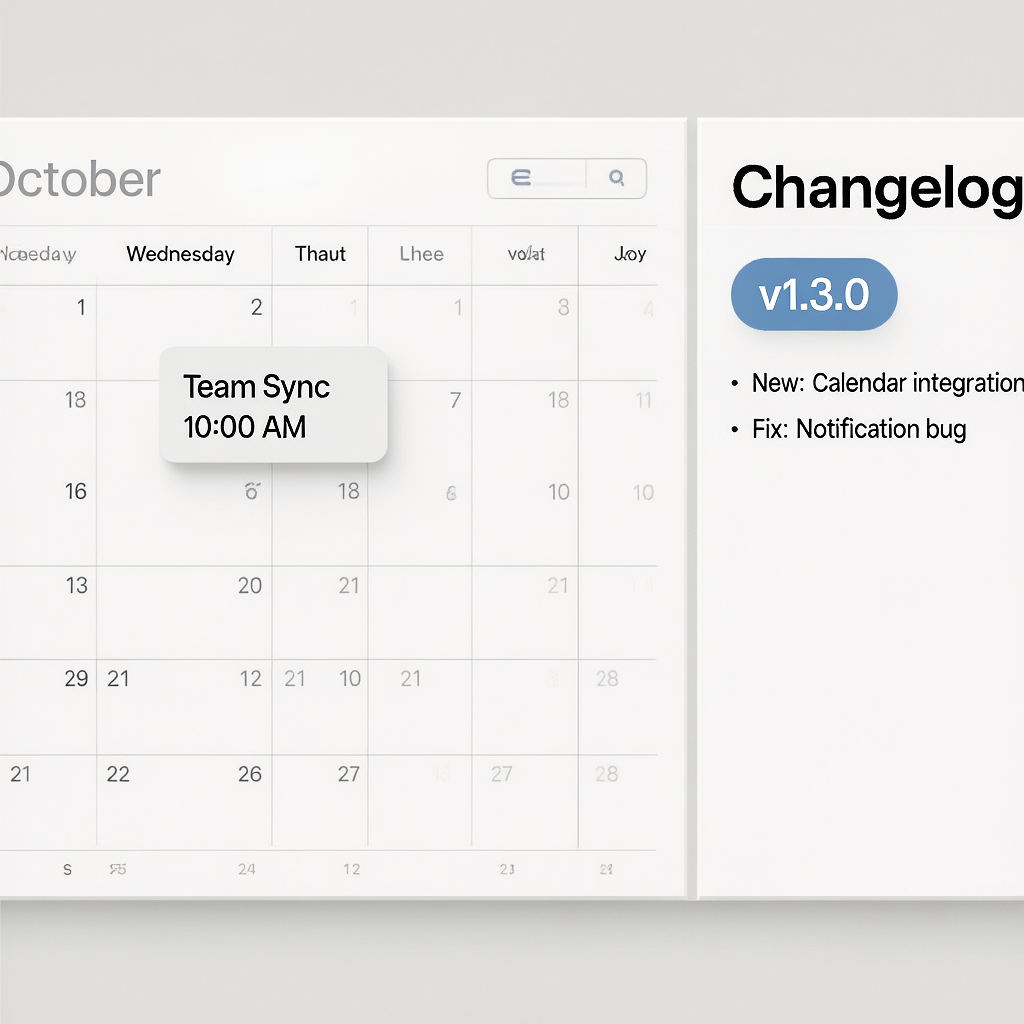
Future you will forget. A changelog turns a Git workflow for solo developers into a memory that spans months. Generate it from Conventional Commits or keep it short by hand.
## [1.3.0] - 2025-10-29
### Added
- Payment webhooks with retries
Release notes plus tags is the combo that unlocks fast context switching in any Git workflow for solo developers.
Branch naming conventions that scale with you
Names are contracts. Good names make a Git workflow for solo developers searchable. Keep names scoped and consistent.
- feat/payment-webhooks
- fix/api-null-crash
- chore/upgrade-deps-q4
- docs/setup-instructions
These conventions help the Git workflow for solo developers stay readable when you revisit in six months.
Rebase vs merge: what a solo dev should pick
Prefer rebase for features. It keeps history linear, which simplifies debugging for a Git workflow for solo developers.
Use merge commits when integrating develop into main for a release. You preserve the milestone, which many solo developers value for traceability.
Squash or not to squash
Squashing trims noise that otherwise drowns a Git workflow for solo developers. Your PR stays focused and your history reads like a narrative.
Keep raw commit detail on the feature branch. The final story that hits develop should look like deliberate steps in a thoughtful Git workflow for solo developers.
Monorepo or multi repo for a one person shop
Choose a monorepo if your services evolve together. It centralizes the Git workflow for solo developers and makes cross cutting changes easier.
Pick multi repo for clean boundaries and different release cadences. The Git workflow for solo developers works in both, but tooling differs.
Git LFS for large files without pain
Media and models bloat repos fast. Git LFS keeps clones lean, which preserves speed in a Git workflow for solo developers.
git lfs install
git lfs track "*.mp4"
git add .gitattributes
Store only what you need. This small tweak keeps a Git workflow for solo developers pleasant even with heavy assets.
Stash, patch, and WIP safety nets
Use stash for quick context switches. It prevents half work from leaking into commits and derailing a Git workflow for solo developers.
git stash -u
git switch -c hotfix/fix-crash main
# after fix
git switch feat/payment-webhooks
git stash pop
For tiny changes, use patches. They keep the Git workflow for solo developers snappy without creating noisy branches.
Dotfiles and templates you can reuse
Templates remove thinking overhead. Commit message templates and PR templates put your Git workflow for solo developers on rails.
# .gitmessage.txt
feat(scope): summary in imperative mood

body: what and why in one or two lines

BREAKING CHANGE: describe impact
Point Git to your template and enjoy the compounding benefits of a consistent Git workflow for solo developers.
git config commit.template .gitmessage.txt
Working across laptops and environments
Sync intent, not chaos. Small, frequent pushes keep a Git workflow for solo developers predictable across machines.
Set up SSH keys and a credential manager once. Then your Git workflow for solo developers feels the same on every device you own.
Disaster recovery and backup mirrors
Backups are part of the job. Use at least two remotes. A secondary mirror hardens a Git workflow for solo developers against lockouts or outages.
git remote add mirror git@your-mirror:repo.git
git push --mirror mirror
Test recovery quarterly. A restore rehearsal proves your Git workflow for solo developers can bounce back fast.
Performance and page speed for repos and docs
Fast repos and docs increase flow. Compress images, cache dependencies, and slim your history. This mindset supports a smooth Git workflow for solo developers.
In your docs and site assets, compress images and enable caching headers. We compress images here and recommend caching to keep everything light in a Git workflow for solo developers.
Changelogs that double as marketing
Release notes can sell. If you ship sites or products, a well written changelog boosts credibility. That aligns with a Git workflow for solo developers and with how users evaluate updates.
If you need help turning releases into stories, content marketing services can turn commits into clear updates your audience understands.
Where Brand Nexus Studios fits in
When we build and maintain sites, we bake this Git workflow for solo developers into every project for predictable delivery. See how our website design and development process pairs clean code with reliable release practices.
If you want a tailored pipeline, we can help you set up CI, hooks, and backups that reinforce a durable Git workflow for solo developers.
Common pitfalls and quick fixes
Long running branches
They rot. Keep branches short to protect a healthy Git workflow for solo developers. Rebase daily and ship weekly.
Commit dumps
Do not pile unrelated changes. Small commits improve the Git workflow for solo developers and make rollbacks easy.
Skipping tags
Tags are your time machine. Without them, a Git workflow for solo developers loses clarity. Tag every release.
Ignoring automation
Manual steps breed mistakes. Automate checks to keep a trustworthy Git workflow for solo developers.
Toolbox for a polished solo setup
- Commit linting and style checks that stabilize a Git workflow for solo developers.
- Semantic release tools that tag and publish from your CI.
- Issue templates and labels that keep work units tidy.
- Pre-commit secret scanners to protect keys and tokens.
Use what helps you move faster. The best Git workflow for solo developers is the one you will follow every week.
Scaling your Git workflow for solo developers to a team
When you add collaborators, keep main protected and CI strict. Your Git workflow for solo developers already has the muscle memory to grow into a team friendly process.
Add code owners, require reviews, and expand automation. The Git workflow for solo developers you built becomes the foundation for scalable teamwork.
Real world example release cycle
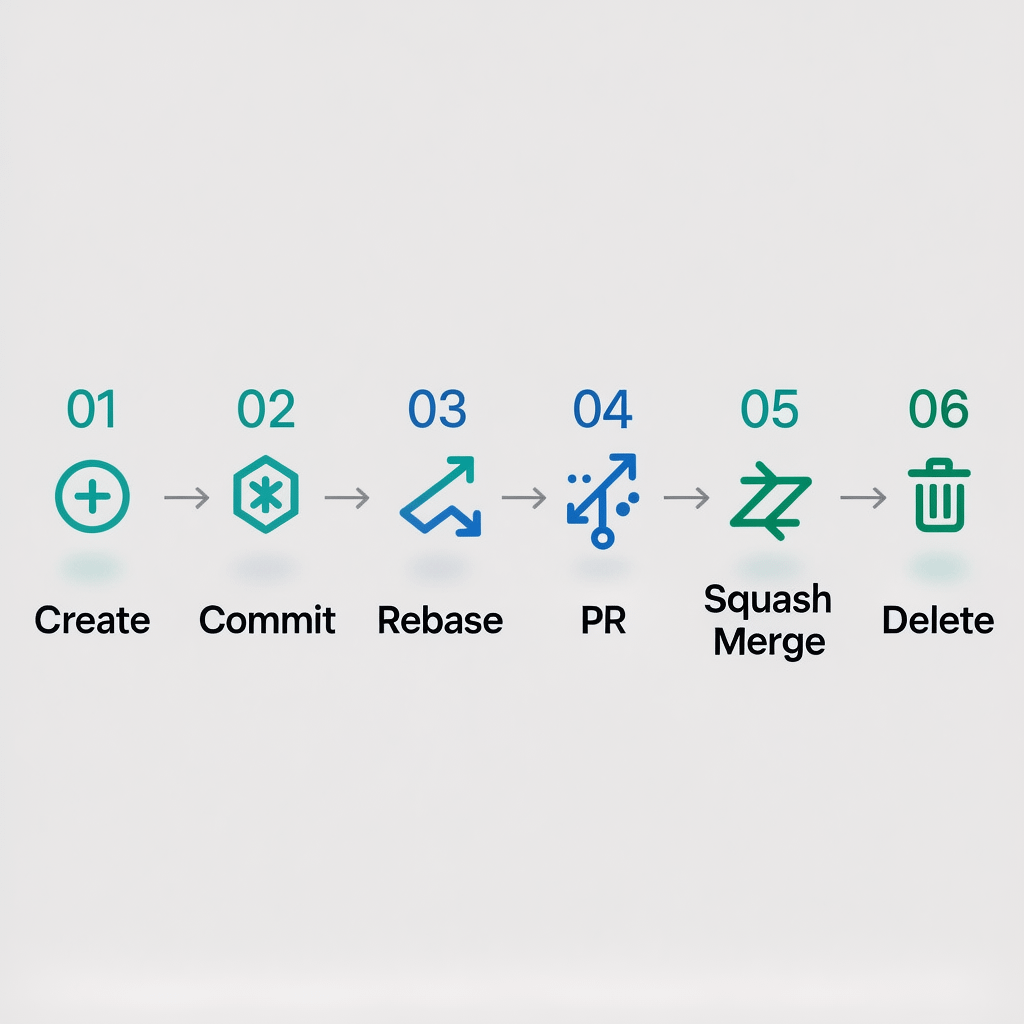
- Plan a small feature and open a branch.
- Commit in small pieces with Conventional Commits.
- Rebase onto develop daily to avoid surprises.
- Open a self PR into develop and run CI.
- Squash merge and close the branch.
- Batch one or two features and test.
- Merge develop into main, tag v1.3.0, publish notes.
This is the daily rhythm of a healthy Git workflow for solo developers that keeps shipping fun.
Metrics to watch that drive improvement
- Lead time from feature start to release.
- Change failure rate after releases.
- Time to restore service for hotfixes.
- Branch lifespan and open PR duration.
Track these and tune your Git workflow for solo developers like a system, not a guess.
If you want reporting you can act on, our analytics and reporting approach makes trends visible so you can tighten your release loop.
Frequently asked questions
What is the simplest Git workflow for solo developers?
The simplest Git workflow for solo developers is main for releases, develop for integration, and short feature branches that get rebased and squash merged.
Should I rebase or merge while working alone?
Rebase features to keep history linear, then squash merge to develop. Use a merge commit for the develop to main release step.
How often should I tag releases?
Tag each production ready milestone. Weekly tags work well for a focused Git workflow for solo developers.
Do I need pull requests if I am solo?
Yes. A self PR is a quick review ritual that strengthens any Git workflow for solo developers.
What should I include in my changelog?
Summaries grouped by Added, Changed, Fixed. Link issues and PRs. Keep it brief and useful.
How do I back up my repositories?
Use at least two remotes and run a mirror push. Practice restore to prove your Git workflow for solo developers can recover fast.
What about large files and media?
Use Git LFS. It keeps repo size under control and your Git workflow for solo developers responsive.
References
Explore these excellent resources for deeper practice:
About the Author