A dashboard showing key metrics during an SEO content audit for business.
SEO Content Audit for Business: 7 Steps to Optimize Your Website
Is your website delivering the results you expect, or is it quietly sabotaging your business goals? Many companies pour resources into creating fresh content, yet neglect the wealth of opportunities hidden in their existing pages. An SEO content audit for business is the strategic process that uncovers these opportunities, helping you optimize what you already have to drive better organic rankings, enhance user experience, and boost conversions.
This comprehensive guide, crafted by Brand Nexus Studios, a leader in digital marketing, website building, and optimization, provides a detailed seven-step process to conduct an effective SEO content audit. Whether you’re a business owner seeking to maximize ROI or a developer tackling technical SEO challenges, this guide offers actionable insights for both. Let’s explore how to transform your website into a high-performing digital asset.
Why an SEO Content Audit for Business Is a Strategic Imperative
Your website is more than a collection of pages – it’s a dynamic ecosystem that reflects your brand’s authority and value. However, without regular maintenance, even the best content can become outdated, irrelevant, or technically flawed. An SEO content audit for business is the systematic evaluation of your website’s content to ensure it aligns with your goals, meets user expectations, and complies with search engine algorithms.
For business owners, the audit answers a fundamental question: Is my content working? It reveals which pages drive traffic, which convert visitors into customers, and which are silently hurting your performance. For developers, it’s a technical deep dive into issues like crawlability, indexability, and content uniqueness that impact search engine rankings.
Here are the core benefits of conducting an SEO content audit:
- Enhanced Organic Performance: Optimized content ranks higher, attracting more clicks and visitors from search engines like Google.
- Improved User Trust: Fresh, relevant, and accurate content builds credibility, signaling quality to both users and search engines.
- Cost-Effective Growth: Enhancing existing content is often more economical than producing new pages from scratch.
- Technical Health: Audits uncover and fix issues like broken links, duplicate content, or poor crawlability that harm SEO.
- Better Conversion Rates: Identifying and optimizing high-potential pages can turn more visitors into leads or customers.
Consider a real-world example: A mid-sized e-commerce business noticed a 20% drop in organic traffic over six months. After conducting an SEO content audit, they discovered that 30% of their product pages had outdated descriptions, broken links, and duplicate content issues. By addressing these, they regained their rankings and increased conversions by 15%. This demonstrates the power of a well-executed audit.
Ready to unlock your website’s potential? Let’s break down the seven steps to conducting a thorough SEO content audit for business success, with detailed guidance for both business strategists and technical developers.
Step 1: Define Your Goals and Metrics

Every successful SEO content audit begins with clear objectives. Without defined goals, you risk wasting time analyzing irrelevant data or missing critical opportunities. Are you aiming to boost organic traffic, reduce bounce rates, improve conversions, or enhance user engagement? Your goals will determine the metrics you prioritize and the actions you take.
Key Metrics to Track:
- Organic Traffic: Measures how many visitors arrive via search engines, indicating content relevance and ranking strength.
- Bounce Rate: A high bounce rate suggests content isn’t meeting user expectations or is irrelevant to their search intent.
- Conversion Rate: Tracks actions like form submissions, purchases, or downloads, showing how well content drives business outcomes.
- Engagement Metrics: Time on page, pages per session, and scroll depth reveal how users interact with your content.
- Keyword Rankings: Monitor which keywords your pages rank for and their positions to gauge SEO performance.
Example in Action: Imagine you run a B2B SaaS company. Your goal is to increase demo requests by 10%. During your audit, you focus on landing pages with high traffic but low conversion rates. By analyzing bounce rates and time on page, you identify pages with weak calls-to-action (CTAs) or outdated offers, which you can then optimize.
Tools to Use:
- Google Analytics: Tracks traffic, engagement, and conversions.
- Google Search Console: Monitors keyword rankings and click-through rates.
- Ahrefs or SEMrush: Provides deeper insights into backlinks and keyword performance.
For business owners, align your audit goals with broader objectives, such as increasing leads or brand visibility. For developers, ensure your analytics setup is robust, with proper tracking codes and event triggers. Need help setting up analytics?
Pro Tip: Create a goal-tracking spreadsheet to document your objectives and metrics. This keeps your team aligned and provides a benchmark for measuring audit success. For example, if your bounce rate is currently 70%, aim to reduce it to 50% by optimizing underperforming pages.
Step 2: Inventory All Indexable Content
The foundation of an SEO content audit for business is a complete inventory of your website’s indexable content. This includes all pages, blog posts, product descriptions, PDFs, and even images with text that search engines can crawl. Missing any content could lead to overlooked issues or untapped opportunities.
How to Create a Content Inventory:
- Use a Crawler Tool: Tools like Screaming Frog, Sitebulb, or Ahrefs’ Site Audit can scan your site and export a list of all URLs.
- Capture Metadata: Include details like page titles, meta descriptions, word count, and publication dates.
- Categorize Content: Organize your inventory by content type (e.g., blog posts, product pages, landing pages) and section (e.g., services, about, blog).
- Check Indexability: Verify which pages are indexable by reviewing your robots.txt file and XML sitemap.
Developer Focus: Ensure you account for dynamically generated pages, such as those created by JavaScript or content management systems (CMS). Use tools like Google Search Console to confirm which pages are indexed. If your site uses parameters (e.g., ?sort=price), ensure they’re properly handled to avoid duplicate content issues.
Case Study: A retail website with 10,000 product pages conducted an inventory and found 2,000 pages were no-indexed due to an outdated robots.txt file. By correcting this, they increased indexed pages by 20%, leading to a 15% boost in organic traffic. This highlights the importance of a thorough inventory.
Best Practices:
- Export your inventory to a spreadsheet for easy analysis.
- Include columns for URL, content type, word count, and last modified date.
- Cross-check with your sitemap to ensure all intended pages are crawlable.
This step sets the stage for a data-driven audit, ensuring you have a complete picture of your website’s content landscape.
Step 3: Analyze Content Performance
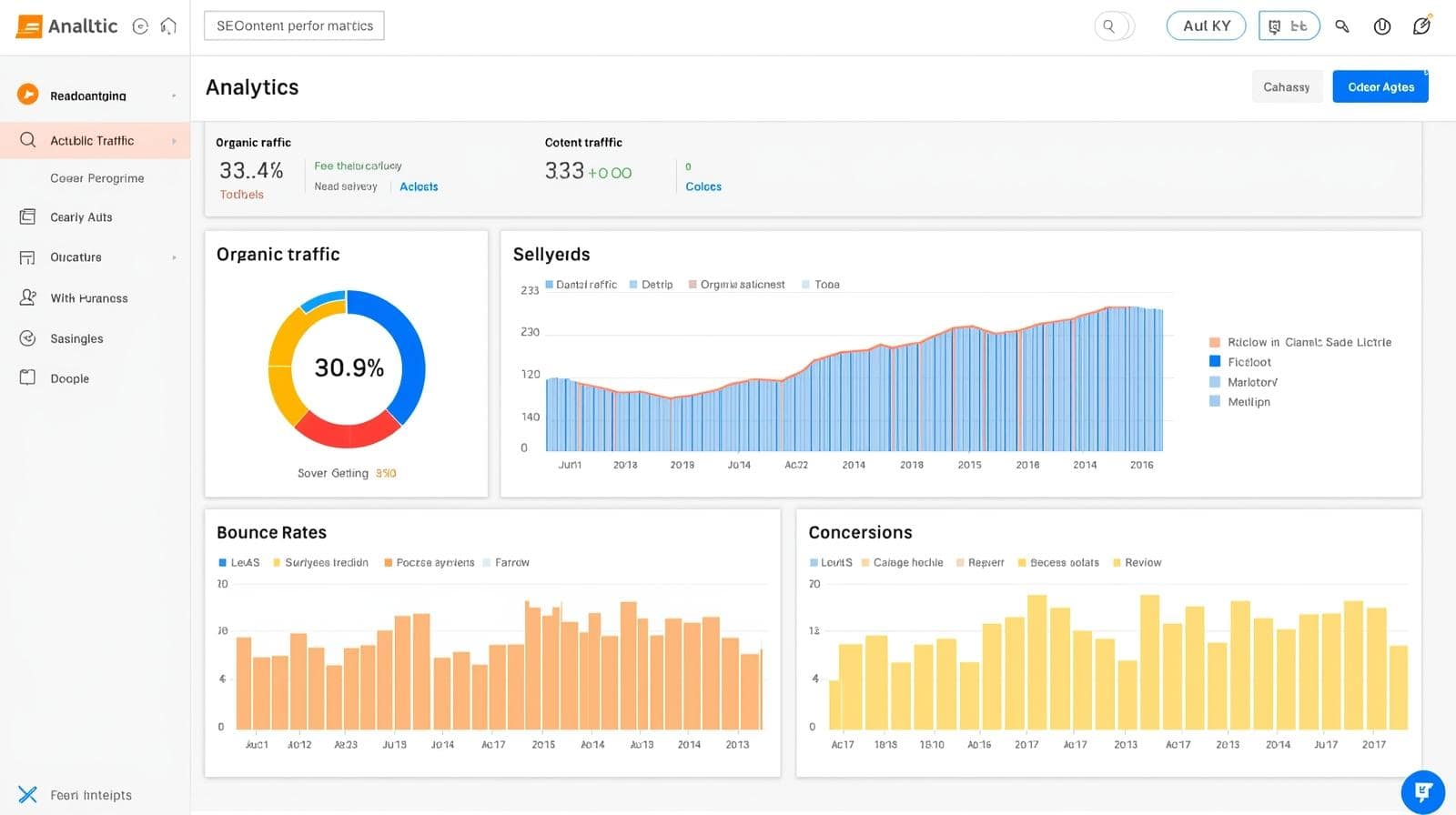
With your content inventory in hand, it’s time to evaluate how each piece performs. This step involves cross-referencing your inventory with analytics data to identify top performers, underachievers, and pages that need improvement.
Key Questions to Ask:
- Which pages drive the most organic traffic?
- Which have high bounce rates or low engagement?
- Are there pages with zero traffic or conversions?
- Which pages rank for high-value keywords but fail to convert?
Performance Analysis Process:
- Import Analytics Data: Use Google Analytics to pull traffic, bounce rate, and conversion data for each URL.
- Segment Content: Group pages into categories like “high traffic, low conversion,” “low traffic, high engagement,” or “no traffic.”
- Prioritize Actions: Decide whether to keep, update, consolidate, or delete each piece of content.
Example: A travel blog found that a 2019 post about “Top Destinations for 2020” still received traffic but had a 90% bounce rate. By updating the post to “Top Destinations for 2026” and adding fresh visuals, they reduced the bounce rate to 60% and doubled conversions.
Business Owner Tip: Focus on pages with high potential but poor performance. For instance, a product page with strong traffic but low sales might need a better CTA or updated pricing information.
Developer Tip: Ensure tracking is accurate. Misconfigured analytics can skew data, leading to poor decisions. Verify that goals and events are set up correctly in your analytics platform.
Advanced Analysis: Use heatmaps (e.g., Hotjar) to see where users click or scroll. This can reveal if key content is being ignored or if CTAs are poorly placed. For example, a heatmap might show that users rarely scroll past the first 500 pixels, indicating a need for more engaging intros.
Step 4: Conduct a Technical SEO Audit
For developers, the technical SEO audit is the heart of an SEO content audit for business. It ensures your content is accessible, crawlable, and optimized for search engines. This step requires attention to detail and a deep understanding of how search engines interact with your site.
Technical SEO Checklist:
- Response Codes: Check for 404 errors (broken pages), 500 errors (server issues), or excessive 301 redirects that could confuse crawlers.
- Canonical Tags: Verify that canonical tags point to the correct URLs to avoid duplicate content penalties.
- Internal Links: Ensure links are functional and point to high-value pages. Broken links frustrate users and harm SEO.
- Content Uniqueness: Use tools like Copyscape or Siteliner to detect duplicate or thin content.
- Crawl Budget: Optimize your site to ensure search engines prioritize high-value pages over low-value ones like paginated archives.
- Page Speed: Test load times using Google PageSpeed Insights and optimize images, scripts, and CSS.
- Mobile-Friendliness: Ensure all pages are responsive and provide a seamless mobile experience.
Case Study: A B2C retailer discovered 500 broken links during their technical audit, caused by a recent CMS migration. By implementing 301 redirects and updating internal links, they recovered 10% of lost traffic within a month. This underscores the importance of technical precision.
Tools for Technical Audits:
- Screaming Frog: Crawls your site to identify technical issues.
- Google Search Console: Highlights crawl errors and indexation issues.
- GTmetrix: Analyzes page speed and suggests optimizations.

Advanced Technical Tips:
- Structured Data: Implement schema markup (like the BlogPosting and FAQ schemas in this post) to enhance rich snippets.
- XML Sitemap: Ensure your sitemap is up-to-date and submitted to Google Search Console.
- Hreflang Tags: For multilingual sites, verify hreflang tags to serve the correct language version to users.
By addressing these technical elements, you ensure your content is fully accessible to search engines, maximizing its visibility and impact.
Step 5: Identify and Fix Duplicate Content
Duplicate content is a silent killer of SEO performance. It confuses search engines, dilutes your rankings, and frustrates users who encounter repetitive information. Common sources include similar product descriptions, paginated pages, or HTTP/HTTPS variations.
How to Identify Duplicate Content:
- Run a scan with tools like Siteliner, Screaming Frog, or Copyscape to detect duplicate or near-duplicate content.
- Check for URL variations (e.g., www vs. non-www, HTTP vs. HTTPS) that create duplicate versions.
- Review paginated pages or category pages with similar content.
How to Fix Duplicate Content:
- Implement 301 Redirects: Redirect duplicate pages to the preferred version.
- Use Canonical Tags: Specify the primary URL for similar pages to consolidate ranking signals.
- Rewrite Content: Ensure each page offers unique value, especially for product or category pages.
- Noindex Low-Value Pages: Use robots meta tags to prevent indexing of non-essential pages like archives.
Example: An online store had duplicate product pages due to URL parameters (?color=blue vs. ?color=red). By implementing canonical tags and rewriting descriptions to highlight unique features, they reduced duplicate content by 80% and improved rankings for key products.
Business Owner Tip: Work with your content team to create unique, value-driven copy for each page. For example, instead of using the same description for similar products, highlight specific features or benefits.
Developer Tip: Automate duplicate content detection by integrating tools like Screaming Frog with your CMS. Set up alerts for new duplicates during content updates.
Fixing duplicate content not only boosts SEO but also enhances user trust by delivering clear, unique value on every page.
Step 6: Update Outdated Content
Outdated content can erode your site’s credibility and rankings. For instance, a blog post citing 2020 statistics or trends is unlikely to resonate with users in 2025. Refreshing outdated content is a cost-effective way to maintain relevance and authority.
How to Update Content:
- Refresh Statistics and Facts: Replace outdated data with current, authoritative sources. For example, update a 2019 statistic about mobile usage with 2025 data from a trusted source like Statista.
- Improve Readability: Break long paragraphs into shorter chunks, add subheadings, and incorporate visuals like infographics or charts.
- Optimize Keywords: Integrate relevant keywords like “SEO content audit for business” naturally, using synonyms like “content optimization” or “website audit” for variety.
- Enhance CTAs: Add compelling calls-to-action to drive conversions, such as “Download our free content audit checklist.”
- Add Visuals: Include images, videos, or interactive elements to make content more engaging.
Case Study: A tech blog updated a 2021 post about “Cloud Computing Trends” to reflect 2025 innovations, adding new statistics, a video explainer, and a stronger CTA. The updated post climbed from page 3 to page 1 on Google for its target keyword, driving a 200% increase in traffic.
Business Owner Tip: Prioritize updating high-traffic pages with outdated information. These pages already have SEO value and can deliver quick wins with minimal effort.
Developer Tip: Ensure updated pages maintain their URL structure to preserve existing rankings. If changes are significant, set up 301 redirects to avoid 404 errors.

Advanced Strategies:
- Repurpose Content: Turn a high-performing blog post into an infographic, video, or downloadable guide to reach new audiences.
- Internal Linking: Add links to related, high-value pages to boost their visibility and keep users on your site.
- Monitor Performance: Use Google Analytics to track the impact of updates on traffic and engagement.
Updating content signals to search engines that your site is active and relevant, strengthening its authority over time.
Step 7: Collaborate for Long-Term Success
An SEO content audit for business is most effective when business strategists and developers work together. Business owners bring insights into audience needs, brand goals, and conversion priorities, while developers ensure technical precision and search engine compatibility.
Collaboration in Action:
- Business Owners: Identify high-potential pages based on analytics and customer feedback. For example, a landing page with strong traffic but low conversions might need a stronger value proposition.
- Developers: Fix technical issues like slow load times, broken links, or missing meta tags to ensure content is accessible and optimized.
Example: A B2B service provider collaborated on an audit where the marketing team identified outdated case studies, while developers fixed 404 errors and optimized page speed. The result was a 25% increase in lead generation within three months.
How to Foster Collaboration:
- Hold Regular Meetings: Schedule cross-functional meetings to align on goals and progress.
- Use Shared Tools: Platforms like Trello or Asana can streamline task management and communication.
- Document Findings: Create a shared audit report summarizing issues, actions, and outcomes.
By combining strategic and technical expertise, your team can create a website that’s both user-friendly and search-engine-optimized, driving long-term organic growth.
.
Additional Considerations for a Successful SEO Content Audit
Beyond the seven steps, here are additional factors to ensure your SEO content audit for business delivers lasting results:
1. Align with User Intent: Ensure your content matches what users are searching for. Use tools like Google’s “People Also Ask” or AnswerThePublic to identify common questions and tailor your content accordingly.
2. Optimize for Featured Snippets: Structure content to target featured snippets, such as using concise answers for FAQs or step-by-step lists for how-to queries. This increases your chances of appearing at the top of search results.
3. Monitor Competitor Content: Analyze competitors’ content to identify gaps or opportunities. Tools like Ahrefs or SEMrush can reveal which keywords your competitors rank for and how their content performs.
4. Plan for Ongoing Maintenance: An SEO content audit isn’t a one-time task. Schedule regular audits (e.g., annually or biannually) to keep your content fresh and competitive.
5. Leverage Content Clusters: Organize related content into topic clusters, linking a pillar page to supporting articles. This boosts topical authority and improves rankings for broad keywords.
Case Study: A financial services company implemented content clusters around “personal finance tips” during their audit. By linking a pillar page to 10 supporting blog posts, they increased organic traffic by 30% and ranked for high-value keywords.
FAQs About SEO Content Audits for Business
What is an SEO content audit for business?
An SEO content audit for business is a systematic review of a website’s content to assess its performance, relevance, and technical health. It identifies opportunities to optimize existing content for better search engine rankings, user experience, and conversions.
Why is a content audit important for my website?
A content audit helps identify underperforming or outdated content, technical issues like broken links or duplicate content, and opportunities to improve organic traffic, user engagement, and conversions.
How often should I conduct an SEO content audit?
For most businesses, conducting an SEO content audit annually or biannually is sufficient. However, high-traffic or rapidly changing websites may require quarterly audits to stay competitive.
Conclusion: Transform Your Website with an SEO Content Audit
An SEO content audit for business is more than a maintenance task – it’s a strategic necessity for staying competitive in today’s digital landscape. By following these seven steps, you can uncover hidden opportunities, fix technical issues, and refresh outdated content to drive long-term organic growth. Whether you’re a business owner focused on ROI or a developer ensuring technical excellence, this process empowers you to maximize your website’s potential.
Don’t let underperforming content hold your business back. Start your SEO content audit today and watch your rankings, engagement, and conversions soar. For expert guidance, contact Brand Nexus Studios to elevate your digital presence with our industry-leading digital marketing, website building, and optimization services.
References
About the Author