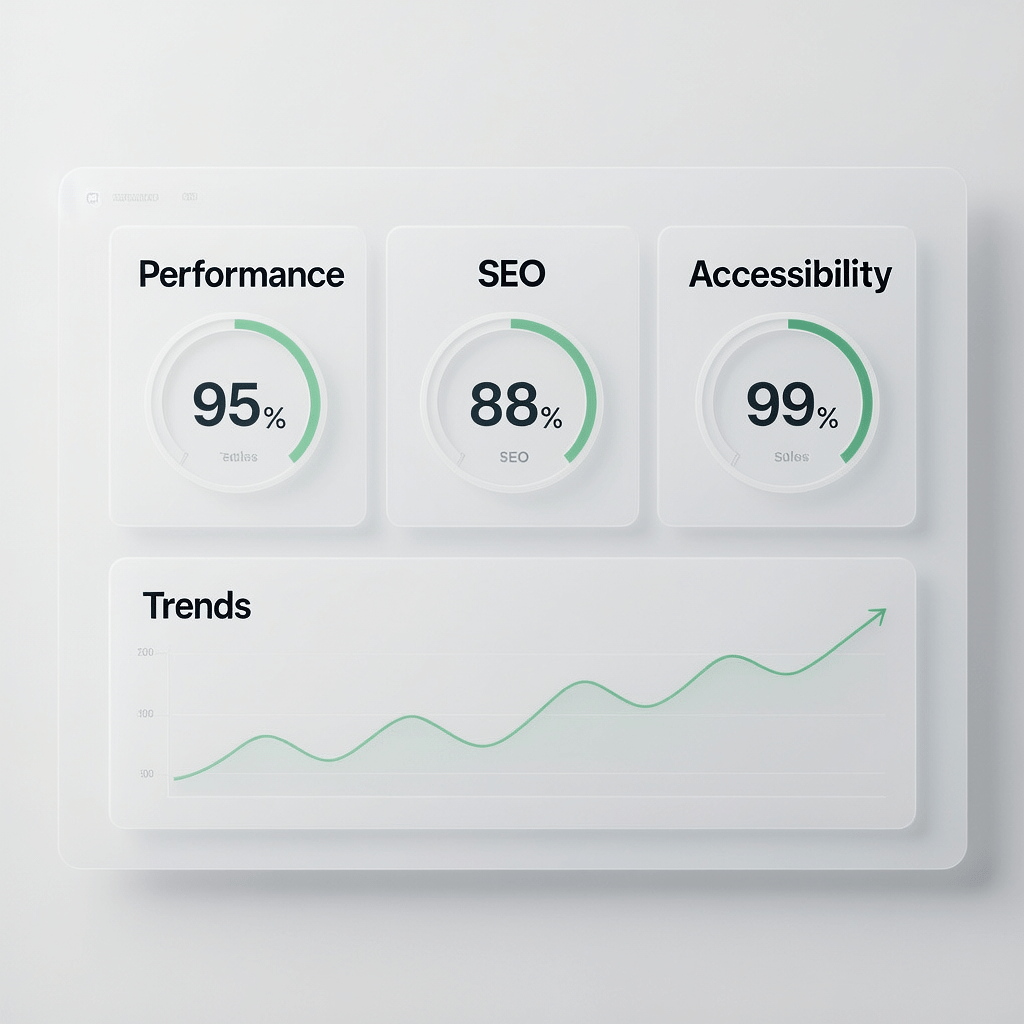
A clear, high contrast dashboard concept that highlights how small changes compound into bigger Chrome Lighthouse scoring gains.
Chrome Lighthouse Scoring: 17 Powerful Boosts That Work
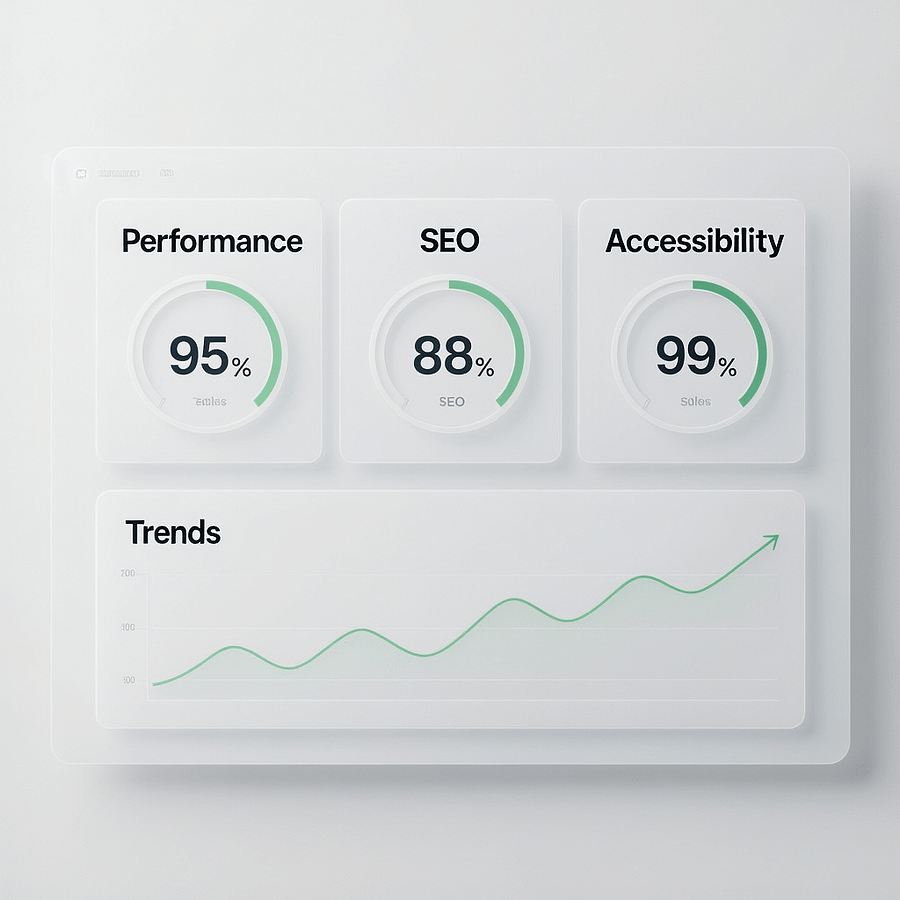
If Chrome Lighthouse scoring feels mysterious, you are not alone. Many teams chase numbers without understanding how scores are calculated or which fixes move the needle most. The good news is that Chrome Lighthouse scoring follows consistent rules, and you can improve results with a repeatable workflow.
In this guide you will decode Chrome Lighthouse scoring step by step. You will learn how each category is weighted, how to run reliable audits, and which improvements deliver outsized performance and SEO gains. Along the way, you will see practical examples, checklists, and a playbook you can copy today.
Tip: Focus on user experience first. Chrome Lighthouse scoring is most useful when it supports faster loads, cleaner UX, and better conversions.
What Chrome Lighthouse scoring measures
Chrome Lighthouse scoring summarizes five categories. Performance, Accessibility, Best Practices, SEO, and optionally PWA. Your overall view shows a color coded score out of 100 for each category. The Performance score often gets the most attention because it captures Core Web Vitals signals.
- Performance uses lab simulations and metrics like Largest Contentful Paint, Interaction to Next Paint, Cumulative Layout Shift, Total Blocking Time, and Speed Index.
- Accessibility checks color contrast, ARIA, landmark structure, labels, and keyboard focus.
- Best Practices validates HTTPS, security headers, safe JavaScript, and media usage.
- SEO confirms crawlability, structured markup presence, basic metadata, and indexing hints.
- PWA evaluates installability, offline capability, and manifest configuration.
Because Chrome Lighthouse scoring runs in a standardized lab profile, you can compare changes over time. When you combine it with field data from real users, you get a balanced picture of quality and speed.
How the Performance score really works
Chrome Lighthouse scoring for Performance weights specific metrics. Improving the right metric often yields larger gains than chasing smaller optimizations. Here is the breakdown of what typically matters most.
- Largest Contentful Paint usually carries heavy weight. Optimize hero images, server response, and render blocking resources.
- Interaction to Next Paint replaced FID. Look at event handlers, long tasks, and main thread blocking work.
- Cumulative Layout Shift focuses on visual stability. Always define width and height for media and reserve space for ads.
- Total Blocking Time tracks how often long tasks block the thread. Cut bundle size, split code, and defer non critical scripts.
- Speed Index reflects how quickly content appears. Improve CSS delivery and reduce render blocking requests.
When you plan improvements for Chrome Lighthouse scoring, start with a metric map. Identify your slowest vital and target fixes that reduce CPU time, network weight, and layout shifts early in the page lifecycle.
How to run a reliable Lighthouse audit
Chrome Lighthouse scoring can vary between runs. A disciplined process reduces noise and makes results comparable.
- Use a clean Chrome profile. Disable extensions. Close other tabs and background apps.
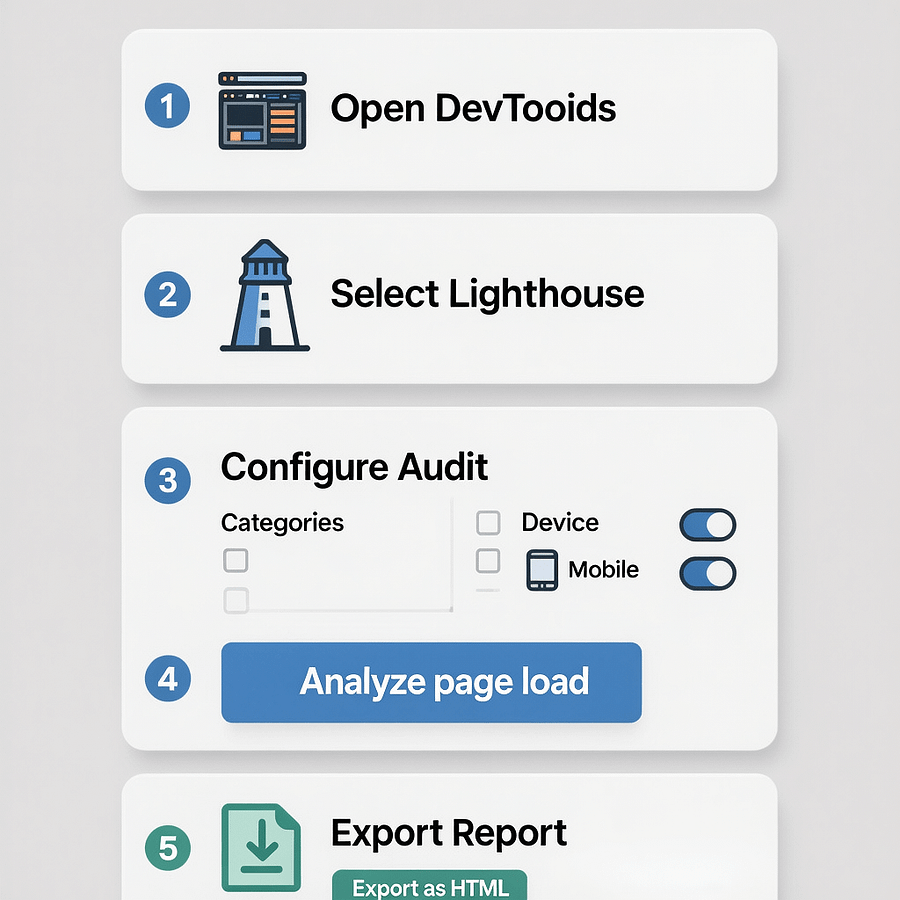
- Open DevTools. Choose Lighthouse or Performance. Select Mobile and Desktop runs.
- Warm the cache once then test cold loads. Capture both to see realistic patterns.
- Run 3 to 5 consecutive tests. Average the results. Save each report as HTML for diffing.
- Test from multiple regions if your audience is global. Use a CDN for closer edge delivery.
Document your setup in a short audit SOP. Consistent process leads to consistent Chrome Lighthouse scoring comparisons month after month.
Understanding lab data and field data
Chrome Lighthouse scoring uses a simulated environment. Field data from the Chrome UX Report reflects real users on real devices. Both views matter. Lab data helps you reproduce and fix issues. Field data confirms whether fixes improve actual user experience.
Pair synthetic results with real analytics and user recordings. If lab results look great but field vitals lag, you might be shipping heavy third party scripts or blocking content behind consent banners that run only in production.
When aligning with business goals, track conversions and engagement alongside Chrome Lighthouse scoring. Speed helps, but only when it aligns with clear messaging and friction free UX.
17 fixes that boost Chrome Lighthouse scoring fast
These proven changes improve Lighthouse metrics and real world experience. Tackle them in sprints and measure after each deployment.
1. Serve modern image formats and compress aggressively
Chrome Lighthouse scoring responds quickly to lighter images. Use AVIF or WebP for photographs and SVG for icons. Compress images with a quality target that balances crispness and size. Generate responsive sizes with srcset and sizes.
- Resize to the largest displayed dimension. Avoid 4K images for small containers.
- Use adaptive quality per breakpoint. Smaller screens can use higher compression.
- Lazy load below the fold. Preload only the LCP image.

2. Inline critical CSS and defer the rest
Render blocking CSS delays first paint. Extract the minimal critical CSS for above the fold content and inline it in the head. Load the remaining CSS asynchronously with media attributes or a preload-then-async pattern to lift Chrome Lighthouse scoring.
3. Eliminate render blocking JavaScript
Use defer on all non critical scripts. Move low priority scripts to the end. Split bundles by route and feature. Tree shake dependencies. Each millisecond you remove from main thread work improves Chrome Lighthouse scoring.
4. Preload your LCP image and critical fonts
Declare rel preload for the LCP image and the primary text font. Use font display swap to prevent invisible text. Proper preloading reduces LCP and speeds up Chrome Lighthouse scoring improvements.
5. Reduce server response time
Slow TTFB drags everything. Enable server side caching, use HTTP 2 or HTTP 3, and place a CDN in front of your origin. Even modest backend tuning can lift Chrome Lighthouse scoring, especially on mobile.
6. Optimize for INP with fewer long tasks
Audit event handlers and remove heavy work during interactions. Break long tasks with setTimeout or requestIdleCallback. Hydrate components progressively. Smoother input boosts INP and Chrome Lighthouse scoring.
7. Prevent CLS with explicit sizes and reserved space
Always set width and height on images and video. Avoid inserting content above existing content, and reserve space for ads and embeds. Stability matters for users and for Chrome Lighthouse scoring.
8. Minify and compress everything
Turn on Brotli or Gzip for text assets. Minify HTML, CSS, and JS. Smaller assets travel faster. These wins are easy to automate and always help Chrome Lighthouse scoring.
9. Use HTTP caching and a CDN
Set Cache Control headers for assets. Leverage immutable caching for hashed files. Serve from an edge network near users. Consistent caching yields a durable lift in Chrome Lighthouse scoring.
10. Defer third party scripts and load them on interaction
Tag managers and widgets can consume your budget. Load social widgets and chat only when users request them. Limit experiments to one framework at a time. You will see Chrome Lighthouse scoring improve when you tame third parties.
11. Clean up the DOM and reduce layout cost
A bloated DOM increases style and layout time. Remove unused nodes, reduce deep nesting, and keep components lean. Simpler DOMs render faster and help Chrome Lighthouse scoring.
12. Improve accessibility with meaningful landmarks
Add header, nav, main, and footer landmarks. Ensure buttons and links have discernible names. Fix contrast issues. Accessibility fixes improve UX and yield better Chrome Lighthouse scoring in the Accessibility category.
13. Strengthen Best Practices and security basics
Serve over HTTPS, set Content Security Policy, and avoid deprecated APIs. Ensure images have explicit dimensions and correct mime types. These housekeeping fixes often lift Chrome Lighthouse scoring across categories.
14. Tighten SEO metadata and structured data
Add descriptive titles and meta descriptions on all pages. Implement schema markup where appropriate. While Lighthouse SEO checks are basic, they influence Chrome Lighthouse scoring and help crawlers understand your content.
15. Optimize fonts with subsetting and variable fonts
Subset to required glyphs only. Prefer variable fonts to reduce requests. Preload the primary face and use font display swap. Faster fonts often improve Chrome Lighthouse scoring by shaving milliseconds off render time.
16. Build a performance budget into CI
Set budgets for LCP, INP, CLS, and total JS weight. Fail builds when budgets regress. Automating checks prevents slow creep and maintains strong Chrome Lighthouse scoring over time.
17. Measure after every change and compare reports
Export Lighthouse HTML reports before and after each optimization. Track the deltas. Share wins with the team. A feedback loop turns one time fixes into lasting Chrome Lighthouse scoring gains.
Workflow to sustain performance gains
Consistency beats heroics. Small improvements stacked weekly outperform a rare big rewrite. Use this workflow to keep Chrome Lighthouse scoring high while you deliver features.
- Define a weekly performance sprint goal. Keep it small and testable.
- Run baseline audits for Mobile and Desktop. Capture screenshots and export HTML.
- Implement one or two fixes. Ship behind a feature flag if risky.
- Re run audits and compare metrics. Record the delta and what changed.
- Roll the fix to production and monitor real user data.
This steady cadence makes Chrome Lighthouse scoring a habit, not a scramble before launch. If you need help building a disciplined program, consider analytics and reporting support to integrate results with your KPIs.

Image handling checklist for faster loads
Images are often the quickest path to a better Performance score. This checklist keeps assets small and sharp, which improves Chrome Lighthouse scoring and user happiness.
- Use AVIF for high resolution photos, WebP as a fallback, and SVG for icons.
- Export multiple sizes. Use srcset and sizes for responsive delivery.
- Preload the LCP image. Lazy load others with loading lazy.
- Compress with near visually lossless settings. Mention compression in PR notes.
- Serve from a CDN with long cache lifetimes. Bust cache with file hashes.
Remember to add width and height to every image. That prevents layout shifts and preserves Chrome Lighthouse scoring in CLS.

JavaScript control without losing features
Modern apps ship lots of JavaScript. The goal is not zero JS. The goal is the right JS at the right time. Smart loading strategies can raise Chrome Lighthouse scoring without removing critical features.
- Code split by route and interaction. Load heavy modules only when users need them.
- Use native browser features before adding libraries. Prefer CSS for animations.
- Defer non critical JS. Inline small helpers instead of importing large utilities.
- Remove unused polyfills. Target a realistic browser support matrix.
Measure bundle cost per route. If a route never uses a library, do not ship it. Trimming 100 KB of blocking JS can improve Chrome Lighthouse scoring more than hours of micro tweaks.
Accessibility and Best Practices that users notice
Accessibility is not just about scores. It helps real people use your site with ease. Still, these fixes also boost Chrome Lighthouse scoring and reduce support friction.
- Use proper landmarks and heading hierarchy. Do not skip levels.
- Ensure meaningful link and button names. Use aria label only when necessary.
- Maintain color contrast. Test light and dark modes.
- Provide focus styles and keyboard navigation. Avoid tabindex misuse.
For Best Practices, confirm HTTPS, valid certificate chains, and safe resource loading. Avoid JS alerts for UX. These small improvements contribute to stronger Chrome Lighthouse scoring.
SEO checks that pair with Lighthouse basics
Lighthouse SEO checks are a starting point. Pair them with deeper audits to grow traffic. Use descriptive titles, unique meta descriptions, and consistent structured data. These help bots and improve Chrome Lighthouse scoring in the SEO category.
When you want a comprehensive roadmap, bring in specialists who connect technical SEO with content strategy and UX. The team at SEO services can help turn audit results into growth plans you can implement sprint by sprint.
Page speed tooling essentials
Use a tool belt that supports quick feedback. Chrome Lighthouse scoring improves faster when you shorten the loop between code and measurement.
- Chrome DevTools for in browser audits and performance profiling.
- PageSpeed Insights for field and lab data together.
- WebPageTest for deep waterfalls, filmstrips, and script impact.
- CI integration for Lighthouse budgets and automated diffing.
If you need a partner to set up a data driven dashboard, website design and development support can align code, content, and analytics so you see the impact of each change in one place.

Common pitfalls that skew your results
Sometimes Chrome Lighthouse scoring drops for reasons unrelated to your code. Avoid these common traps before you chase ghosts.
- Running audits with heavy extensions enabled. Use a clean profile.
- Testing on a high end laptop only. Mobile bottlenecks matter most.
- Comparing results from different locations without noting the region.
- Ignoring the effect of A B testing scripts and tag managers.
- Measuring only once. Always average multiple runs.
Write down your environment and methodology. Stable Chrome Lighthouse scoring depends on stable test conditions.
From score chasing to business impact
Scores are a proxy. Use them to prioritize work, not as an end in themselves. When Chrome Lighthouse scoring rises, correlate the change with conversions, bounce rate, and retention. Numbers that matter reinforce investment in performance culture.
If you want an end to end partner who keeps your stack healthy, Brand Nexus Studios offers digital marketing leadership with hosting and maintenance programs that keep updates and caching tuned. Mention audits when you reach out so we can share a sample plan.
FAQs about Chrome Lighthouse scoring
Below are quick answers to common questions teams ask when they start improving Chrome Lighthouse scoring.
Is Lighthouse the same as Core Web Vitals?
No. Lighthouse is lab testing with simulated conditions. Core Web Vitals are field metrics. Both guide better UX when used together.
Why are my Mobile and Desktop scores so different?
Mobile emulation throttles network and CPU to reflect low end devices. Large bundles and render blocking resources hurt Mobile more than Desktop.
Do I need a PWA to pass Lighthouse?
No. PWA is optional. If installability and offline use are not part of your strategy, focus on the other categories first.
How often should I audit?
Audit weekly during active development and monthly during quiet periods. Always run audits before and after major releases.
Does using a CMS hurt scores?
Not by default. Any stack can be fast with good caching, image pipelines, and careful plugin choices.
What is a realistic target?
Strive for 90 plus in all categories. Prioritize user centric wins that improve real performance and accessibility.
Can I automate Chrome Lighthouse scoring in CI?
Yes. Use Lighthouse CI with budgets that fail builds on regressions. Track scores over time and alert the team when trends slip.
References
Ready to improve your scores and your UX
If you found this helpful, subscribe, comment, or share it with your team. Have questions about your audit or want expert help to prioritize work that moves the needle
Email us at info@brandnexusstudios.co.za and mention your current Lighthouse report. Our team at Brand Nexus Studios can align performance, SEO, and design so your improvements show up in conversions.
About the Author