

Even stunning websites can collapse under poor SEO foundations.
Why Most DIY Website Builders Fail (and How to Fix It)
Published on June 20, 2025 | By Brand Nexus Studios
why most DIY website builders fail isn’t just a bold statementv – it’s a reality we see every week at Brand Nexus Studios. You spent hours dragging, dropping, and designing the perfect site on Wix, Squarespace, or GoDaddy. It looks great. You hit publish. And then… nothing. No traffic. No leads. No sales. Sound familiar?
Here’s the hard truth: looking good doesn’t equal ranking well. And that’s where most DIY website builders fall flat. They promise simplicity but sacrifice SEO under the hood. And Google doesn’t care how easy it was for you. It cares about user experience, technical health, and content quality. If your site fails on any of these, it won’t rank.
Let’s break down the top reasons why most DIY website builders fail – and how to turn things around.
The Hidden Cost of ‘Easy’ Website Builders
I remember a client who came to us after spending months on a Shopify store. She was proud – clean layout, stunning product photos, even added a blog. But after six months, she had zero organic traffic. When we audited her site, we found 89% of her pages were duplicates, her images were 4MB each, and her meta descriptions were all auto-generated gibberish.
That’s the trap. DIY builders make it easy to build – but not to optimize. And Google uses these metrics as ranking signals. If your site takes more than 3 seconds to load, you’re already losing ground.
Let’s look at what Google considers essential for a healthy site. According to Google’s SEO Starter Guide, factors like mobile-friendliness, page speed, and clear site structure are non-negotiable. Most DIY platforms struggle to meet these standards without significant manual intervention.
1. Bloated Code and Poor Technical SEO
Most drag-and-drop website builders generate messy, inefficient code. Think of it like building a sports car with the engine of a lawnmower. It might look fast, but it won’t perform.
These platforms add hundreds of lines of unused CSS and JavaScript just to support their drag-and-drop interface. The result? Slow load times, poor Core Web Vitals, and frustrated users. Google uses these metrics as ranking signals. If your site takes more than 3 seconds to load, you’re already losing ground.
And here’s the kicker: you can’t fix it. On Wix or Weebly, you don’t have access to the backend code. You can’t minify files, defer scripts, or clean up render-blocking resources. It’s all locked down.

.
How to Fix It: Start with what you can control. Compress every image. Use only essential widgets. Avoid third-party plugins unless absolutely necessary. Then, run a Lighthouse audit (it’s free in Chrome DevTools) to identify performance issues. If your score is below 70, it’s time to consider migrating to a custom or WordPress-based solution where you own the code.
For a deeper dive into technical SEO best practices, check out Moz’s comprehensive Technical SEO Guide, which outlines how clean code directly impacts crawlability and indexing.
At Brand Nexus Studios, we build lightweight, SEO-friendly websites from the ground up. No bloat. No junk code. Just fast, clean, and fully optimized digital experiences. Learn more about our approach at https://www.brandnexusstudios.co.za.
2. Limited Control Over On-Page SEO Elements
On-page SEO isn’t just about keywords. It’s about titles, meta descriptions, header structure, internal linking, and schema markup. DIY builders often limit or hide these features behind confusing menus-or worse, auto-generate them poorly.
For example, Squarespace auto-generates meta descriptions based on the first sentence of your page. That might be “Welcome to our store,” which tells Google nothing about what the page is actually for. Same with H1 tags-many templates only allow one H1, but SEO best practices often require multiple, context-rich headings.
And schema markup? Forget it. Most DIY platforms don’t support structured data for products, events, or articles. That means you’re missing out on rich snippets-those enhanced results that get 30% more clicks.
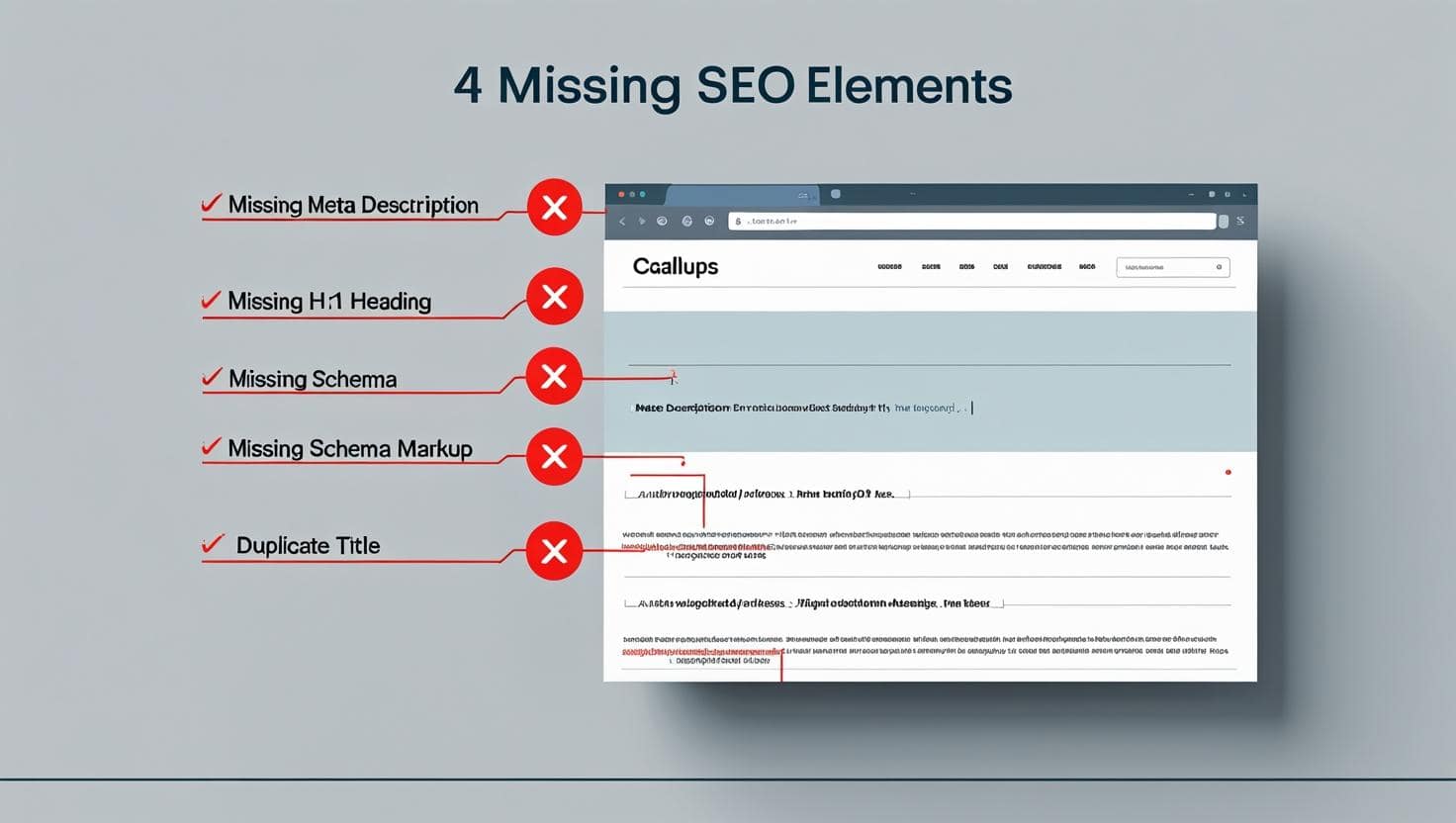
How to Fix It: Manually edit every page’s SEO settings. Write custom title tags (under 60 characters) and meta descriptions (under 155 characters) that include your target keywords and a clear call to action. Use descriptive H2s and H3s. And if your platform supports it, add schema markup via JSON-LD in the header code injection.
Google’s Structured Data documentation provides clear examples of how to implement schema for products, articles, and local businesses – critical for visibility in 2025.
If you’re using WordPress, plugins like Rank Math or Yoast make this easy. But with closed platforms like Wix, your options are limited. That’s why we recommend moving to a flexible CMS when SEO is a priority. For expert help, visit https://www.brandnexusstudios.co.za.
3. Duplicate Content and Thin Pages
DIY builders love to generate pages automatically. Blog archives, category pages, filtered product views – they all create unique URLs. But Google sees most of them as duplicate or low-value content.
For instance, a single product might appear under:
- /products/blue-widget
- /collections/gadgets/blue-widget
- /sale-items/blue-widget
That’s three URLs for the same content. Without proper canonical tags, Google gets confused – and your rankings suffer.
Plus, many DIY sites are filled with “thin” content: short pages with little substance. A 150-word “About Us” page or a product description copied from the manufacturer won’t cut it in 2025. Google wants depth, expertise, and value.

How to Fix It: Audit your site with Screaming Frog or Sitebulb. Look for duplicate titles, meta descriptions, and content. Use canonical tags to point Google to the main version of each page. And bulk-delete or redirect unnecessary archive pages.
According to Backlinko’s SEO guide, duplicate content is one of the top technical issues that prevent sites from ranking – especially on auto-generated platforms.
For thin content, expand every page. Add FAQs, customer testimonials, usage guides, or comparison charts. Show expertise. Prove authority. Build trust. That’s what Google rewards.
4. Poor Mobile Experience and UX Design
Mobile-first indexing has been live for years, but many DIY sites still fail on mobile. Why? Because drag-and-drop editors are built for desktop previews. What looks perfect on a laptop often breaks on a phone.
Common issues include:
- Text too small to read
- Buttons too close together
- Images that don’t resize
- Pop-ups that block content
Google’s Core Web Vitals measure loading, interactivity, and visual stability – all of which suffer on poorly optimized mobile sites. And with over 60% of searches happening on mobile, this is not optional.

How to Fix It: Test your site on real devices, not just emulators. Use Google’s Mobile-Friendly Test tool. Fix tap target sizes, font scaling, and image responsiveness. Simplify navigation. And always prioritize speed – enable lazy loading, compress images, and avoid heavy animations.
At Brand Nexus Studios, we design every site with mobile-first principles. Our clients see up to 2.5x faster load times and 40% lower bounce rates. See how we do it at https://www.brandnexusstudios.co.za.
5. Ignoring the 2025 SEO Trends
SEO isn’t static. In 2025, success depends on trends like AI-driven search, zero-click results, and sustainable web practices. DIY builders aren’t built to adapt.
For example, Google’s AI Overviews now answer questions directly on the SERP. To appear there, your content must be structured, authoritative, and concise. Most DIY sites lack the semantic markup and content depth needed.
Similarly, visual search is rising. Google Lens and Pinterest Lens let users search with images. But if your product photos lack alt text or schema markup, you’re invisible.
And sustainability? Yes, it matters. Green hosting and efficient code reduce your carbon footprint – and Google may soon reward eco-friendly sites in rankings.

How to Fix It: Audit your site against the top 2025 SEO trends:
- Use AI tools to enhance – not replace – your content. Add human insight.
- Optimize for featured snippets with clear, concise answers.
- Add detailed alt text and schema markup to all images.
- Switch to green hosting and optimize file sizes.
- Build E-A-T through expert content and verified reviews.
To stay ahead, read our in-depth guide on https://www.brandnexusstudios.co.za, where we break down the future of SEO in plain terms.
When to Upgrade from a DIY Builder
So when should you ditch the drag-and-drop and go pro?
If you’re experiencing any of these signs, it’s time:
- Your site takes more than 3 seconds to load.
- You can’t edit robots.txt or .htaccess files.
- Your SEO tools show crawl errors or duplicate content.
- You’re not ranking for any meaningful keywords.
- You need advanced features like custom forms, memberships, or booking systems.
Migrating doesn’t mean starting over. You can keep your brand, content, and domain. But you’ll gain full control over SEO, performance, and scalability.
At Brand Nexus Studios, we specialize in seamless migrations. We’ve helped over 200 businesses move from Wix, Squarespace, and Shopify to high-performance, SEO-optimized websites. The average result? 3x more organic traffic within 6 months.
Final Thoughts: SEO Is Not a Feature – It’s a Foundation
Here’s the bottom line: a website isn’t a brochure. It’s a living, breathing digital asset that needs ongoing care. DIY builders treat SEO as an afterthought. Professionals treat it as the foundation.
Yes, they take more time and investment upfront. But the ROI is undeniable. Better rankings. More traffic. Higher conversions. Stronger brand authority.
If you’re tired of building in the dark, let us help. At Brand Nexus Studios, we don’t just build websites – we build visibility, credibility, and growth.
Visit https://www.brandnexusstudios.co.za to schedule a free SEO audit and discover what your site is really capable of.
About the Author




This breakdown really highlights how a visually polished siteBlog comment creation guide can still struggle if the technical SEO foundation is weak. I’ve often seen business owners underestimate issues like bloated code or duplicate content until rankings start slipping. It’s a good reminder that SEO isn’t an afterthought—it needs to be baked into the site from day one.