
Using a combination of automated and manual website accessibility testing tools is essential for comprehensive WCAG compliance.
Website Accessibility Testing Tools: 7 Crucial Picks to Avoid Lawsuits
By Morne de Heer, Published by Brand Nexus Studios
In the digital age, your website is your front door. But what if that door is locked for nearly a quarter of the population? That’s the reality when websites aren’t accessible. The conversation around digital inclusion is no longer optional; it’s a legal and ethical imperative. This is where having the right website accessibility testing tools becomes your most critical line of defense.
Failing to ensure your website is usable by people with disabilities isn’t just bad for business—it’s a legal minefield. Lawsuits are on the rise, and ignorance is no longer an excuse. This guide is your practical workshop, designed to equip you with the knowledge and tools to catch issues before they become costly legal battles.
We’ll dive into the best free and premium solutions, exploring how they work, who they’re for, and how to integrate them into your workflow. Let’s get started.
What Exactly Is Website Accessibility (and Why Should You Care)?
Website accessibility, often abbreviated as “a11y” (the number 11 represents the letters between ‘a’ and ‘y’), is the practice of designing and developing websites, tools, and technologies so that people with disabilities can use them.
This encompasses all disabilities that affect access to the web, including:
- Visual: Blindness, low vision, color blindness.
- Auditory: Deafness and being hard of hearing.
- Motor: Inability to use a mouse, slow response time, limited fine motor control.
- Cognitive: Learning disabilities, distractibility, and inability to remember or focus on large amounts of information.
The internationally recognized standard for this is the Web Content Accessibility Guidelines (WCAG). These guidelines provide a framework for making your content more accessible. Ignoring them isn’t just a disservice to users; it’s a direct route to legal trouble under laws like the Americans with Disabilities Act (ADA) in the US.
The Business Case Goes Beyond Legal Threats
Compliance is a powerful motivator, but the benefits of an accessible website are far-reaching. An accessible site often translates to a better user experience for everyone. Clear navigation, readable text, and logical structure help all users, not just those with disabilities.
Furthermore, many accessibility best practices align perfectly with a robust SEO strategy. Things like proper heading structures, descriptive alt text on images, and transcriptions for videos give search engines better context, which can lead to improved rankings. It’s a win-win situation.
Automated vs. Manual Testing: A Two-Pronged Attack
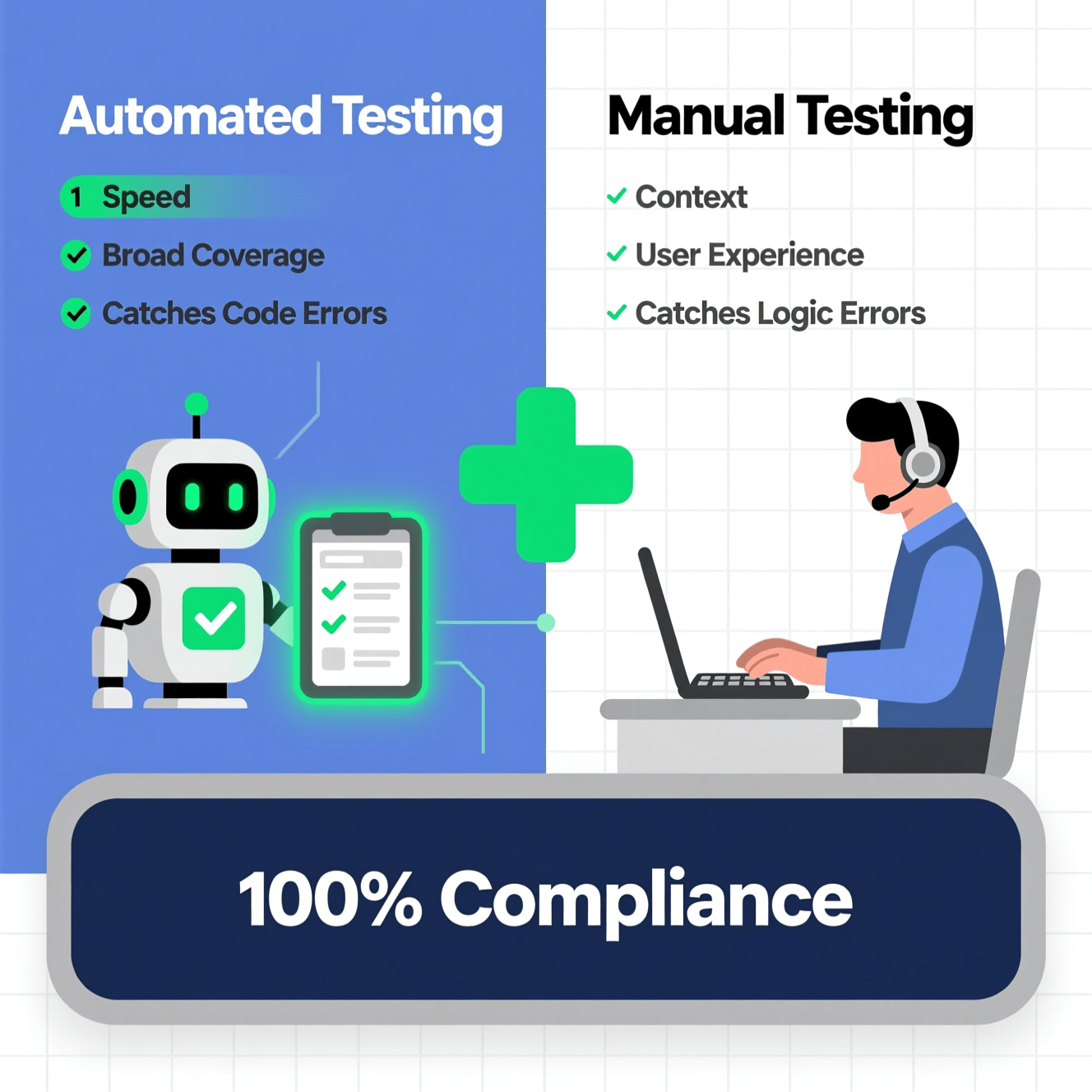
Before we jump into the tools, it’s crucial to understand the two main types of testing. You cannot rely on one alone. A comprehensive accessibility strategy requires both automated and manual approaches.
Automated Accessibility Testing
Automated tools are software programs or browser extensions that scan your website’s code to find common accessibility issues. They are incredibly fast and efficient at catching a specific subset of WCAG violations.
- Pros: Speed, efficiency, easy to run, great for catching low-hanging fruit like missing alt text or color contrast errors.
- Cons: Can only detect about 30-50% of all potential issues. They cannot understand context or user experience, leading to false positives and missed violations.
Manual Accessibility Testing
Manual testing involves a human expert navigating your website using the same assistive technologies that users with disabilities rely on. This includes keyboard-only navigation and using screen readers like JAWS or NVDA.
- Pros: Uncovers usability and context-based issues that automated tools miss. Provides real-world insight into the user experience for people with disabilities.
- Cons: Time-consuming, requires expertise, and can be more expensive to conduct.
The takeaway? Start with automated tools to quickly find and fix common problems. Then, follow up with thorough manual testing to ensure your site is truly usable. Building this process into your development from the start with expert web development partners like Brand Nexus Studios can save immense time and resources down the line.
The Top 7 Website Accessibility Testing Tools You Need to Know
Now, let’s explore the tools that form the backbone of any accessibility audit. We’ve selected a mix of free browser extensions, developer tools, and comprehensive paid platforms to give you a complete toolkit.
1. WAVE (Web Accessibility Evaluation Tool)
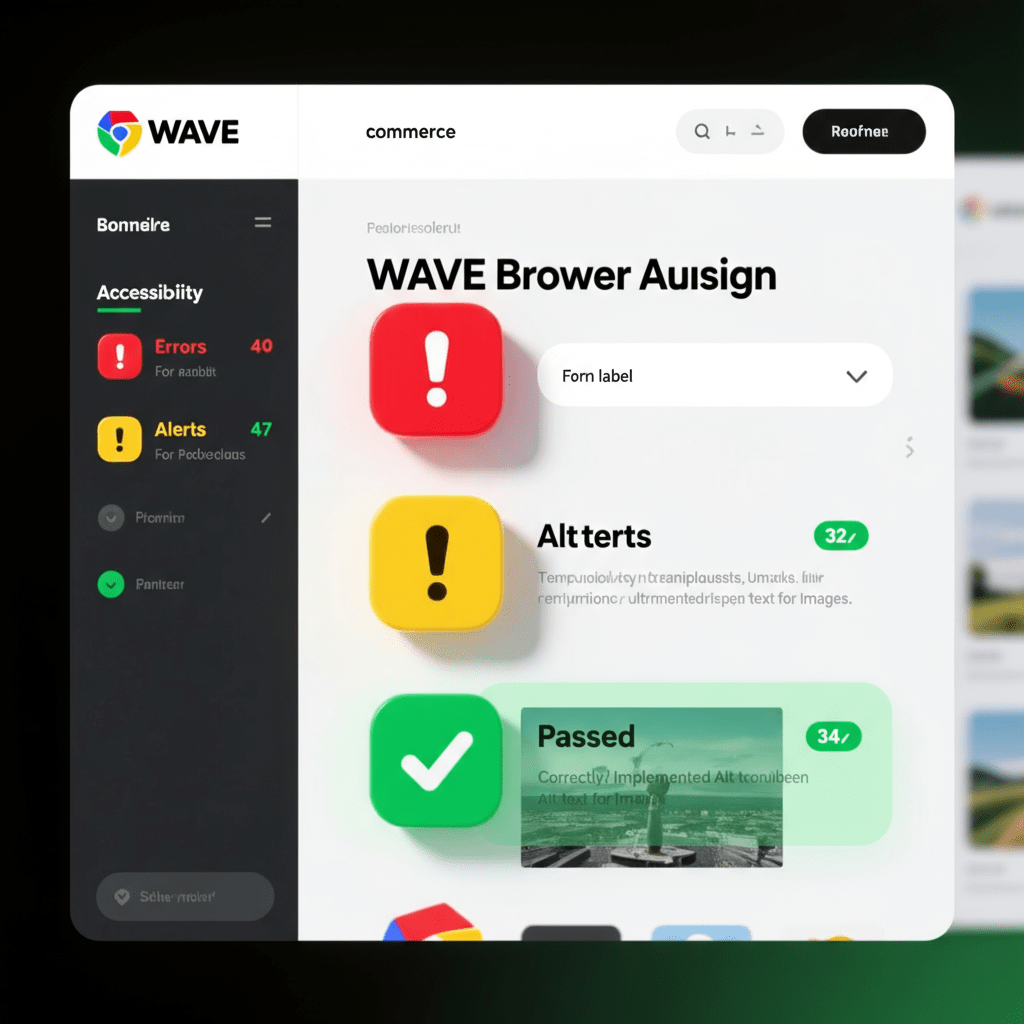
WAVE is one of the most popular free website accessibility testing tools, developed by the non-profit organization WebAIM. It’s a fantastic starting point for anyone new to accessibility.
- Type: Free Browser Extension (Chrome, Firefox, Edge).
- Who It’s For: Everyone. Developers, designers, content managers, and QA testers.
- How It Works: WAVE injects icons and indicators directly onto your webpage, providing a powerful visual representation of accessibility issues. It highlights errors, contrast issues, alerts, and structural elements.
- Verdict: An essential first-pass tool. Its visual feedback is unparalleled for learning and quick checks. It won’t catch everything, but what it does catch, it presents beautifully.
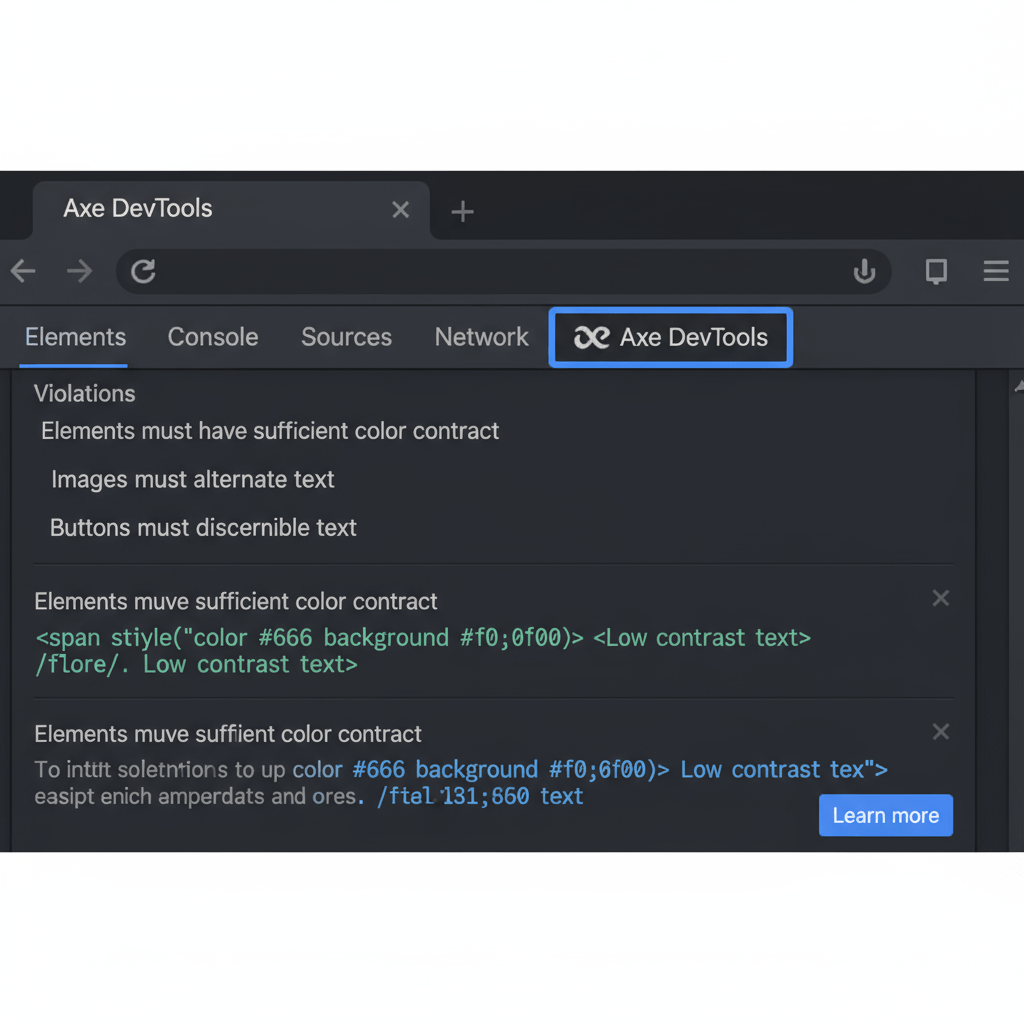
2. Axe DevTools
Developed by Deque Systems, Axe has become the gold standard for automated accessibility testing engines. It powers countless other tools, including Google’s Lighthouse.
- Type: Free Browser Extension, Paid Pro version, and API for integration.
- Who It’s For: Primarily developers and QA teams.
- How It Works: The Axe DevTools extension integrates directly into your browser’s developer tools (like Chrome DevTools). It scans the page and provides a list of violations, categorized by severity. Crucially, it shows the exact code causing the issue and provides links for remediation guidance.
- Verdict: The most robust and developer-friendly automated tool available. It boasts zero false positives, which is a massive time-saver. It’s a must-have for any serious development workflow.
3. Google Lighthouse
Lighthouse is an open-source, automated tool for improving the quality of web pages. It’s built directly into Google Chrome’s DevTools and is a go-to for performance metrics, but it also has a solid accessibility audit.
- Type: Free, built into Chrome DevTools.
- Who It’s For: Developers, SEOs, and marketers.
- How It Works: Open DevTools, navigate to the Lighthouse tab, and run a report. It will generate a score from 0-100 for Performance, Accessibility, Best Practices, and SEO. The accessibility section highlights failures and provides links to learn more.
- Verdict: Incredibly convenient. Since it’s already in your browser, there are no barriers to entry. While it uses the Axe engine, it’s not as detailed as the dedicated Axe DevTools extension, but it’s perfect for a quick, high-level check. Plus, optimizing your website for speed via image compression and caching is vital, and Lighthouse helps track that too.
4. Siteimprove Accessibility Checker
Siteimprove offers a full suite of digital presence optimization tools, but their free accessibility checker is a powerful standalone product.
- Type: Free Browser Extension, with a comprehensive paid platform.
- Who It’s For: Digital marketers, content editors, and managers.
- How It Works: Similar to other extensions, it scans the page you’re on and categorizes issues based on WCAG conformance levels (A, AA, AAA). Its key differentiator is the clarity of its explanations, which are geared towards a less technical audience.
- Verdict: An excellent tool for content teams. It helps bridge the gap between technical compliance and practical content creation, explaining *why* something is an issue in plain language.
5. SortSite
SortSite is a one-click website testing tool that goes beyond just accessibility. It’s a comprehensive site audit tool that checks for accessibility, broken links, browser compatibility, SEO, and other quality metrics.
- Type: Paid Desktop and Web Application.
- Who It’s For: Web masters, project managers, and agencies needing comprehensive site audits.
- How It Works: You enter a URL, and SortSite crawls the entire website (up to a specified limit), generating a detailed report across multiple categories. It checks against WCAG, Section 508, and other standards.
- Verdict: A powerhouse for large-scale audits. If you need to check an entire 500-page website for a range of issues, SortSite is far more efficient than checking one page at a time. It’s a significant investment but can save hundreds of hours.
6. NVDA (NonVisual Desktop Access)
Now we move into manual testing. NVDA is a free, open-source screen reader for Microsoft Windows. It’s one of the most popular screen readers globally, making it an essential tool for manual testing.
- Type: Free Desktop Application (Windows).
- Who It’s For: Accessibility testers, developers, and anyone wanting to understand the screen reader experience.
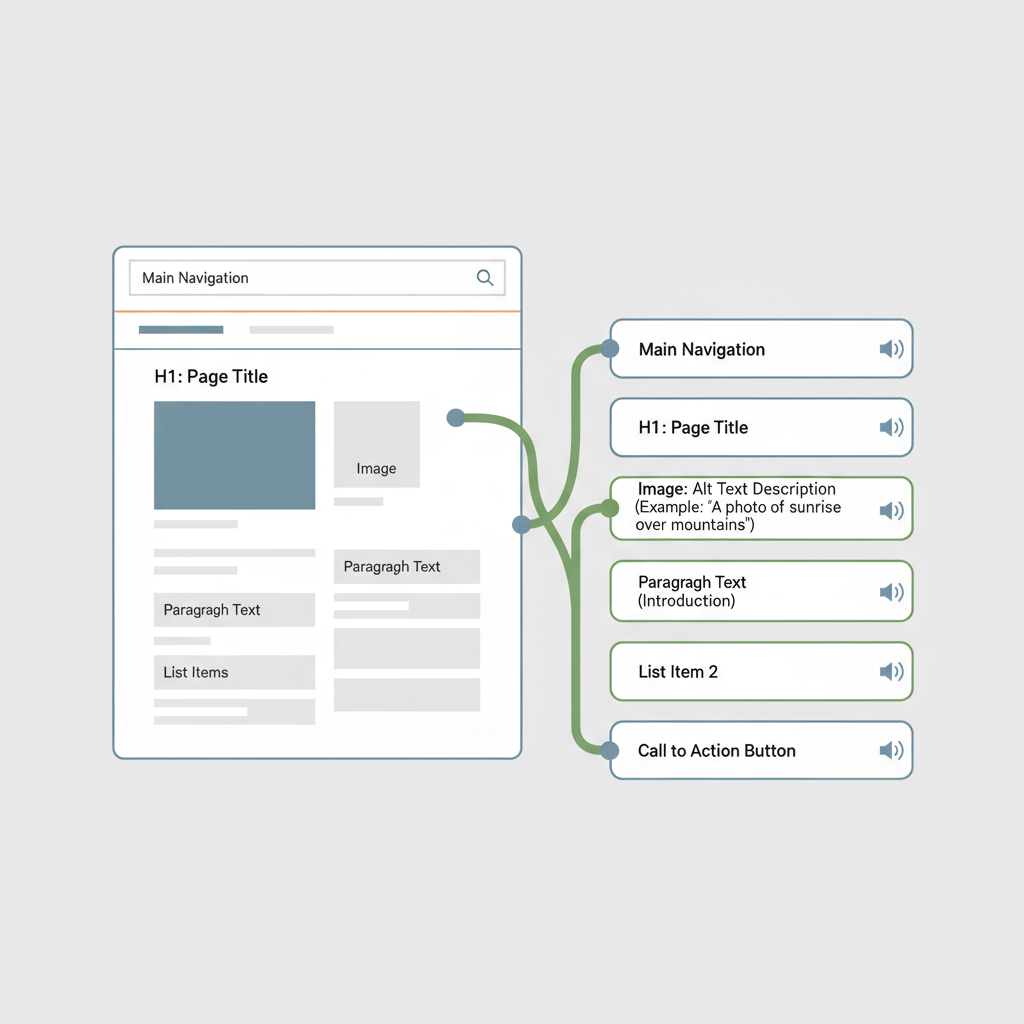
- How It Works: NVDA reads the content of the screen aloud, allowing visually impaired users to interact with the computer. For testing, you navigate your website using only the keyboard and listen to how NVDA announces elements like links, headings, forms, and images.
- Verdict: Absolutely critical. There is no substitute for experiencing your website through a screen reader. It will reveal issues with navigation order, unclear link text, and missing context that no automated tool can ever find.
7. JAWS (Job Access With Speech)
JAWS is the most widely used screen reader in the corporate and government world, but it comes with a significant price tag. It’s the market leader and offers extensive features and support.
- Type: Paid Desktop Application (Windows).
- Who It’s For: Professional accessibility testers and large organizations aiming for the highest level of compliance.
- How It Works: Similar to NVDA, JAWS reads screen content. However, it has different speech patterns and keyboard commands. Since many users rely on JAWS, testing with it ensures compatibility for a large segment of the screen reader audience.
- Verdict: The professional standard. While NVDA is an excellent free alternative, testing with JAWS is often a requirement for enterprise-level projects or government contracts. If your budget allows, testing on both is ideal.
Building Your Accessibility Testing Workflow
Having the tools is one thing; using them effectively is another. A scattered approach won’t work. You need a repeatable process to integrate accessibility into your operations.
- Initial Automated Scan: Start every audit with a quick scan using a browser extension like WAVE or Axe. This will immediately identify the easy-to-fix issues and give you a baseline.
- Developer-Level Checks: During development, developers should constantly run Axe DevTools within their browser to catch issues as they write code. This is far cheaper than fixing them after launch.
- Full Keyboard Navigation Test: Unplug your mouse. Can you access every single interactive element—links, buttons, form fields, menus—using only the Tab key (and Shift+Tab to go backward)? Can you operate them with the Enter or Spacebar key? This simple test reveals massive usability barriers.
- Screen Reader Walkthrough: Fire up NVDA or JAWS. Close your eyes or turn off your monitor. Navigate through your key user journeys, such as making a purchase or filling out a contact form. Is the content announced in a logical order? Are links and buttons clearly described?
- Review and Prioritize: Document all findings. Prioritize fixes based on severity. Critical errors that block a user entirely (like an inaccessible checkout button) should be fixed immediately.
- Rinse and Repeat: Accessibility is not a one-and-done project. It’s an ongoing commitment. Regular audits are crucial, especially after site updates. Many businesses find that engaging a partner for ongoing website maintenance plans that include accessibility checks is the most sustainable approach.
Frequently Asked Questions About Website Accessibility Testing Tools
What is the most popular website accessibility testing tool?
WAVE by WebAIM is arguably the most popular free website accessibility testing tool. Its browser extension provides instant visual feedback on accessibility issues directly on your webpage, making it incredibly user-friendly for developers, designers, and content editors alike.
Are free accessibility testing tools enough for compliance?
Free tools like WAVE and Axe are powerful for catching many automated checks (up to 57% of WCAG issues according to some studies). However, they cannot assess issues that require human judgment, such as logical content order or the clarity of link text. For full compliance, you must combine automated tools with manual testing, including keyboard-only navigation and screen reader checks.
How often should I perform accessibility testing on my website?
Accessibility testing should not be a one-time event. It’s best to integrate it into your development lifecycle. Conduct automated scans with every code push, perform a full manual audit quarterly or semi-annually, and re-audit after any major redesign or feature launch. Continuous monitoring is key to maintaining compliance.
What is the difference between WCAG 2.1 and WCAG 2.2?
WCAG 2.2 is the latest version and builds upon 2.1. It adds nine new success criteria, primarily focusing on users with cognitive or learning disabilities, mobile users, and low-vision users. Key additions address issues like focus appearance, dragging movements, and consistent help. All criteria from 2.1 are still included in 2.2.
Can I get sued if my website is not accessible?
Yes. In many countries, including the US (under the Americans with Disabilities Act – ADA), digital accessibility is considered a legal requirement. Website accessibility lawsuits have been steadily increasing, targeting businesses of all sizes. Proactively using website accessibility testing tools is a critical defense.
How do automated and manual accessibility testing differ?
Automated testing uses software to quickly scan a website for common accessibility violations based on WCAG rules, like missing alt text or low contrast. Manual testing involves a human tester navigating the site using assistive technologies (like screen readers) and keyboard-only commands to identify usability and logic issues that automated tools miss.
Does improving website accessibility also help SEO?
Absolutely. Many accessibility best practices directly overlap with SEO best practices. For example, descriptive alt text for images helps both screen reader users and search engine crawlers. A logical heading structure (H1, H2, H3) improves navigation for all users and helps Google understand your content hierarchy. Clean code and fast load times, crucial for accessibility, are also major ranking factors.
References
- Web Content Accessibility Guidelines (WCAG) Overview – World Wide Web Consortium (W3C)
- The A11Y Project – A community-driven effort to make digital accessibility easier.
About the Author




