

Your clear, practical path to a fast, secure, conversion ready site.
How to Make a Website: 19 Proven Steps to Win Online

If you are wondering how to make a website that looks great, loads fast, and actually converts, you are in the right place. This guide walks you through a practical build workflow you can use today, whether you go DIY or partner with a pro.
We will show you how to make a website step by step, from picking a domain and hosting to UX, content, SEO, and launch. You will ship a site you can be proud of without wasting weeks on guesswork.
Pro tip: keep paragraphs short, compress images, and enable caching. Those simple choices make a huge difference to user experience and rankings.
The 19 step roadmap at a glance
Before you dive in, here is the quick overview you will follow to learn how to make a website without getting lost.
- Clarify goals, audience, and success metrics
- Choose a memorable domain name
- Pick fast, reliable hosting or a builder plan
- Plan site architecture and navigation
- Select your CMS or tech stack
- Set up SSL, security, and backups
- Sketch UX and design an accessible UI
- Build reusable templates and components
- Write clear, persuasive content
- Source and compress images and media
- Optimize performance and Core Web Vitals
- Handle on page SEO fundamentals
- Cover technical SEO and indexability
- Ensure accessibility and legal pages
- Install analytics and event tracking
- QA and testing across devices and browsers
- Launch and verify DNS, SSL, and speed
- Post launch SEO and promotion
- Maintain, improve, and scale
Step 1: Set crystal clear goals
Start strong. When you decide how to make a website, define one core job it must do. Book demos, sell products, collect leads, or educate customers. Pick a primary goal and 2 supporting goals.
Then map success metrics. Examples include demo requests per week, checkout conversion rate, newsletter signups, and average session duration. Tie every design and content choice to these metrics.
Step 2: Choose a domain name that sticks
Short, pronounceable, and easy to spell wins. Avoid hyphen chains and tricky spellings. If your brand is taken, try modifiers like get, join, or use a relevant TLD such as .co or .io.
When learning how to make a website, check social availability too. Consistent handles reduce confusion and help your brand feel unified.
Step 3: Pick hosting or a builder
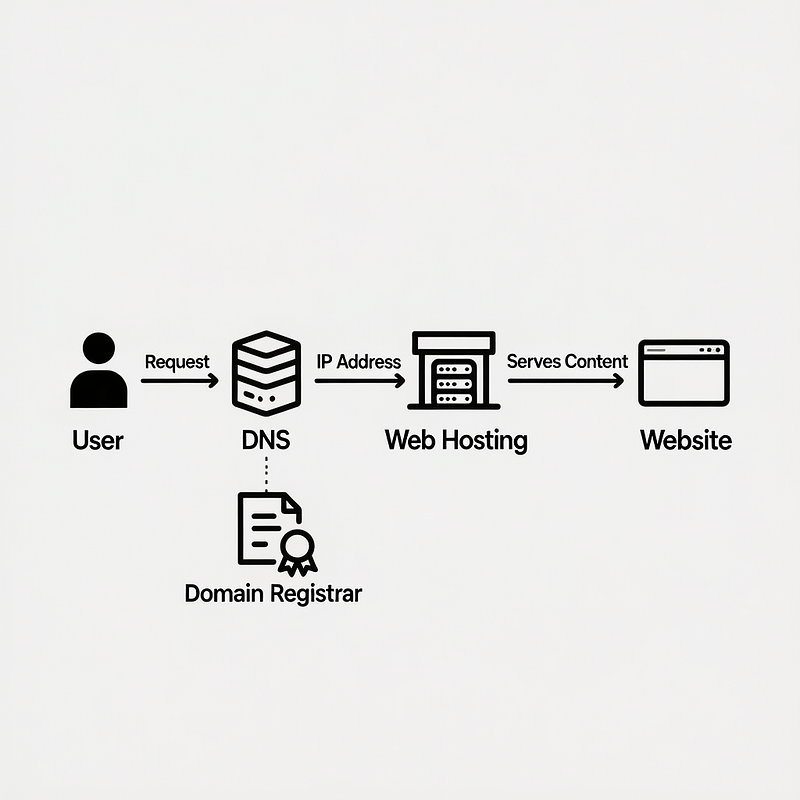
Speed, uptime, and support matter. Shared hosting is budget friendly, managed hosting is faster and safer, and a modern builder can be the simplest route when you are learning how to make a website.
Consider these options:
- Managed WordPress hosting for flexible content sites
- Shopify for ecommerce with built in payments
- Webflow for design led, no code site builds
- Static hosting with a headless CMS for performance first teams
If you decide to collaborate instead of DIY, website design and development support from a proven team can save time and avoid costly rebuilds.
Step 4: Plan your site architecture
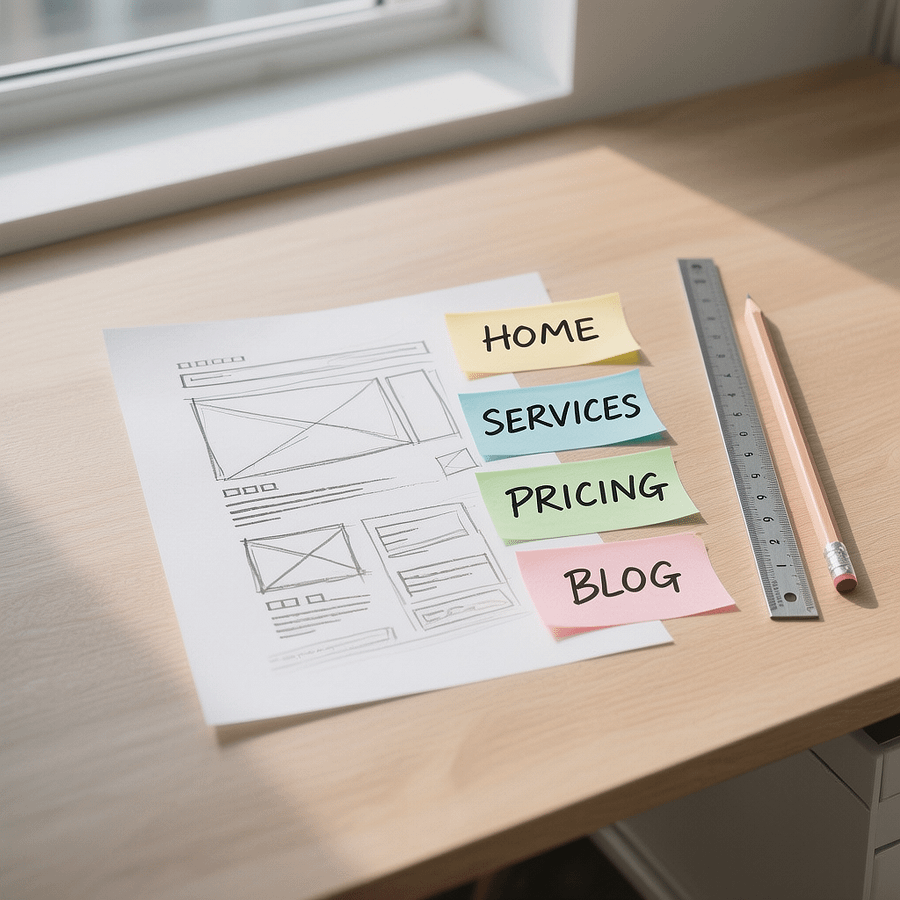
Make navigation obvious. List your core pages, group related content, and flatten the structure where possible. Shallow navs help users and search engines.
Here is a simple starter map when figuring out how to make a website for a small business:
- Home
- About
- Services or Products
- Service A
- Service B
- Pricing
- Case Studies or Testimonials
- Blog
- Contact
- Privacy Policy
Step 5: Choose your CMS or stack
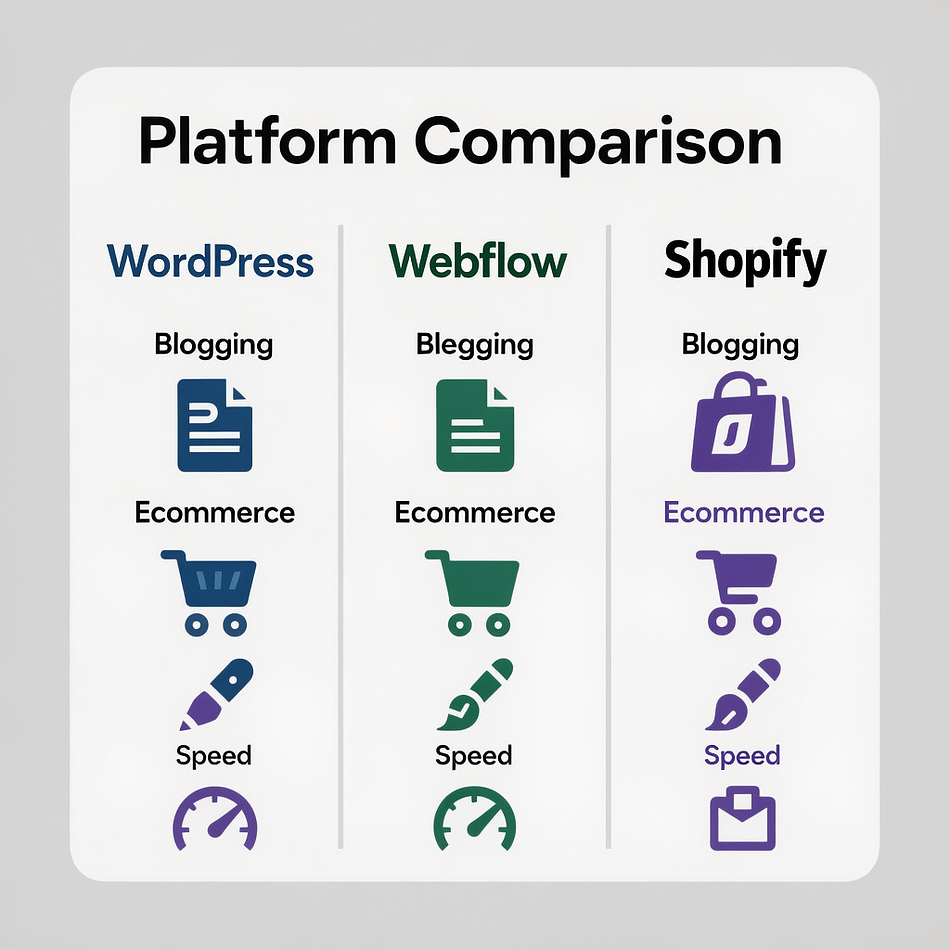
Pick the tool that matches your goals, budget, and team skills. When you explore how to make a website, do not over engineer. Start with the simplest platform that can do the job now and in the next 12 months.
- WordPress for blogs, marketing sites, and flexible content
- Shopify for ecommerce with apps and integrated checkout
- Webflow for visual design control and clean output
- Headless CMS with Next.js or similar for maximum performance
Step 6: Set up SSL, security, and backups
Install an SSL certificate before launch. Browsers flag sites without HTTPS and search engines prefer secure pages. Many hosts include free SSL.
Add firewall rules, brute force protection, and scheduled backups. If you are learning how to make a website on WordPress, use trusted security plugins and keep everything updated.
Step 7: Design UX that removes friction
Great sites guide users. Start with wireframes, then layer visual design. Use high contrast colors, 16 px base font or higher, and large tap targets for mobile.
Make decisions easy. When planning how to make a website, place a clear primary call to action on every page. Reduce navigation choices and declutter forms.
Step 8: Build templates and components
Reusable parts speed up builds and keep your UI consistent. Create a header, footer, grid, cards, buttons, and form components.
Document spacing, font sizes, and colors. When you know how to make a website efficiently, you write less code, ship faster, and make maintenance easier.
Step 9: Write clear, helpful content
Content drives action. Use short sentences, plain language, and one idea per paragraph. Open with value, close with a clear next step.
Here is a quick writing checklist when working out how to make a website for conversions:
- Lead with outcomes, not features
- Use subheads and bullets for scannability
- Show proof via testimonials, ratings, or logos
- End each section with a contextual call to action
Step 10: Add images that load fast
Use relevant, high quality visuals. Compress them without losing clarity. Modern formats like WebP are ideal. State image dimensions and add descriptive alt text.
We compress images in this guide and recommend a CDN with caching. When you are learning how to make a website, remember that visuals should support the message, not distract from it.
Step 11: Tune performance and Core Web Vitals
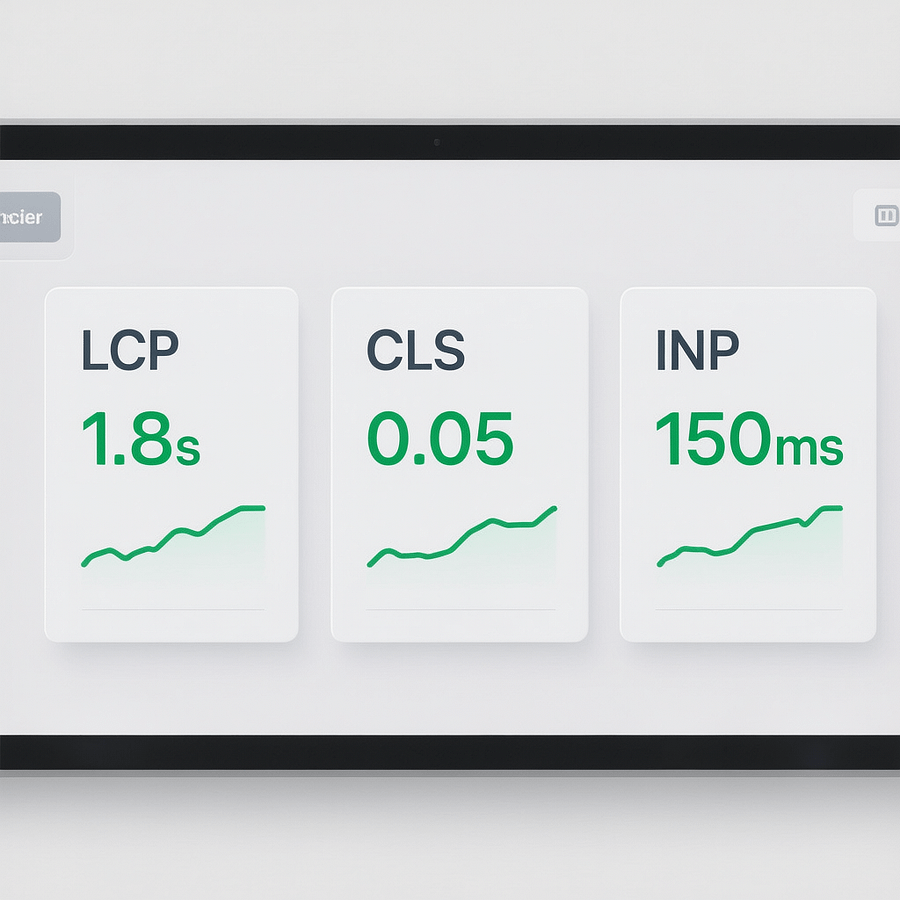
Fast sites convert better. Aim for sub 2.5s Largest Contentful Paint, minimal layout shift, and smooth interactivity. Ship only what you need.
- Compress and properly size images
- Enable server and browser caching
- Minify CSS and JavaScript
- Defer third party scripts and lazy load media
- Use a CDN for global delivery
If you plan how to make a website for long term growth, invest in performance early. It compounds.
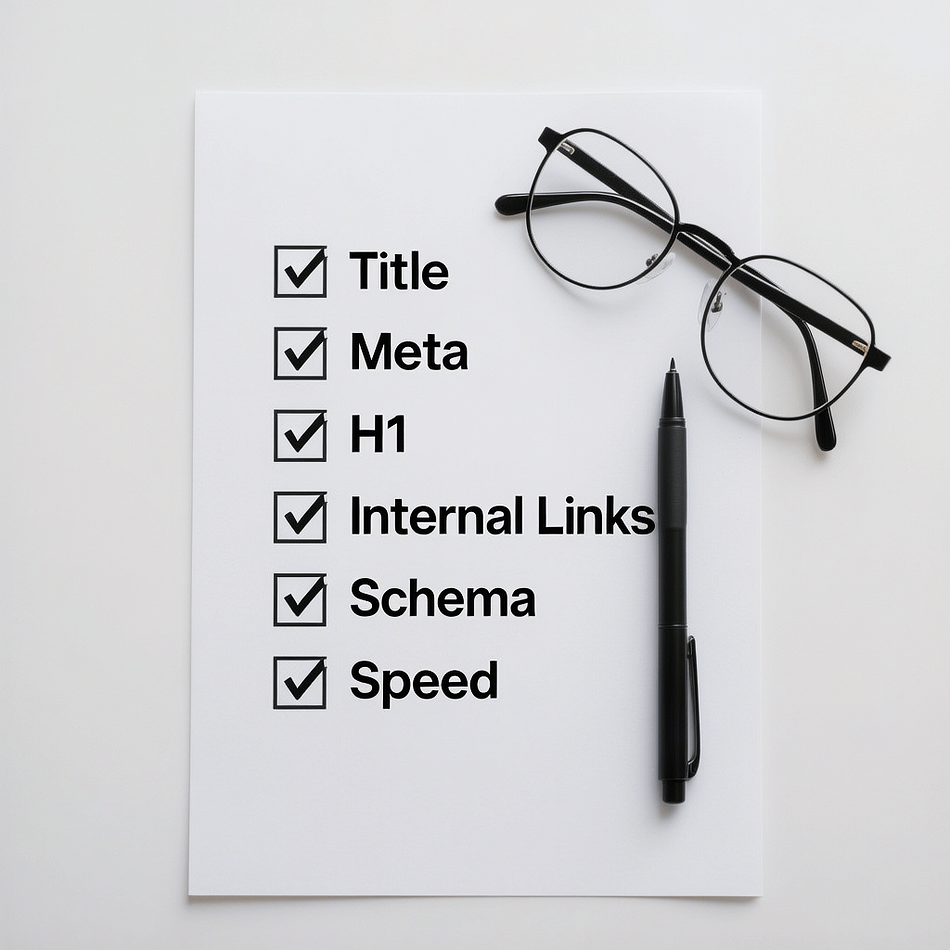
Step 12: Nail on page SEO essentials
Search friendly content gets discovered. Write human first copy and help search engines understand your pages. Start with one page per intent.
- Craft unique titles and meta descriptions with your primary phrase
- Use H1 for the page topic and H2 to structure ideas
- Add internal links with descriptive anchor text
- Use descriptive file names and alt text for images
- Include schema where useful
When you study how to make a website that ranks, on page basics deliver quick wins. For deeper strategy and execution, explore our SEO services.
Step 13: Technical SEO and indexability
Make your site easy to crawl. Generate an XML sitemap, set a sensible robots.txt, and avoid duplicate content. Fix broken links and canonicalize duplicates.
Use semantic HTML, descriptive headings, and clean URLs. If you are figuring out how to make a website that scales, set standards for redirects, slugs, and media naming now.
Step 14: Accessibility and legal essentials
Inclusive design is non negotiable. Ensure color contrast, keyboard navigation, focus states, and skip links. Use ARIA only where needed.
Publish a privacy policy and handle consent for analytics and marketing pixels. If you wonder how to make a website that builds trust, start by respecting users.
Step 15: Analytics and conversion tracking
Measure what matters. Install an analytics suite and set up events for conversions like form submissions, phone clicks, and purchases.
Dashboard your key metrics to spot trends early. If you want expert help while learning how to make a website that grows through data, our analytics reporting practice is designed for clarity and action.
Step 16: QA and testing checklist
Ship with confidence. Test on modern browsers and common devices. Click every link and submit every form. Verify responsive breakpoints.
- Validate HTML and CSS
- Check headings order and ARIA labels
- Confirm 404 page, redirects, and canonical tags
- Run speed tests on mobile and desktop
- Proofread copy and confirm contact details
If you learn how to make a website with a checklist mindset, launch day becomes calm instead of chaotic.
Step 17: Launch day playbook
Point your domain to the new hosting with correct DNS records. Wait for propagation, then verify SSL and run another round of tests.
Announce the launch across your channels. When people ask how to make a website quickly and safely, the answer is disciplined prep plus a clean cutover.
Step 18: Post launch SEO and promotion
Submit your sitemap and request indexing for key pages. Monitor coverage and fix errors. Build internal links from existing content.
Create a steady content cadence. If you are serious about how to make a website that earns traffic, publish useful posts, update cornerstone pages, and earn mentions from relevant sites.
Step 19: Maintain and improve
Keep plugins and core updated, monitor uptime, and back up nightly. Review analytics weekly and tackle one improvement at a time.
Schedule quarterly UX and SEO audits. When you understand how to make a website that never stops improving, competitors struggle to catch up.
How to make a website with WordPress in 1 weekend
Want a fast start. Here is a practical mini plan to learn how to make a website with WordPress without coding or chaos.
- Friday evening: buy domain and managed WordPress hosting, install SSL
- Saturday morning: select a lightweight theme and import a starter template
- Saturday afternoon: write homepage copy and build header, footer, and 2 service pages
- Saturday evening: add contact and privacy pages, compress all images, and configure caching
- Sunday morning: optimize titles, meta descriptions, and internal links
- Sunday afternoon: QA, connect analytics, and launch
Stay focused on essentials and you will ship. Later, refine design, add blog posts, and expand features.
Content that converts: page by page
Homepage
Lead with a crystal clear value proposition. Use a strong hero headline, proof, and a single call to action. When learning how to make a website, resist carousels and clutter.
Services or product pages
Explain outcomes, show social proof, and answer objections. Add pricing or next steps. Keep sections short and skimmable.
About page
Share your mission and why you are different. Introduce the team and your process. Close with a contact prompt.
Contact page
Offer a short form, phone, and email. Include FAQs or a simple calendar link if it speeds up conversations.
Blog
Teach generously. If you are exploring how to make a website that compounds value, publish useful tutorials and case studies, then link them to relevant service pages.
Design patterns that keep users moving
- Sticky header with a clear primary CTA
- Benefit driven subheads and a simple grid layout
- Contrasting buttons and generous white space
- Readable typography and consistent spacing scale
- Contextual social proof next to CTAs
Patterns reduce cognitive load. Building them into your process is a smart move when you practice how to make a website that converts.
Speed and stability checklist
Fast pages earn trust. Use this compact checklist as you learn how to make a website that feels instant.
- Preload key fonts and avoid layout shifts
- Serve next gen images and compress aggressively
- Cache at the server, CDN, and browser layers
- Defer non critical JavaScript and inline critical CSS
- Limit third party tags and audit their impact
Scaling content and SEO over time
Start with 5 to 10 high value pages. Expand based on user questions and search opportunities. Cluster related topics and interlink them clearly.
When you commit to learning how to make a website that grows, revisit your keyword research quarterly, refresh older posts, and keep your internal linking tidy.
Build vs partner: making the right call
DIY is perfect for small scopes, tight budgets, and teams who want hands on control. Partnering is smarter when the project affects revenue, involves integrations, or demands a custom experience.
If you prefer a done for you approach, Brand Nexus Studios can plan, design, build, and maintain your site end to end. Our team blends UX, engineering, and growth so you can focus on your business.
How to make a website that is secure by default
Security should not be an afterthought. Enforce HTTPS, set strong admin credentials, and enable MFA for logins. Limit plugins and keep everything updated.
Schedule backups, monitor uptime, and audit logs. When you know how to make a website that is secure, you protect users and your brand reputation.
Migration tips if you have an existing site
Inventory every URL, image, and asset. Map 301 redirects for all changed URLs. Maintain title tags and copy where it still works.
Launch in a staging environment first. If you are revisiting how to make a website after a rebrand, careful redirects preserve hard won rankings.
Helpful tools when learning how to make a website
- Lightweight visual builders and block patterns for WordPress
- Accessibility color contrast checkers
- Image compressors that output WebP
- Performance profilers and code minifiers
- Schema generators for common content types
Use a minimal tool stack at first. Add complexity only when you must.
Common pitfalls to avoid
- Overloading pages with heavy images and scripts
- Choosing a theme that locks you into rigid layouts
- Skipping SSL, backups, or updates
- Foggy messaging with no clear CTA
- Publishing without analytics or goals
When you learn how to make a website with a simple, user first mindset, you sidestep most of these traps.
A practical timeline
How long does it really take. A focused DIY build can launch in a week. A professional engagement usually spans a few weeks depending on content readiness and scope.
The best timeline for how to make a website is one you control. Remove blockers early, write content first, and keep the decision chain small.
Budget ranges and what affects cost
DIY with a builder can be very affordable. Add premium hosting, a quality theme, and a few paid plugins and you still keep costs contained.
Custom design, integrations, and content production add time and expertise. If a key goal depends on your site, investing now pays off later.
Where Brand Nexus Studios fits in
If your next step is how to make a website that drives growth, Brand Nexus Studios brings strategy, design, development, hosting guidance, and maintenance under one roof. We help you launch faster and iterate smarter.
From performance tuning to long term SEO alignment, our team meets you where you are and raises the bar with a repeatable build process.
FAQs
Quick answers to common questions when you are figuring out how to make a website.
What is the easiest way to learn how to make a website?
Use a modern builder or managed WordPress with a proven template. Launch a simple 5 page site, then iterate.
How much does it cost to create a site?
DIY builder sites often start around USD 100 to 500 per year. Professional builds range higher depending on scope, design, integrations, and content.
Do I need to code?
No. You can build a professional site with zero code. Knowing HTML and CSS helps for fine tuning, but it is optional.
Which pages are essential?
Home, about, services or products, pricing, testimonials or case studies, contact, and privacy. Add a blog if content marketing is in your plan.
How long does it take?
Three to seven days for a focused DIY launch. Two to six weeks for a professional project depending on content readiness.
What CMS should I choose when learning how to make a website?
WordPress for flexible content, Shopify for ecommerce, Webflow for design led no code, and a headless stack if performance and engineering resources are available.
How do I make it fast and mobile friendly?
Compress images, enable caching, serve responsive layouts, and minimize scripts. Test and improve Core Web Vitals on mobile first.
References
Further reading and tools we recommend for anyone learning how to make a website the right way:
About the Author




