

Comprehensive website maintenance dashboard for monitoring all critical metrics
47 Website Maintenance Checklist Tasks That Prevent Costly Downtime
Your website maintenance checklist is the difference between a thriving online presence and a digital disaster waiting to happen. Studies show that 43% of cyber attacks target small businesses, yet only 14% maintain regular website security protocols.
Think your website runs itself once it’s live? That’s like believing your car never needs an oil change. Without proper maintenance, even the best-designed websites deteriorate, leaving you vulnerable to hackers, frustrated visitors, and plummeting search rankings.
At Brand Nexus Studios, we’ve witnessed countless businesses lose thousands in revenue from preventable website failures. That’s why we’ve compiled this comprehensive website maintenance checklist – your insurance policy against digital catastrophe.

Why Website Maintenance Matters More Than Ever in 2024
The digital landscape evolves faster than ever. Google updates its algorithm 500-600 times yearly, hackers develop new attack methods daily, and user expectations for speed and functionality continue rising.
Consider these sobering statistics that highlight the importance of regular website maintenance tasks:
- 88% of users won’t return to a site after a bad experience
- A 1-second delay in page load time causes 7% reduction in conversions
- 30,000 websites are hacked daily worldwide
- 40% of users abandon websites that take over 3 seconds to load
- Outdated plugins cause 55.9% of known entry points for hackers
These numbers aren’t meant to scare you – they’re meant to prepare you. With the right monthly website maintenance checklist, you transform from reactive to proactive, saving money and protecting your reputation.
The Complete Website Maintenance Schedule Framework
Not all maintenance tasks require the same frequency. We’ve organized this website maintenance checklist by timeframe, helping you prioritize effectively without overwhelming your schedule.
Think of it like maintaining a high-performance vehicle. Some checks happen before every drive, others monthly, and major services annually. Your website deserves the same systematic approach.
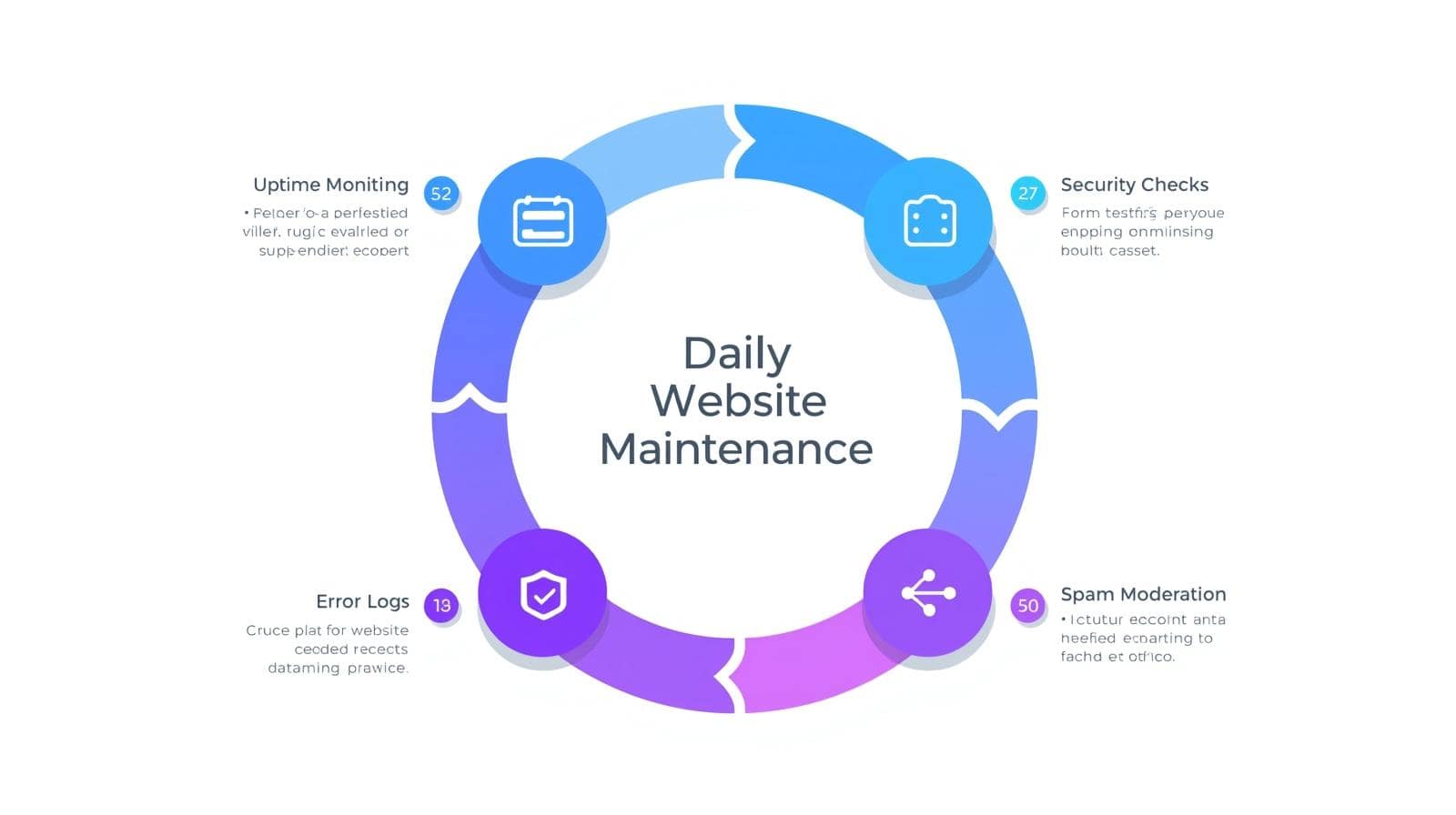
Daily Website Maintenance Tasks (5-10 Minutes)
These quick daily checks prevent minor issues from becoming major problems. Set aside time each morning to ensure your digital storefront remains operational.
1. Uptime Monitoring Check
Verify your website loads properly across different devices. Use automated monitoring tools to receive instant alerts if your site goes down. Every minute of downtime costs money and credibility.
2. Security Alert Review
Check security plugin notifications and hosting provider alerts. Immediate attention to security warnings prevents breaches before they occur. Configure email alerts for critical security events.
3. Form Submission Testing
Test one contact form daily, rotating through all forms weekly. Broken forms mean lost leads – studies show 67% of users abandon sites with non-functioning forms.
4. Error Log Scanning
Review error logs for unusual activity or repeated errors. Pattern recognition helps identify brewing problems before they affect user experience.
5. Comment and Spam Moderation
Remove spam comments and approve legitimate ones promptly. Active comment sections boost SEO and user engagement when properly maintained.
Weekly Website Maintenance Tasks (30-60 Minutes)
Weekly maintenance dives deeper into performance and security. Schedule these tasks for a consistent day when you can focus without interruption.
6. Complete Website Backup
Create full backups including databases, files, and configurations. Store backups in multiple locations – cloud storage and local drives. Test restoration procedures quarterly to ensure backups work.
7. Plugin and Theme Updates
Update plugins and themes after checking compatibility. Always backup before updating, and update one at a time to identify any conflicts. Outdated software remains the primary security vulnerability.
8. Broken Link Audit
Scan for broken internal and external links using automated tools. Broken links frustrate users and damage SEO rankings. Fix or redirect broken links immediately.
9. Performance Speed Test
Run speed tests using GTmetrix or PageSpeed Insights. Document load times to track trends. Address any new performance issues before they impact user experience.
10. Security Scan Execution
Run comprehensive security scans checking for malware, vulnerabilities, and suspicious files. Address any findings immediately – security breaches cost small businesses an average of $200,000.
11. Database Optimization
Clean database tables, removing spam comments, post revisions, and transient options. Optimized databases improve site speed by up to 20%.
12. Content Review and Updates
Check for outdated information, expired offers, or seasonal content needing updates. Fresh content signals search engines your site remains active and relevant.
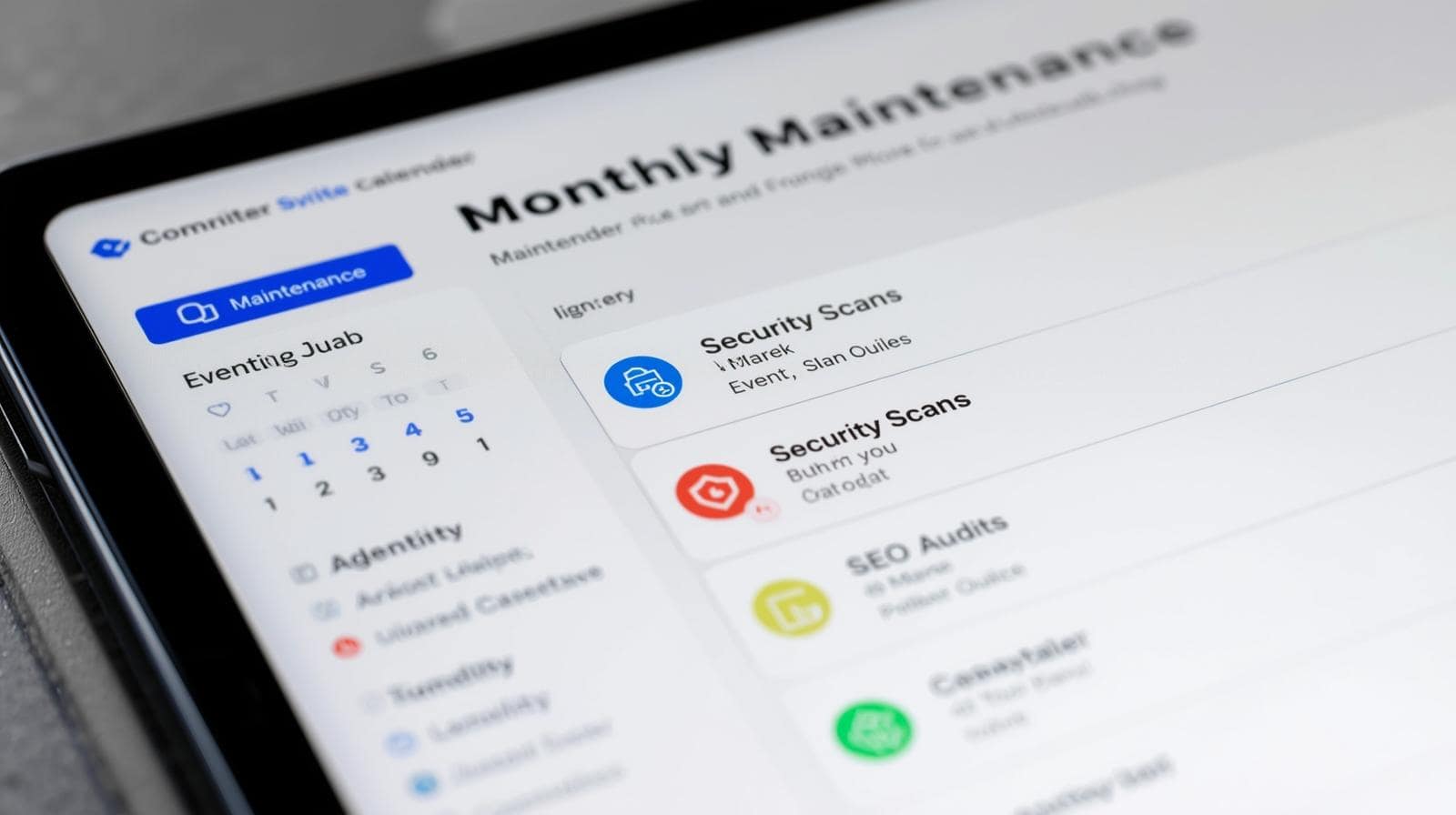
Monthly Website Maintenance Checklist Items (2-4 Hours)
Monthly maintenance focuses on optimization and strategic improvements. These tasks ensure your website continues meeting business objectives effectively.
13. Comprehensive Analytics Review
Analyze traffic patterns, user behavior, and conversion rates. Identify trends and opportunities for improvement. Data-driven decisions outperform assumptions every time.
14. SEO Performance Audit
Check keyword rankings, meta descriptions, and search visibility. Update content based on search trends and competitor analysis. SEO requires constant attention to maintain rankings.
15. Mobile Responsiveness Testing
Test your site across various devices and screen sizes. Mobile traffic exceeds desktop for most websites – poor mobile experience kills conversions.
16. User Experience Evaluation
Navigate your site as a new visitor would. Check navigation clarity, call-to-action visibility, and overall user flow. Small UX improvements yield significant conversion gains.
17. SSL Certificate Verification
Verify SSL certificate validity and renewal dates. Expired certificates trigger browser warnings that scare away visitors instantly.
18. Contact Information Accuracy
Verify all contact details, business hours, and location information remain current. Incorrect contact information frustrates customers and damages trust.
19. Legal Compliance Check
Review privacy policies, terms of service, and cookie notices for compliance. Regulations change frequently – non-compliance risks hefty fines.
20. Backup Recovery Testing
Test backup restoration procedures on a staging environment. Untested backups often fail when needed most. Document the restoration process for emergencies.
21. Email Deliverability Testing
Send test emails from your website to various email providers. Check spam folders and delivery rates. Poor email deliverability means missed opportunities.
22. Image Optimization Audit
Compress large images and implement lazy loading where appropriate. Images often account for 60% of page weight – optimization dramatically improves speed.
Quarterly Website Maintenance Tasks (4-8 Hours)
Quarterly maintenance involves strategic planning and comprehensive audits. These tasks ensure your website aligns with business goals and industry standards.
23. Content Strategy Review
Evaluate content performance and plan upcoming content creation. Align content strategy with business objectives and user needs. Quality content drives organic traffic growth.
24. Competitor Analysis
Study competitor websites for new features, content strategies, and design trends. Staying competitive requires awareness of industry developments.
25. User Feedback Collection
Survey users about their experience and desired improvements. Direct feedback reveals issues analytics might miss. Implement feasible suggestions to improve satisfaction.
26. Technical SEO Deep Dive
Conduct thorough technical SEO audit including schema markup, XML sitemaps, and robots.txt files. Technical SEO forms the foundation of search visibility.
27. Security Protocol Review
Evaluate and update security measures including passwords, user permissions, and two-factor authentication. Security protocols require regular strengthening.
28. Performance Optimization Sprint
Implement advanced optimization techniques like CDN configuration, caching improvements, and code minification. Performance optimization yields compound benefits.
29. Accessibility Compliance Audit
Test website accessibility using WCAG guidelines. Accessible websites reach wider audiences and avoid discrimination lawsuits.
30. Third-Party Integration Review
Audit all third-party services and APIs for functionality and necessity. Remove unused integrations that slow your site or pose security risks.
31. Documentation Update
Update technical documentation, passwords, and emergency procedures. Current documentation saves hours during crisis situations.
Annual Website Maintenance Requirements (8-16 Hours)
Annual maintenance involves major assessments and strategic decisions. These tasks ensure your website remains aligned with long-term business objectives.
32. Complete Website Redesign Evaluation
Assess whether your website design remains modern and effective. Design trends evolve – dated websites lose credibility with visitors.
33. Hosting Provider Assessment
Evaluate hosting performance, support quality, and pricing. Better hosting options emerge constantly – annual reviews ensure optimal value.
34. Domain Renewal and Management
Renew domains well before expiration and review domain portfolio. Lost domains due to missed renewals cause devastating business disruption.
35. Complete Security Audit
Hire professionals for penetration testing and vulnerability assessments. Professional security audits reveal hidden vulnerabilities automated tools miss.
36. Analytics Platform Review
Evaluate analytics tools and tracking accuracy. Upgrade or switch platforms if current solutions don’t meet needs.
37. Legal and Regulatory Compliance
Comprehensive review of all legal requirements including GDPR, ADA, and industry-specific regulations. Compliance complexity increases yearly.
38. Technology Stack Evaluation
Assess whether your CMS, frameworks, and technologies remain suitable. Technology debt accumulates without periodic evaluation.
39. Business Goal Alignment
Ensure website strategy aligns with updated business objectives. Websites should evolve alongside business growth and market changes.
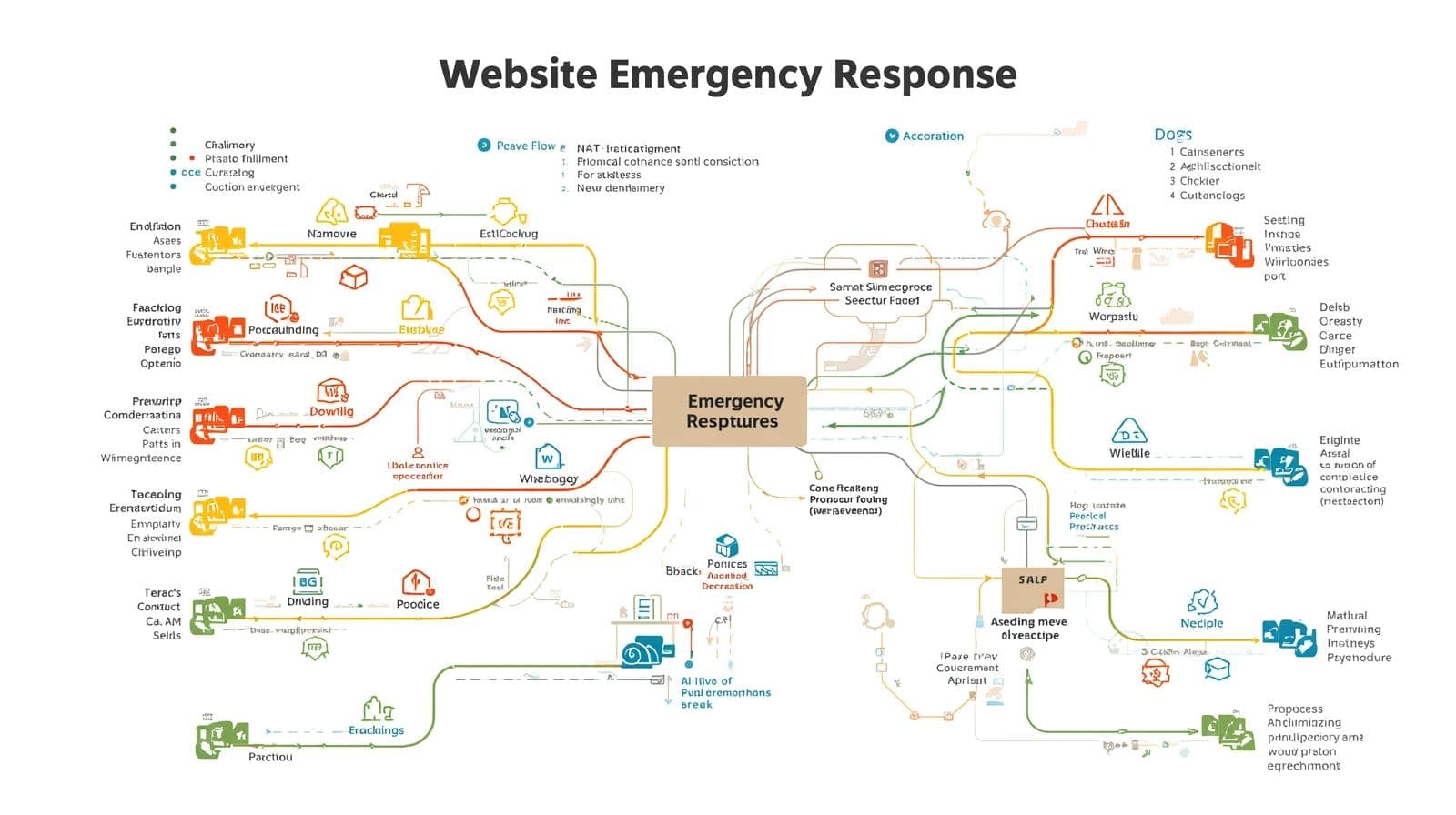
Emergency Website Maintenance Protocols
Despite preventive maintenance, emergencies occur. Having clear protocols minimizes damage and reduces recovery time significantly.
40. Hacking Response Plan
Document step-by-step procedures for breach response including isolation, cleaning, and recovery. Quick response limits damage from security breaches.
41. Downtime Recovery Procedures
Establish clear procedures for various downtime scenarios. Include contact information for hosting support, developers, and key stakeholders.
42. Data Loss Recovery Steps
Create detailed recovery procedures for different data loss scenarios. Time is critical during data loss events – clear procedures save precious minutes.
43. Performance Crisis Management
Plan responses for sudden traffic spikes or performance degradation. Include scaling procedures and emergency optimization tactics.
Automation Opportunities in Website Maintenance
Smart automation transforms overwhelming maintenance tasks into manageable routines. Modern tools handle repetitive tasks while you focus on strategic improvements.
Consider automating these aspects of your website maintenance schedule:
- Automated Backups: Schedule daily backups with retention policies
- Uptime Monitoring: Receive instant alerts when sites go down
- Security Scanning: Continuous monitoring for vulnerabilities and malware
- Performance Monitoring: Track speed metrics and receive degradation alerts
- Update Management: Automatic minor updates with staged testing
- SEO Tracking: Monitor ranking changes and technical SEO issues
- Broken Link Detection: Automated scanning and reporting
However, automation shouldn’t replace human oversight. Critical updates, strategic decisions, and quality assessments require human judgment.
Building Your Custom Website Maintenance Checklist
Every website has unique requirements based on complexity, traffic, and business objectives. Use this framework to build your customized maintenance plan.
Step 1: Assess Your Website’s Complexity
Simple brochure sites need less maintenance than e-commerce platforms or membership sites. List all functionality requiring regular attention.
Step 2: Evaluate Available Resources
Determine whether maintenance happens in-house or through professional services. Be realistic about time and expertise availability.
Step 3: Prioritize Based on Risk
Focus first on tasks preventing security breaches, data loss, and downtime. Performance optimization comes after stability.
Step 4: Create Accountability Systems
Assign specific responsibilities and deadlines. Use project management tools to track completion and maintain consistency.
Step 5: Document Everything
Maintain detailed documentation of procedures, passwords, and configurations. Documentation proves invaluable during emergencies or staff transitions.
The Real Cost of Neglecting Website Maintenance
Understanding the true cost of neglect motivates consistent maintenance. Let’s examine real-world consequences of abandoned website maintenance.
Security Breach Costs
Average small business breach costs exceed $200,000 including cleanup, legal fees, and lost business. Most breaches exploit known vulnerabilities that updates would have fixed.
Performance Degradation Impact
Every second of load time delay reduces conversions by 7%. A site slowing from 2 to 5 seconds loses 21% of potential revenue.
SEO Ranking Losses
Neglected sites lose 2-5 ranking positions monthly as competitors maintain and improve. Recovering lost rankings takes 3-6 months of intensive effort.
Customer Trust Erosion
88% of users won’t return after bad experiences. Broken features, slow loading, and security warnings permanently damage brand reputation.
Emergency Recovery Expenses
Emergency fixes cost 3-5 times more than preventive maintenance. Rushed work often introduces new problems requiring additional fixes.
Website Maintenance Tools and Resources
The right tools streamline maintenance tasks and improve efficiency. Here are essential tools for your maintenance toolkit.
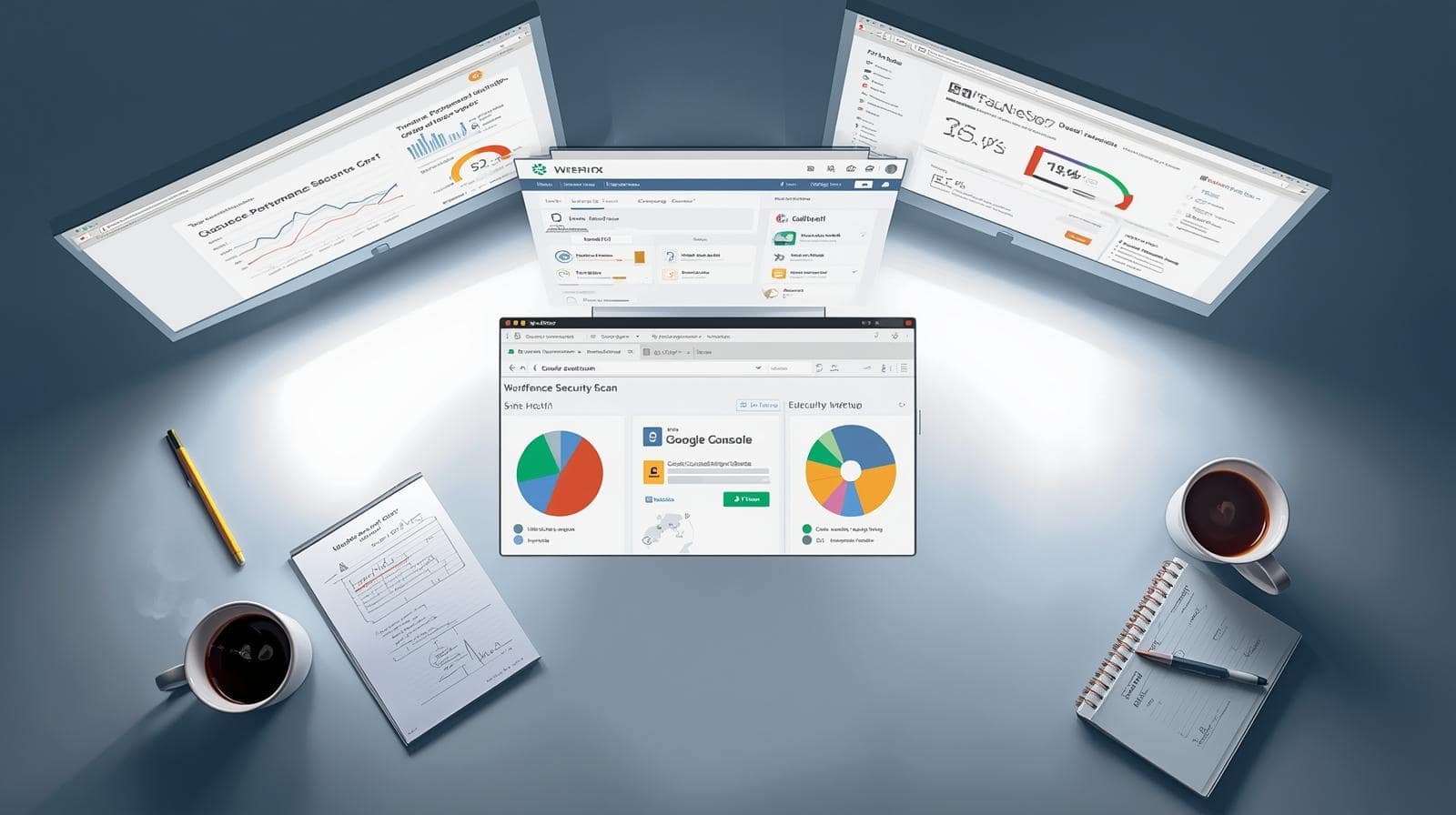
Security Tools
- Sucuri – Comprehensive security scanning and firewall
- Wordfence – WordPress-specific security solution
- MalCare – Automated malware detection and removal
- CloudFlare – DDoS protection and security features
Performance Monitoring
- GTmetrix – Detailed performance analysis
- Pingdom – Uptime and performance monitoring
- New Relic – Application performance management
- Google PageSpeed Insights – Core Web Vitals tracking
Backup Solutions
- UpdraftPlus – WordPress backup and restoration
- BackupBuddy – Complete site migration and backup
- Duplicator – Backup and site cloning
- AWS S3 – Secure cloud storage for backups
SEO and Analytics
- Google Search Console – Search performance monitoring
- Screaming Frog – Technical SEO auditing
- Ahrefs – Backlink and keyword tracking
- Hotjar – User behavior analytics
Professional vs. DIY Website Maintenance
Deciding between professional maintenance services and DIY approaches depends on various factors. Let’s explore both options objectively.
DIY Maintenance Advantages
Cost savings represent the primary DIY advantage. You eliminate monthly service fees, maintaining complete control over your website. DIY maintenance builds valuable technical skills and deep website knowledge.
Small, simple websites often suit DIY maintenance perfectly. If you enjoy technical challenges and have available time, DIY maintenance proves rewarding.
DIY Maintenance Challenges
Time investment remains the biggest DIY challenge. Proper maintenance requires 5-10 hours monthly minimum. Learning curves for technical tasks can prove steep.
Consistency often suffers with DIY maintenance. Business priorities shift, and maintenance gets postponed. One missed critical update could prove catastrophic.
Professional Maintenance Benefits
Professional services like those offered by Brand Nexus Studios provide expertise, consistency, and peace of mind. Professionals spot issues before they become problems.
Time savings allow focus on core business activities. Professional maintenance includes expert support during emergencies. Accountability ensures nothing gets missed.
Professional Maintenance Considerations
Monthly costs range from $50 to $5000 depending on website complexity. Choose providers carefully – quality varies significantly. Ensure clear service level agreements defining responsibilities.
Creating Your Website Maintenance Documentation
Comprehensive documentation transforms chaotic maintenance into systematic processes. Whether maintaining sites yourself or using professional services, documentation proves invaluable.
44. Technical Documentation Essentials
- Hosting account credentials and support contacts
- Domain registrar information and renewal dates
- CMS admin access and user roles
- FTP/SSH access credentials
- Database access information
- Third-party service API keys
- Email account configurations
- SSL certificate details and renewal dates
45. Maintenance Procedure Documentation
- Step-by-step backup procedures
- Update testing protocols
- Emergency response procedures
- Performance optimization steps
- Security incident response plans
- Content update workflows
- Quality assurance checklists
46. Historical Records and Logs
- Maintenance activity logs with dates and actions
- Issue resolution documentation
- Performance benchmarks over time
- Security incident reports
- Update history and compatibility notes
- Vendor communication records
- Change request documentation
47. Emergency Contact Information
- Web developer/agency contacts
- Hosting provider support
- Domain registrar support
- Security specialist contacts
- Legal counsel for compliance issues
- Key stakeholder contact information
- Backup technical resources
Implementing Your Monthly Website Maintenance Checklist
Knowledge without action remains worthless. Here’s how to implement your website maintenance checklist starting today.
Week 1: Assessment and Setup
Conduct a complete website audit documenting current status. Set up essential monitoring tools and automated backups. Create your customized maintenance schedule based on this guide.
Week 2: Security Hardening
Implement security best practices including strong passwords, two-factor authentication, and security plugins. Run comprehensive security scans addressing any vulnerabilities found.
Week 3: Performance Optimization
Optimize images, enable caching, and minify code. Establish performance baselines for future comparison. Address any critical performance issues immediately.
Week 4: Documentation and Training
Document all procedures and access credentials securely. Train team members on their maintenance responsibilities. Schedule recurring calendar reminders for all maintenance tasks.
Advanced Website Maintenance Strategies
Once basic maintenance becomes routine, implement advanced strategies for optimal results.
Predictive Maintenance Using Analytics
Analyze patterns in error logs and performance metrics to predict issues before they occur. Machine learning tools increasingly offer predictive maintenance capabilities.
Track correlation between maintenance activities and business metrics. Demonstrate maintenance ROI through improved conversions and reduced downtime.
Continuous Integration and Deployment
Implement CI/CD pipelines automating testing and deployment processes. Staged environments allow safe testing before production deployment.
Version control systems track all changes enabling quick rollbacks if issues arise. Automated testing catches problems before they reach production.
Performance Budget Management
Establish performance budgets for page weight, load time, and resource counts. Automated tools alert when pages exceed performance budgets.
Regular performance audits ensure budgets remain realistic and effective. Performance budgets prevent gradual degradation over time.
Security-First Development Practices
Integrate security considerations into every maintenance decision. Regular security training keeps teams aware of evolving threats.
Implement principle of least privilege for all user accounts. Regular security audits by third parties provide objective assessments.
Industry-Specific Website Maintenance Considerations
Different industries face unique maintenance challenges requiring specialized approaches.
E-commerce Website Maintenance
E-commerce sites require extra attention to payment security, inventory systems, and checkout processes. PCI compliance adds additional security requirements.
Regular testing of purchase flows prevents lost sales. Product database optimization maintains fast category and search performance.
Healthcare Website Maintenance
HIPAA compliance demands stringent security measures and audit trails. Patient portal functionality requires careful monitoring and maintenance.
Appointment scheduling systems need regular testing and optimization. Medical content requires frequent accuracy reviews by qualified professionals.
Educational Institution Maintenance
Student portal access requires robust authentication and authorization systems. Course management systems need careful update scheduling around academic calendars.
Accessibility compliance becomes especially critical for educational sites. Regular content updates reflect changing programs and schedules.
SaaS Platform Maintenance
Multi-tenant architectures require careful update planning and testing. API versioning and deprecation need clear communication strategies.
Performance at scale demands continuous optimization efforts. Customer data security and privacy require highest priority attention.
Future-Proofing Your Website Maintenance Strategy
Technology evolves rapidly, and maintenance strategies must adapt accordingly. Prepare for emerging trends and technologies affecting website maintenance.
Artificial Intelligence in Maintenance
AI-powered tools increasingly automate complex maintenance tasks. Predictive analytics identify issues before users notice problems.
Natural language processing improves error diagnosis and resolution. Machine learning optimizes performance based on usage patterns.
Edge Computing Considerations
Edge computing distributes processing closer to users, requiring new maintenance approaches. CDN configurations become increasingly sophisticated and critical.
Maintaining consistency across distributed systems presents new challenges. Monitoring tools must evolve to track edge performance effectively.
Progressive Web App Maintenance
PWAs blur lines between websites and applications, requiring hybrid maintenance approaches. Service worker updates need careful planning to avoid breaking offline functionality.
Cache management becomes critical for PWA performance and reliability. Push notification systems require additional monitoring and maintenance.
Voice Search Optimization
Voice search growth requires structured data maintenance for featured snippets. Conversational content optimization becomes part of regular maintenance.
Schema markup maintenance ensures voice assistants understand your content. Local SEO maintenance gains importance for voice search visibility.
Measuring Website Maintenance Success
Effective maintenance requires measurable outcomes demonstrating value. Track these key performance indicators to validate your maintenance efforts.
Technical KPIs
- Uptime percentage (target: 99.9% minimum)
- Average page load time (target: under 3 seconds)
- Security incidents per quarter (target: zero)
- Broken link count (target: zero)
- Mobile responsiveness score (target: 100%)
- Core Web Vitals scores (target: all green)
- Backup success rate (target: 100%)
- Update implementation time (measure improvement)
Business KPIs
- Conversion rate improvements
- Bounce rate reduction
- Average session duration increase
- Return visitor percentage growth
- Support ticket reduction
- Revenue per visitor increase
- Customer satisfaction scores
- Search ranking improvements
Operational KPIs
- Maintenance task completion rate
- Mean time to resolution for issues
- Preventive vs. reactive maintenance ratio
- Documentation completeness score
- Team productivity metrics
- Cost per maintenance task
- ROI on maintenance investment
- Compliance audit pass rate
Common Website Maintenance Mistakes to Avoid
Learn from others’ mistakes to protect your website. These common maintenance mistakes cause significant problems when left unchecked.
Mistake 1: Postponing Critical Updates
Security updates can’t wait for convenient timing. Hackers exploit known vulnerabilities within hours of disclosure. Schedule immediate installation of critical security patches.
Mistake 2: Inadequate Backup Testing
Untested backups often fail during restoration attempts. Regular restoration testing ensures backups work when needed. Document restoration procedures for emergency use.
Mistake 3: Ignoring Mobile Performance
Desktop testing alone misses mobile-specific issues. Mobile users have different expectations and connection speeds. Test thoroughly across various devices and networks.
Mistake 4: Overlooking Legal Compliance
Privacy regulations change frequently with serious penalties for non-compliance. Regular legal reviews prevent costly violations. Stay informed about regulatory changes affecting your industry.
Mistake 5: Reactive-Only Maintenance
Waiting for problems before acting costs more than prevention. Proactive maintenance identifies issues before users notice. Establish preventive maintenance schedules and stick to them.
Mistake 6: Poor Documentation Practices
Incomplete documentation causes confusion during emergencies. Keep documentation current and accessible to authorized personnel. Regular reviews ensure documentation remains accurate.
Mistake 7: Single Point of Failure
Relying on one person for all maintenance creates vulnerability. Cross-train team members on critical procedures. Maintain vendor relationships for backup support.
Building a Maintenance-Friendly Website Architecture
Smart architecture decisions during development reduce future maintenance burden. Consider maintenance requirements during initial design and ongoing improvements.
Modular Design Principles
Modular architectures isolate components, simplifying updates and troubleshooting. Clear separation of concerns reduces maintenance complexity. Well-defined interfaces between modules prevent cascade failures.
Component-based development enables targeted updates without system-wide impacts. Reusable components reduce duplicate maintenance efforts. Standard coding patterns improve maintenance predictability.
Scalability Considerations
Design for growth to avoid costly redesigns later. Horizontal scaling capabilities handle traffic spikes gracefully. Database optimization strategies prevent performance degradation over time.
Caching strategies reduce server load and improve response times. Content delivery networks distribute load and improve global performance. Resource optimization prevents exponential growth in maintenance complexity.
Monitoring and Logging Architecture
Comprehensive logging facilitates troubleshooting and analysis. Centralized log management simplifies maintenance oversight. Real-time monitoring enables rapid issue detection and response.
Performance metrics collection guides optimization efforts. Error tracking systems identify recurring issues requiring attention. Audit trails support compliance and security requirements.
FAQ Section
How often should I perform website maintenance?
Website maintenance should be performed on multiple schedules: daily security checks, weekly backups, monthly performance reviews, quarterly content audits, and annual comprehensive assessments. Critical security updates should be applied immediately when available.
What happens if I don’t maintain my website?
Without regular maintenance, websites face security vulnerabilities, slower loading speeds, broken features, poor search rankings, and potential data loss. Studies show unmaintained sites have 3x higher breach rates and lose 40% of visitors due to performance issues.
How much does website maintenance cost?
Website maintenance costs range from $50-$500 monthly for basic sites to $500-$5000+ for complex applications. DIY maintenance saves money but requires 5-10 hours monthly. Professional services ensure consistency and expertise.
Can I automate website maintenance tasks?
Yes, many maintenance tasks can be automated including backups, security scans, uptime monitoring, and performance testing. Automation tools like cron jobs, CI/CD pipelines, and monitoring services can handle 60-70% of routine tasks.
What are the most critical website maintenance tasks?
The most critical tasks are: regular backups, security updates, SSL certificate renewal, uptime monitoring, and malware scanning. These five tasks prevent 90% of major website disasters and should never be skipped.
Conclusion: Your Website Maintenance Journey Starts Now
You’ve now got a comprehensive website maintenance checklist covering 47 essential tasks. The difference between thriving websites and digital disasters lies in consistent, proactive maintenance.
Remember, website maintenance isn’t optional – it’s essential for business survival in the digital age. Every day without proper maintenance increases risk and reduces opportunity.
Start implementing this monthly website maintenance checklist today. Begin with critical security and backup tasks, then expand your maintenance routine gradually. Consistency matters more than perfection.
Whether you handle maintenance internally or partner with professionals, the important thing is taking action. Your website represents your business 24/7 – it deserves proper care and attention.
Need expert help implementing your website maintenance strategy? Contact Brand Nexus Studios at morne@brandnexusstudios.co.za for professional maintenance services that protect your digital investment while you focus on growing your business.
Download our free website maintenance checklist template and start protecting your digital assets today. Your future self will thank you for taking website maintenance seriously now.
About the Author





You made some good points there. I checked on the internet to find out more about the issue
and found most people will go along with your views on this site.
Also visit my blog post buy xanax without prescrition
Hi there! I could have sworn I’ve been to this site
before but after checking through some of the post I realized it’s new to me.
Anyways, I’m definitely happy I found it and I’ll be bookmarking and checking back frequently!
my homepage BUY XANAX WITHOUT PRESCRITION
It’s hard to find well-informed people on this topic, however, you sound like you know what you’re talking about!
Thanks
Also visit my homepage; DOWNLOAD WINDOWS 11 CRACKED
Top xxx sites bieden veilige en premium inhoud voor volwassenen. Ontdek gegarandeerde platforms voor een kwaliteitservaring.
Stop by my page – stepsister blowjob