

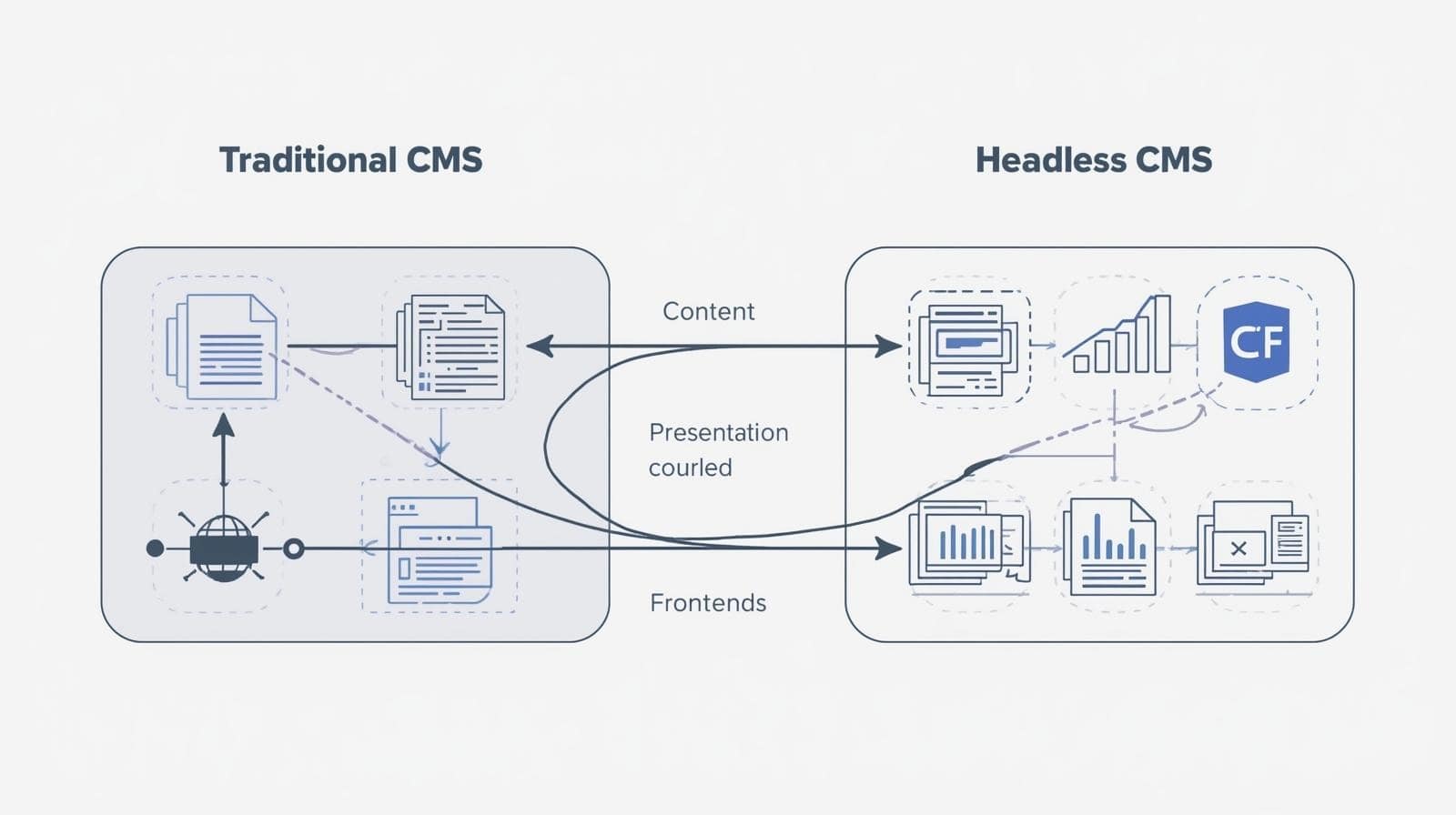
A visual comparison of headless CMS and traditional CMS, highlighting key differences.
Headless CMS vs. Traditional CMS: 7 Key Factors to Choose in 2025
Deciding between a headless CMS vs. traditional CMS is a pivotal choice for businesses and developers in 2025. With digital transformation accelerating, the right content management system (CMS) can make or break your online presence. Should you opt for the user-friendly, all-in-one approach of a traditional CMS like WordPress, or embrace the flexibility and scalability of a headless CMS like Contentful? This in-depth guide explores the pros, cons, and seven critical factors to help you make an informed decision.
At Brand Nexus Studios, we specialize in crafting tailored digital solutions, from website development to advanced SEO strategies. Whether you’re a small business owner or a developer building a complex omnichannel platform, this comparison of headless CMS vs. traditional CMS will guide you toward the best choice for your needs. Let’s dive in.
Understanding Headless CMS vs. Traditional CMS: The Basics
Before we delve into the nuances, let’s establish a clear understanding of what each CMS type entails. This foundational knowledge is essential for businesses and developers navigating the CMS comparison landscape.
What Is a Traditional CMS?
A traditional CMS, such as WordPress, Joomla, or Drupal, is a monolithic platform that integrates content creation, storage, and presentation into a single system. These platforms are designed to be user-friendly, offering pre-built templates, themes, and plugins that allow non-technical users to build and manage websites with ease. For instance, WordPress, which powers over 40% of the web, provides an intuitive dashboard where users can create posts, pages, and media without touching a line of code.
Traditional CMS platforms are often self-hosted, meaning you manage the server, updates, and security. They come with built-in features like WYSIWYG editors, SEO plugins (e.g., Yoast or Rank Math), and drag-and-drop builders like Elementor. This makes them ideal for small businesses, bloggers, or marketers who need a quick setup without extensive technical expertise.
However, the tight coupling of content and presentation limits flexibility. Customizing a traditional CMS beyond its templates often requires advanced coding skills, and scaling to handle high traffic or complex use cases can be challenging.
What Is a Headless CMS?
A headless CMS, such as Contentful, Strapi, or Sanity, takes a decoupled approach by separating the backend (content storage and management) from the frontend (presentation). The “headless” term refers to the absence of a fixed frontend “head.” Instead, content is stored in a backend database and delivered via APIs to any frontend—be it a website, mobile app, or IoT device.
This architecture gives developers the freedom to choose their preferred technology stack, such as React, Vue.js, or Next.js, to build custom frontends. It also enables omnichannel content delivery, allowing businesses to distribute content across multiple platforms seamlessly. However, the trade-off is that headless CMS platforms require more technical expertise to set up and manage, as the frontend must be built from scratch.
Key takeaway: Traditional CMS platforms are all-in-one solutions for ease of use, while headless CMS platforms offer flexibility and scalability at the cost of increased technical complexity.
.
Headless CMS vs. Traditional CMS: A Detailed Comparison
To make the decision-making process easier, let’s compare headless CMS vs. traditional CMS across seven key factors: ease of use, flexibility, scalability, security, SEO, cost, and omnichannel capabilities. This side-by-side analysis will help you weigh the trade-offs and choose the best system for your business.
| Feature | Traditional CMS | Headless CMS |
|---|---|---|
| Ease of Use | User-friendly, minimal technical skills needed | Developer-focused, requires coding expertise |
| Flexibility | Limited by templates and plugins | Highly flexible, supports any frontend |
| Scalability | Challenges with high traffic | Easily scalable with cloud-based APIs |
| Security | Vulnerable if not updated regularly | Enhanced security with decoupled backend |
| SEO | Built-in SEO tools and plugins | Requires manual SEO implementation |
| Cost | Lower initial cost, higher maintenance | Higher initial development, lower maintenance |
| Omnichannel | Web-focused, limited adaptability | Supports websites, apps, and IoT devices |
1. Ease of Use: Traditional CMS Excels for Non-Technical Users
For businesses with limited technical resources, ease of use is often the top priority. Traditional CMS platforms like WordPress are designed with non-technical users in mind. Their intuitive dashboards, drag-and-drop editors, and extensive plugin ecosystems make content creation and management accessible to anyone, from small business owners to marketing teams.
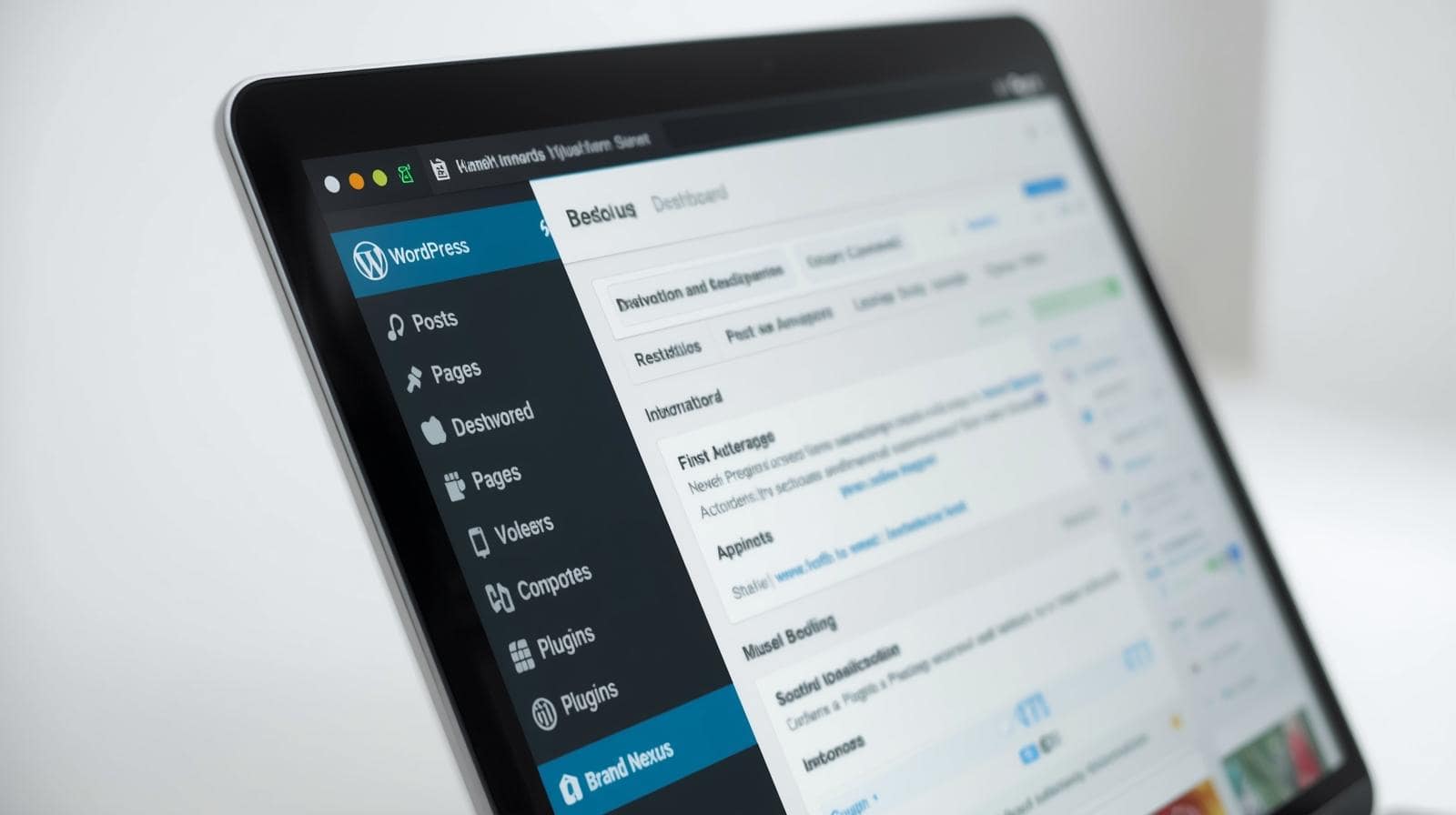
Take WordPress as an example. Its dashboard allows users to create posts, upload media, and customize designs without coding. Plugins like Elementor or Divi simplify website building with visual editors, while SEO tools like Yoast provide step-by-step guidance for optimizing content. This plug-and-play approach is ideal for businesses that need to launch a website quickly without hiring developers.
However, the simplicity of traditional CMS platforms comes with limitations. Customization beyond pre-built themes or plugins often requires knowledge of languages like PHP, CSS, or JavaScript. For instance, modifying a WordPress theme’s layout may involve editing code, which can be daunting for non-technical users. Additionally, managing updates for themes and plugins can become time-consuming, especially as the site grows.
In contrast, a headless CMS is developer-centric. Content editors can use a user-friendly backend to manage content, but building the frontend requires coding expertise. For example, a developer might use a headless CMS like Contentful to store content and then build a custom React frontend to display it. This process demands collaboration between marketers and developers, which may slow down workflows for smaller teams.
Case Study: Small Business Blog – A local bakery used WordPress to launch a blog showcasing recipes and promotions. With a pre-built theme and Yoast SEO, the owner, with no coding experience, had the site live in a week. However, when they wanted a custom checkout system, they needed to hire a developer, highlighting the customization limits of traditional CMS.
Who wins? Traditional CMS for ease of use, especially for non-technical teams or small businesses. If you need a quick, user-friendly setup, explore our website design services at Brand Nexus Studios to get started.
2. Flexibility: Headless CMS Offers Unparalleled Freedom
Flexibility is a defining factor in the headless CMS vs. traditional CMS debate. A headless CMS shines by decoupling the backend from the frontend, allowing developers to use any technology stack to create custom experiences. Whether you’re building a website with Next.js, a mobile app with Flutter, or an IoT dashboard with Angular, a headless CMS delivers content via APIs, making it technology-agnostic.
For example, a headless CMS like Strapi allows developers to define content models and deliver them to multiple frontends. This means a single piece of content—a product description, for instance—can be reused across a website, mobile app, and smartwatch without reformatting. This flexibility is invaluable for businesses with unique design requirements or complex digital ecosystems.
Traditional CMS platforms, while versatile, are constrained by their ecosystems. WordPress, for instance, relies on PHP and its plugin architecture. Customizing beyond available themes or plugins often requires workarounds, which can lead to bloated code and slower performance. For example, adding a custom interactive feature to a WordPress site might involve multiple plugins, increasing load times and maintenance needs.
Case Study: E-Commerce Platform – A fashion retailer used a headless CMS (Contentful) to power their website, mobile app, and in-store kiosks. By leveraging APIs, they created a consistent brand experience across channels, with developers using React for the website and Flutter for the app. A traditional CMS would have required separate systems for each channel, increasing complexity.
Practical Tip: If you need a custom design, consider a headless CMS and hire experienced developers. At Brand Nexus Studios, we specialize in building bespoke solutions with headless CMS platforms—contact us to discuss your vision.
Who wins? Headless CMS for businesses needing bespoke designs or omnichannel delivery.
3. Scalability: Headless CMS Grows with Your Business
Scalability is critical as your business grows and website traffic increases. Traditional CMS platforms can struggle with scalability, especially under high traffic. WordPress sites, for example, often require additional plugins, caching solutions, or server upgrades to handle large volumes of users. These solutions can increase costs and complexity, and poorly optimized plugins can slow down performance.
Headless CMS platforms are built for scalability. Their cloud-based architecture and API-driven delivery make it easy to handle traffic spikes. Content is cached and distributed globally using content delivery networks (CDNs), ensuring fast load times even during peak usage. For example, a headless CMS like Sanity can scale seamlessly to support millions of API requests, making it ideal for large enterprises or high-traffic sites.
Case Study: News Website – A news outlet switched from WordPress to a headless CMS (Sanity) after experiencing downtime during major events. The API-driven approach, combined with a CDN, reduced load times by 40% and handled traffic surges without issues.
Practical Tip: For traditional CMS users, optimize scalability with managed hosting and caching plugins. For headless CMS users, leverage CDNs like Cloudflare to enhance performance. Our web development services at Brand Nexus Studios can help you scale efficiently.
Who wins? Headless CMS for businesses planning for growth or handling high traffic.

4. Security: Headless CMS Enhances Protection
Security is a top priority for any online business, especially with cyber threats on the rise in 2025. Traditional CMS platforms, particularly WordPress, are frequent targets for hackers due to their popularity and open-source nature. Vulnerabilities in themes, plugins, or outdated software can expose sites to attacks like SQL injection or cross-site scripting (XSS).
To mitigate risks, traditional CMS users must regularly update core software, themes, and plugins, and implement security measures like firewalls and SSL certificates. However, managing these updates can be time-consuming, and third-party plugins may introduce vulnerabilities if not vetted properly.
A headless CMS offers enhanced security by isolating the backend from the public-facing frontend. The content database is only accessible via APIs, reducing the attack surface. Additionally, many headless CMS platforms include built-in security features like encryption, role-based access control, and automated backups. For example, Contentful provides enterprise-grade security with SOC 2 compliance, making it a preferred choice for businesses handling sensitive data.
Case Study: Financial Services – A financial advisory firm adopted a headless CMS (Strapi) to manage client portals. The decoupled architecture and API restrictions reduced security risks, ensuring compliance with data protection regulations.
Practical Tip: For traditional CMS, use security plugins like Wordfence and keep software updated. For headless CMS, ensure API keys are secure and implement rate limiting. Our team at Brand Nexus Studios can help secure your CMS—reach out for a consultation.
Who wins? Headless CMS for businesses prioritizing security.
5. SEO: Balancing Simplicity and Control
Search engine optimization (SEO) is critical for driving organic traffic. Traditional CMS platforms like WordPress excel in SEO due to their built-in tools and plugins. Yoast SEO, Rank Math, and All in One SEO provide user-friendly interfaces for optimizing meta tags, sitemaps, and keywords. These plugins also offer real-time feedback, making it easy for beginners to improve on-page SEO.
However, traditional CMS platforms can face SEO challenges with complex sites. For example, WordPress sites with heavy plugins may experience slow load times, negatively impacting rankings. Additionally, advanced SEO strategies, like custom schema markup or dynamic rendering, may require developer intervention.
Headless CMS platforms require manual SEO implementation, which can be a hurdle for non-technical teams. Developers must add schema markup, optimize URLs, and ensure fast load times using techniques like server-side rendering (SSR) or static site generation (SSG). However, this hands-on approach allows for advanced SEO strategies, such as custom content models and dynamic content delivery.
Case Study: Travel Blog – A travel blogger used WordPress with Yoast to rank for competitive keywords like “budget travel tips.” However, when expanding to a mobile app, they switched to a headless CMS (Sanity) to deliver content via APIs, requiring custom SEO implementation but enabling faster load times and better mobile rankings.
Practical Tip: For traditional CMS, use lightweight themes and optimize images for speed. For headless CMS, implement SSR or SSG with frameworks like Next.js to boost SEO. Learn more about our SEO services to maximize your CMS’s potential.
Who wins? Traditional CMS for beginners, headless CMS for advanced SEO control.
6. Cost: Balancing Upfront and Long-Term Expenses
Cost is a major consideration when choosing between a headless CMS vs. traditional CMS. Traditional CMS platforms are generally cheaper to set up, especially with free options like WordPress. Hosting costs for a basic WordPress site can start as low as $5/month, and many themes and plugins are free or affordable. However, ongoing expenses—premium plugins, managed hosting, security patches, and developer fees for customizations—can add up over time.
Headless CMS platforms often have higher upfront costs due to the need for custom frontend development. For example, building a React-based frontend for a headless CMS like Contentful requires skilled developers, increasing initial investment. However, cloud-based headless CMS platforms typically have lower maintenance costs, as updates and scaling are handled by the provider.
Cost Breakdown Example:
- Traditional CMS (WordPress): $100/year (hosting) + $50/year (premium plugins) + $500-$2,000 (customizations) = $650-$2,150/year.
- Headless CMS (Contentful): $5,000-$10,000 (initial development) + $300-$1,000/year (subscription) = $5,300-$11,000 first year, lower thereafter.
Case Study: Startup Website – A tech startup used WordPress for its low-cost setup but faced high maintenance costs as traffic grew. Switching to a headless CMS (Strapi) reduced long-term expenses by leveraging cloud hosting and minimal updates.
Practical Tip: For traditional CMS, choose cost-effective hosting and free plugins where possible. For headless CMS, budget for initial development but expect savings over time. Contact Brand Nexus Studios for cost-effective CMS solutions—email morne@brandnexusstudios.co.za.
Who wins? Traditional CMS for low initial costs, headless CMS for long-term savings.
7. Omnichannel Capabilities: Headless CMS Leads the Way
In 2025, delivering content across multiple channels—websites, mobile apps, wearables, and IoT devices—is essential for engaging modern audiences. Traditional CMS platforms are primarily web-focused, making omnichannel delivery challenging. For example, adapting a WordPress site for a mobile app often requires separate systems or complex plugins, increasing development time and costs.
Headless CMS platforms are built for omnichannel delivery. Their API-driven approach allows content to be reused across platforms, ensuring a consistent brand experience. For instance, a single blog post in a headless CMS can be delivered to a website, mobile app, and smart TV with minimal reformatting.
Case Study: Retail Chain – A retail chain used a headless CMS (Sanity) to manage product descriptions across their website, mobile app, and in-store kiosks. The API-driven approach saved 30% in content management time compared to their previous WordPress setup.
Practical Tip: For omnichannel delivery, choose a headless CMS with robust API documentation. For traditional CMS, explore plugins like WP REST API for limited omnichannel support. Our content marketing services can help you create omnichannel strategies.
Who wins? Headless CMS for omnichannel strategies.
Additional Considerations for Choosing a CMS
Team Collaboration and Workflow
Collaboration between marketers and developers is crucial for CMS success. Traditional CMS platforms streamline workflows for non-technical teams, with roles like editors and admins managing content independently. However, developers may need to step in for customizations, creating potential bottlenecks.
Headless CMS platforms require closer collaboration, as marketers create content in the backend while developers build and maintain the frontend. Tools like Contentful offer role-based access and content modeling, enabling efficient workflows, but technical expertise is essential.
Practical Tip: Define clear roles and workflows before choosing a CMS. For headless CMS, invest in training for content editors to maximize efficiency.
Integration with Existing Systems
Businesses often need their CMS to integrate with tools like CRMs, e-commerce platforms, or analytics software. Traditional CMS platforms offer extensive plugin ecosystems for integrations. For example, WordPress integrates seamlessly with WooCommerce for e-commerce or HubSpot for marketing automation.
Headless CMS platforms rely on APIs for integrations, offering greater flexibility but requiring custom development. For instance, integrating a headless CMS with Salesforce may involve building custom API connections, increasing setup time.
Practical Tip: Map out your integration needs before choosing a CMS. Our team at Brand Nexus Studios can help integrate your CMS with existing tools—contact us for support.
Future-Proofing Your Digital Strategy
In 2025, future-proofing is a key consideration. Traditional CMS platforms, while reliable, may struggle to adapt to emerging technologies like AI-driven content personalization or voice search. Headless CMS platforms, with their API-driven architecture, are better suited for integrating with new technologies, ensuring your business stays ahead of the curve.
Case Study: Media Company – A media company adopted a headless CMS (Contentful) to integrate with AI tools for personalized content recommendations, improving user engagement by 25% compared to their previous Drupal setup.
Practical Tip: Choose a CMS that aligns with your long-term digital strategy. Headless CMS platforms offer greater adaptability for future technologies.
Which CMS Should You Choose?
The choice between a headless CMS vs. traditional CMS depends on your business goals, technical expertise, and budget. Here’s a detailed decision guide:
- Choose a traditional CMS if:
- You’re a small business or non-technical team needing a quick, user-friendly setup.
- Your focus is on web-only content with minimal customization.
- You want built-in SEO tools and a low initial budget.
- Choose a headless CMS if:
- You need flexibility for custom designs or omnichannel delivery.
- Your business anticipates high traffic or rapid growth.
- You have access to developers and prioritize security or future-proofing.
Not sure which CMS is right for you? At Brand Nexus Studios, we specialize in tailoring CMS solutions to your unique needs, from WordPress websites to custom headless CMS setups.
FAQs About Headless CMS vs. Traditional CMS
What is the main difference between a headless CMS and a traditional CMS?
A traditional CMS combines content management and presentation in a single system, while a headless CMS separates the backend (content) from the frontend (presentation), offering greater flexibility.
Is a headless CMS more secure than a traditional CMS?
Yes, a headless CMS is often more secure because its database is not directly exposed to the public, reducing vulnerabilities compared to traditional CMS platforms.
Which CMS is better for SEO?
Traditional CMS platforms like WordPress have built-in SEO tools, while headless CMS requires manual SEO implementation but offers greater control for advanced strategies.
Can a headless CMS support multiple channels?
Yes, a headless CMS excels in omnichannel delivery, allowing content to be distributed across websites, mobile apps, IoT devices, and more via APIs.
Conclusion: Make the Right CMS Choice with Brand Nexus Studios
Choosing between a headless CMS vs. traditional CMS is a critical decision for your digital strategy in 2025. Whether you prioritize the simplicity of a traditional CMS or the flexibility of a headless CMS, understanding the trade-offs is key to aligning with your business goals. At Brand Nexus Studios, we’re here to guide you through every step, from selecting the ideal CMS to optimizing it for SEO, scalability, and performance.
Ready to transform your digital presence? Contact us at morne@brandnexusstudios.co.za to explore how we can build a tailored CMS solution for your business. Subscribe to our blog for more insights on digital marketing, web development, and CMS strategies!
References
About the Author




